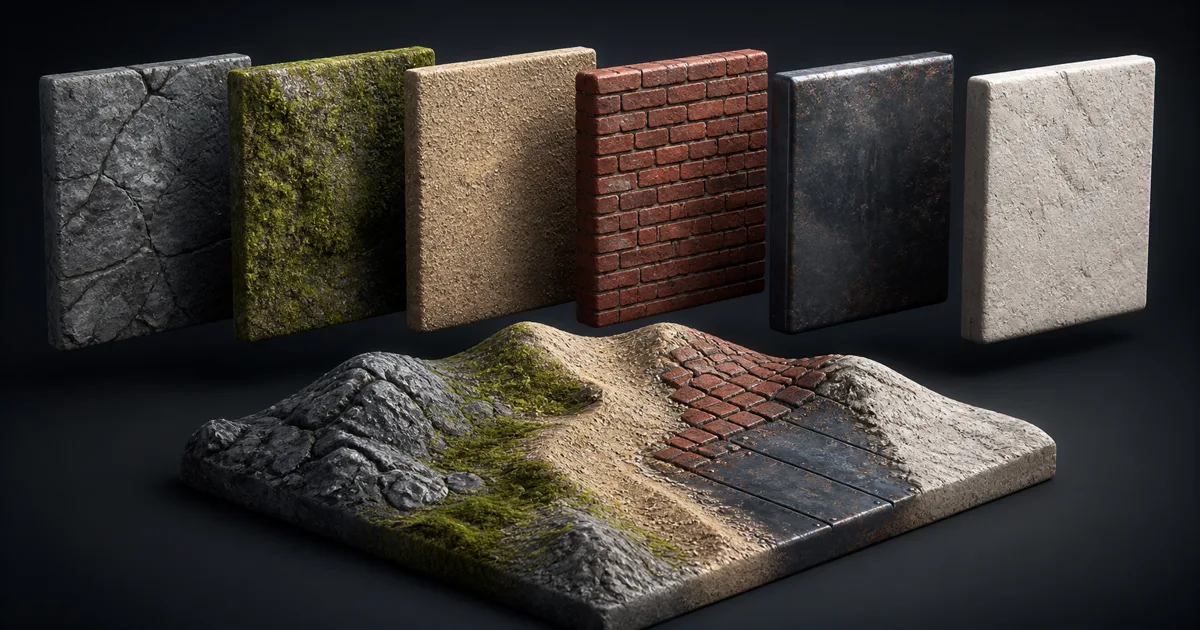
Texture arrays are the GPU equivalent of a very strict filing cabinet. Every image has the same width, height, format, and mip structure. The shader supplies ordinary UV coordinates plus a slice index, and the GPU samples one layer from the cabinet without rebinding a different texture.
That arrangement is useful for terrain systems, modular environments, instanced props, decals, material variation, and any shader that must choose among many compatible textures. It does not merge the images into a collage. Each slice keeps its own full UV range and mip chain, which removes atlas gutters and lets one shader switch materials by data.
The strict part matters. A loose folder of unrelated PNGs is not a texture array. The GPU wants a rectangular block of equally shaped data.
What texture arrays change in a material system
A conventional material binds separate 2D textures. If a scene needs fifty ground materials, the renderer may bind different resources, use many material instances, or place the textures in a larger packing scheme. Texture arrays place many same-shaped 2D images behind one texture object. A sample coordinate becomes (u, v, slice) instead of only (u, v).
The slice coordinate selects a layer; it is not a third spatial axis. Unlike a volume texture, a Texture2DArray normally samples discrete layers, though the shader can sample two and blend them.
Each PBR channel still needs sampling. The gain is that one shader can address many compatible images without assigning every variant a sampler or atlas region. Selection can come from instance data, vertex attributes, terrain weights, masks, or mesh IDs.
Texture arrays suit terrain layers, modular finishes, instanced variants, and material catalogs. They do not reduce pixel count: eight 2K slices still contain eight 2K images plus mipmaps. They can reduce binding churn or material proliferation. The memory accountant remains fully employed.
Four rules every PBR texture array must obey
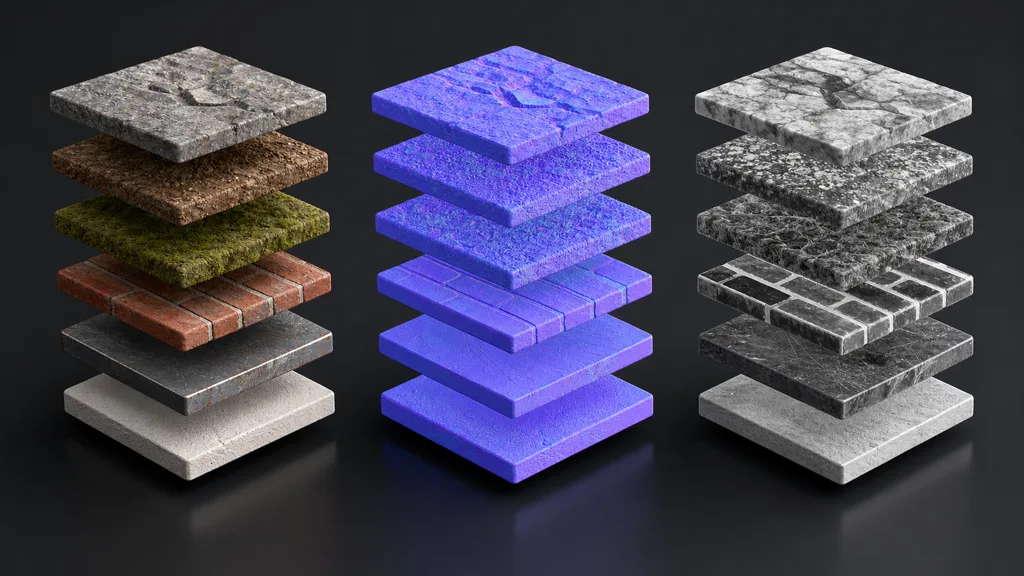
Every slice inside one texture array must share four properties:
- Dimensions: every layer has the same width and height. A smaller source must be resampled or placed in a different array.
- Format: the layers use the same channel layout, bit depth, and GPU compression format.
- Mip count: every layer carries the same number of mip levels. Each slice has its own chain, but the chain structure matches.
- Sampling behavior: wrapping, filtering, and color interpretation are properties of the resource, not private preferences for each layer.
PBR adds another rule above the API contract: slice order must stay synchronized across map families. If rock is slice 0 in base color, it must also be slice 0 in the normal and packed-mask arrays. Otherwise the shader can produce rock color with moss normals and polished-metal roughness. It is visually memorable, which is not the same as useful.
Keep separate PBR texture arrays for data that needs different formats or color handling. Base color is usually sRGB. Tangent-space normals need normal-aware compression and linear sampling. Roughness, metalness, AO, and height are linear values and may fit a documented packed mask array.
Standardize physical scale as well as pixel size. Two 2048 slices satisfy the API even if one covers 20 centimetres and the other covers 8 metres. Record metres per tile, normal orientation, channel meaning, alpha use, and source version.
Texture array vs atlas: choose by addressing, not fashion
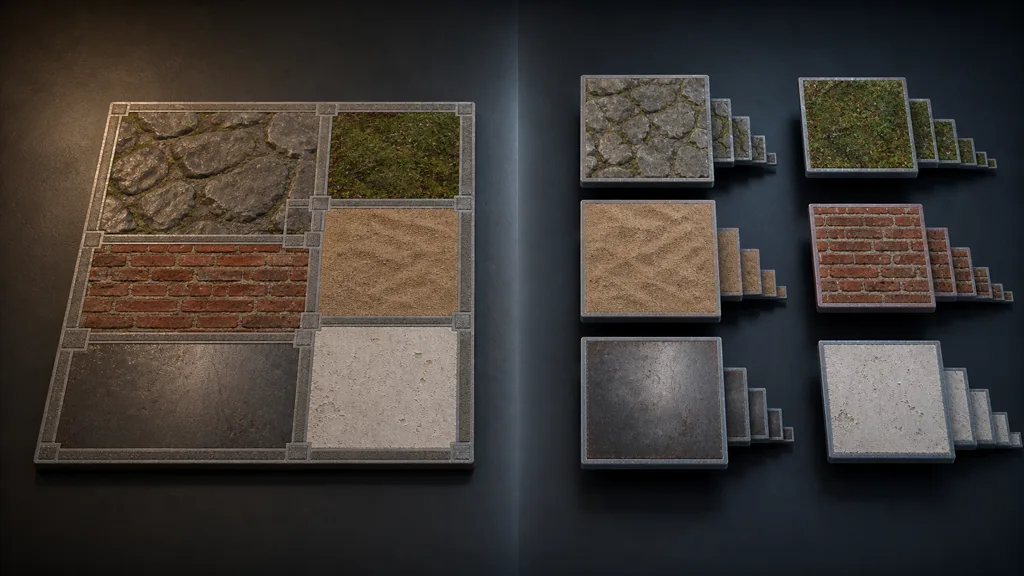
The key texture array vs atlas difference is where the material identity lives. An atlas stores several regions in one image, so the mesh UVs point to a sub-rectangle. An array gives every slice the full 0–1 UV range, so the shader supplies a separate layer index.
| Method | Best at | Main cost |
|---|---|---|
| Texture array | Many same-size images selected or blended in one shader | Shared format and dimensions; shader and platform support |
| Texture atlas | Unique regions with different shapes packed into one image | Gutters, UV remapping, mip bleeding, coordinated repacking |
| Trim sheet | Reusing strips, edges, panels, and bands across modular meshes | UVs must conform to the reusable features |
| Separate textures | Independent assets with unrelated formats or lifetimes | More bindings, resources, and material ownership |
Texture arrays avoid internal atlas bleeding because every layer owns a mip chain, and an instance can change material with an index instead of new UVs. Atlases accept unequal regions and ordinary 2D sampling, which suits unique baked islands, sprites, or mixed resolutions.
Use texture arrays when compatible materials share a shader and the runtime selects among them. Use an atlas when unique regions need one 2D resource and the UV assignment is stable. Use a trim sheet when geometry reuses authored edges. The texture atlas guide and trim sheets guide cover those ownership models.
How to make a texture array without desynchronizing it
The safest answer to how to make a texture array is an automated assembly line for texture arrays:
- Define the catalog. Decide which materials belong together by shader, platform, lifetime, resolution, and physical scale.
- Choose the contract. Fix dimensions, format, compression, mip policy, wrap mode, normal convention, and packed channels.
- Normalize sources. Resample approved masters, correct color space, and preserve real-world tiling scale. Do not stretch a portrait crop merely to satisfy a square slot.
- Assign stable slice IDs. Keep a manifest that maps material names to indices. Append when possible; silently reordering layers can change every existing asset.
- Build synchronized resources. Create base-color, normal, and mask arrays from the same ordered manifest.
- Validate each slice. Render a known sphere or plane with the same ID across all arrays and compare against the original material.
- Test the shipped import. Inspect compression, mip levels, platform overrides, memory, and the actual shader on target hardware.
Treat the manifest as source data. Include a fallback slice—neutral gray color, flat normal, and conservative roughness—so missing IDs fail quietly. Split genuinely different resolutions into separate classes; upscaling every small source into one giant array merely gives the blur more storage.
The texture channel packing guide explains how to keep linear masks in a documented order, while the texture compression guide covers format choices for color, normals, and scalar data.
Select and blend texture array slices in the shader
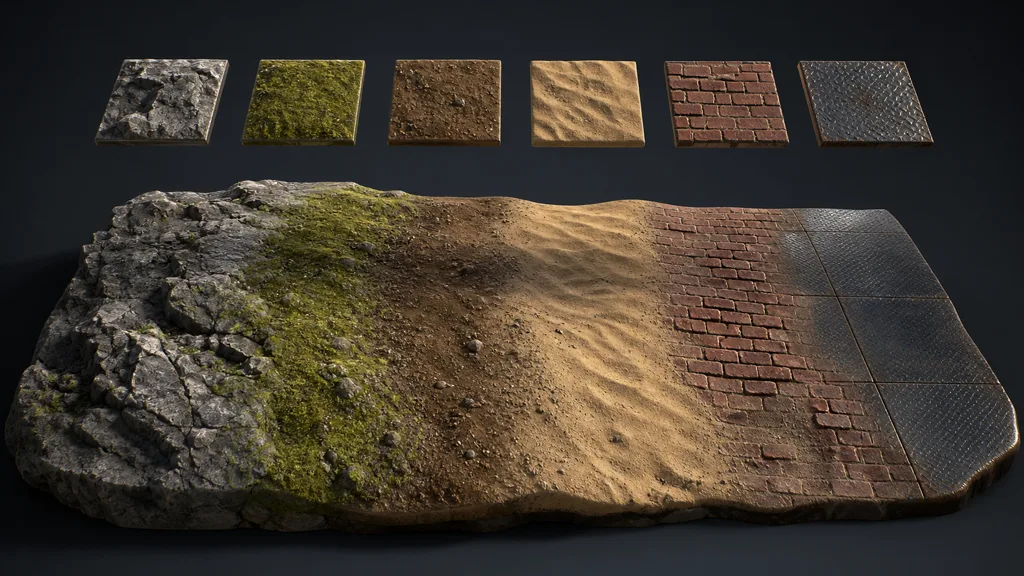
To answer how do texture arrays work in a shader, start with discrete selection. The vertex, instance, or material data provides a slice ID. The shader combines that ID with UV coordinates and samples the matching layer. Base color, normal, and mask arrays all receive the same ID.
Blending two materials requires two samples from every participating array. Interpolate color and scalar masks appropriately, blend tangent-space normals with a normal-aware method, and renormalize. If height affects the transition, use the same logic across related channels.
Terrain splatting can choose four or more layers per pixel, but texture arrays do not make those samples free. Four layers using color, normal, and packed masks may need twelve fetches. Cull zero-weight layers when possible, limit the active blend set, and profile the compiled result.
Keep slice indices stable across LODs and instances. Use flat/no-interpolation semantics for discrete selection, or deliberately sample two integer layers and blend them. Accidental fractional IDs are how a brick wall acquires a brief interest in moss whenever the camera moves.
Texture arrays in Unity, Unreal Engine, and Godot
For a texture array Unity workflow, Unity 6 can import a cell-divided source as a 2D Array or create one through the Texture2DArray API. Unity texture arrays share size, format, and flags, and shaders sample them with a three-component coordinate. Verify platform support and the build target. Unity’s 2D texture array manual covers import, scripting, render targets, and shader sampling.
For a texture array Unreal Engine workflow, Unreal exposes UTexture2DArray, including a source-texture list for compatible layers, and material functions can accept a Texture2DArray input. Keep the source textures consistent, sample with one coordinated slice value, and verify the cooked platform format rather than assuming editor previews and shipping builds make identical decisions. Epic’s UTexture2DArray API reference documents the resource and its source textures.
For a texture array Godot workflow, Texture2DArray stores separate images with equal dimensions and mip counts. Godot can create the resource through import presets or ImageTextureLayered.create_from_images(), and shaders use a sampler2DArray. Its layers do not automatically interpolate like a 3D texture, so blend slices explicitly when needed. Godot’s Texture2DArray documentation also explains why separate layer mipmaps avoid the manual slicing required by an atlas.
Make the builder for texture arrays reject mismatched dimensions, formats, maps, IDs, and color spaces before import.
Budget texture array mipmaps, memory, and performance
Texture array mipmaps are stored per layer, preventing cross-layer contamination but not mip overhead. A full chain adds roughly one-third more pixels than the top level, multiplied by the slices and PBR arrays in the family.
Estimate memory from shipped GPU formats, not source PNG sizes. Include every slice, mip, channel family, platform format, and residency rule. Confirm whether one visible layer brings more of the array into memory.
Texture array performance depends on sample count, blended layer count, cache coherence, filtering, UV frequency, branches, platform limits, and the bindings saved elsewhere in the frame.
Texture arrays can win when many instances share one shader and nearby pixels access coherent layers. They disappoint when pixels choose unrelated slices or a huge array stays resident for one small prop. Profile a representative scene; a clean node graph is a hypothesis, not a result.
The best texture array workflow 2026 bounds catalogs by scene and platform. Split giant libraries by biome, level, or material class, then pair them with texture streaming, stable texture filtering, and measured texture resolution.
Diagnose texture arrays that sample the wrong material
| Symptom | Likely cause | Useful check |
|---|---|---|
| Correct color, wrong relief | Slice order differs between color and normal arrays | Render IDs one by one from the shared manifest |
| All slices look washed out | Linear data imported as sRGB, or color data sampled as linear | Inspect resource color-space settings by map family |
| Distant surface shimmers | Missing or poor mipmaps, excessive UV frequency, strong normals | Force mip levels and inspect filtering |
| Material changes across a triangle | Slice ID is being interpolated | Mark the value flat or select and blend integer layers deliberately |
| One platform shows black | Unsupported format, slice count, or shader feature | Inspect the cooked resource and device capabilities |
| Array consumes surprising memory | Oversized common resolution or all layers resident | Calculate shipped bytes per family and split the catalog |
| Blended normal looks flat | Normals were linearly mixed without a normal-aware blend | Test constant normals, blend, then renormalize |
| Editing one material changes many assets | Stable IDs were reordered | Version the manifest and append instead of inserting |
Debug texture arrays one slice at a time on a standard sphere and plane. Display color, normal, masks, and the slice ID separately.
Build twice from identical sources and compare outputs. If filesystem enumeration decides the slice order, the same catalog can compile differently on another machine. Alphabetical surprises are still surprises when they appear only on Tuesdays.
FAQ
What are texture arrays in game development?
Texture arrays are GPU resources containing multiple same-size, same-format 2D images as separate layers. A shader samples them with UV coordinates plus a slice index, allowing one material to select among many compatible textures.
How do texture arrays work?
The GPU treats the layers as one bindable resource while preserving a separate 0–1 UV space and mip chain for each layer. The shader supplies the layer index directly; to blend layers, it samples multiple integer slices and mixes the results.
What is the difference between a texture array and a texture atlas?
An atlas divides one image into UV regions and needs gutters to protect those regions during filtering. A texture array gives every layer the full UV range and separate mipmaps, but all layers must share dimensions and format.
Do texture arrays improve performance?
They can reduce texture bindings and let many instances share one shader, which may improve rendering organization and batching. They do not remove texture fetches or memory cost, and multi-layer blending can become expensive, so profile the complete scene.
Can texture arrays have different resolutions?
Not within one array resource. Every layer must use the same width and height, so materials with genuinely different resolution needs should be normalized carefully or separated into different arrays.
Can you blend between texture array layers?
Yes, but a 2D array normally selects discrete layers rather than interpolating through them automatically. Sample the required integer slices, blend color and scalar data, and use a normal-aware method for tangent-space normals.
Should PBR maps go into one texture array?
Keep map families separate when they need different color spaces or compression: base color, normals, and linear masks usually belong in different arrays. Synchronize the slice order so one material ID retrieves matching data from every family.
Try CraftPBR
CraftPBR helps create the coordinated source materials that feed clean PBR texture arrays:
- Text-to-PBR generates a full material set from a physical description of surface, scale, wear, and finish.
- Photo-to-PBR converts a controlled surface photo into aligned base color, normal, roughness, height, AO, and metalness maps.
- Node workspace keeps tiling, levels, channel logic, masks, and related material variants editable before array assembly.
- Engine export prepares normal orientation, linear data, channel packing, filenames, and target-specific map conventions.
- Free tier lets you generate and validate a complete PBR set before assigning it a permanent slice ID.
- CC0 output lets you modify, pack, render, and ship generated textures without attribution.
Create the next material for your texture array in CraftPBR →
Keep the slices boringly consistent. Let the shader make them interesting.