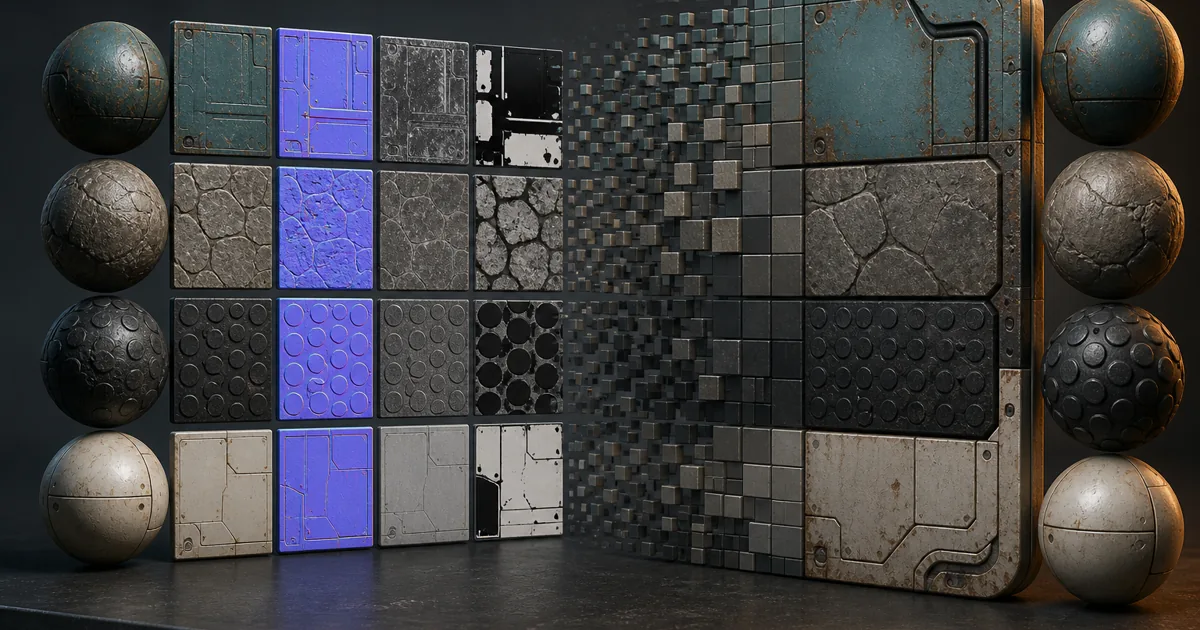
A 4096 × 4096 RGBA texture occupies about 64 MiB before mipmaps when stored at 32 bits per pixel. Add a full mip chain and it reaches roughly 85 MiB. Texture compression can reduce the same top level to about 8 MiB at 4 bits per pixel or 16 MiB at 8 bits per pixel, but only if the selected format fits the image data. Pick badly and the memory graph improves while the material develops square bruises.
That trade makes texture compression for games an art-pipeline decision. Base color, normals, roughness, packed masks, opacity, and height carry different information and should not automatically receive the same format. This guide keeps compressed PBR textures honest in a real engine.
Texture compression is a runtime format, not a smaller PNG
PNG, WebP, JPEG, TGA, PSD, and EXR are source formats. They affect storage and import, but a GPU samples a platform-specific runtime format. A tiny PNG can become a large uncompressed resource; a large lossless source can become compact BC, ETC, or ASTC data.
This distinction gives texture compression at least three separate budgets:
- Source size in version control or an art-delivery folder.
- Build size in the packaged game or downloadable content.
- Runtime size after the target device has a sampleable texture in memory.
Crunch, Basis Universal, or container supercompression may reduce build size while transcoding to another GPU format at load time. Unity’s texture compression overview notes that Crunch does not change final DXT or ETC runtime memory. KTX 2 can likewise carry transcodable Basis Universal data.
Keep high-quality masters and let the build pipeline create platform payloads. Repeatedly saving a JPEG merely adds one lossy stage before the real one. The GPU remains unmoved by anyone’s attachment to a source thumbnail.
How does texture compression work in fixed-size blocks?
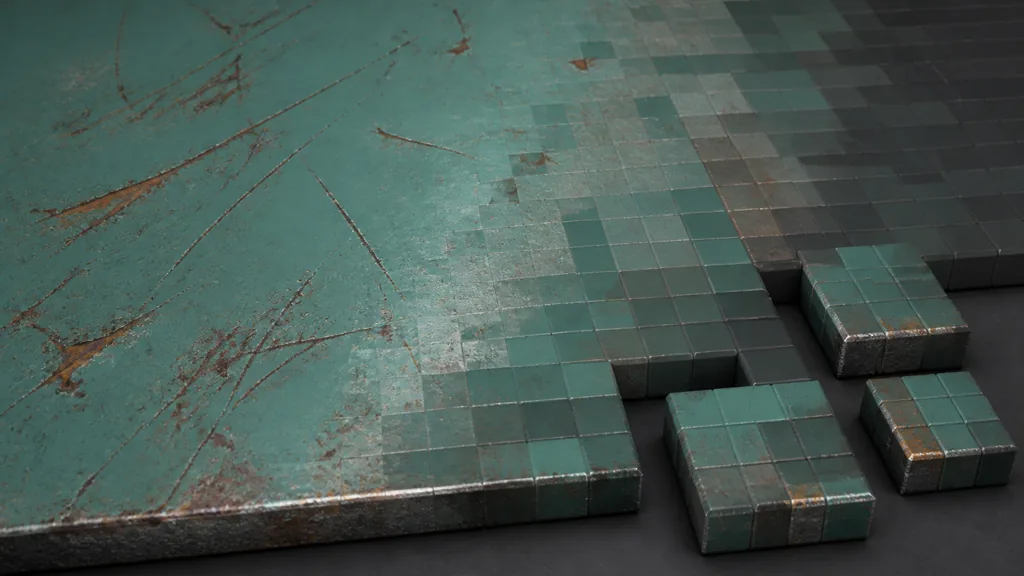
Most common real-time texture compression formats encode small fixed-size pixel blocks rather than compressing each pixel independently. BC formats usually operate on 4 × 4 blocks. Instead of storing every original channel value, the block stores a limited set of endpoints, indices, or modes from which the GPU reconstructs approximate pixels during sampling.
The fixed rate makes memory predictable and explains texture compression artifacts. One block may need to represent a hard boundary, subtle gradient, and tiny scratch with the same allowance. Gradients band, lines smear, mask borders move, and normal vectors lose precision.
| Runtime family | Typical use | Rate | Main caution |
|---|---|---|---|
| BC1 | Opaque color on desktop and console | 4 bpp | Limited color precision; no full alpha |
| BC3 | Color plus alpha on desktop and console | 8 bpp | Alpha costs another block; color remains BC1-like |
| BC4 | One-channel masks or height | 4 bpp | Only one meaningful channel |
| BC5 | Two-channel tangent normals | 8 bpp | Blue is reconstructed; not a general RGBA choice |
| BC7 | Higher-quality RGB or RGBA | 8 bpp | Slower encoding and requires a suitable target |
| ETC2 | Broad mobile and WebGL use | 4 or 8 bpp | Quality varies with content and alpha mode |
| ASTC | Flexible mobile and modern platform use | Varies | Larger blocks save memory but lose more detail |
Ask which format preserves the shader’s required information at the lowest acceptable cost. A four-channel beauty map and a two-channel normal should not become roommates merely because both arrived as PNGs.
Match texture compression to each PBR map role
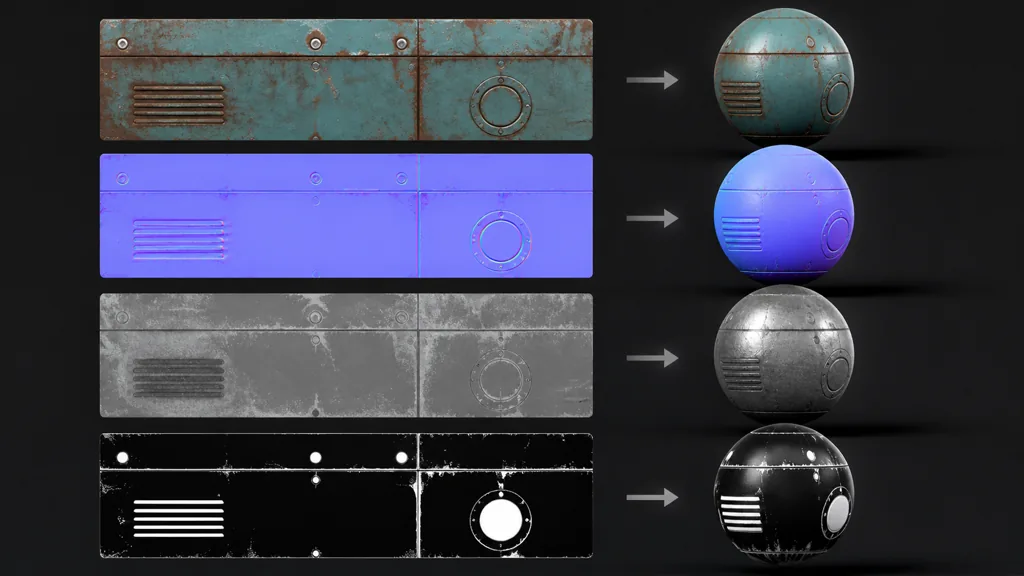
For compressed PBR textures, classify every map by meaning before choosing a format:
- Base color: preserve hues and broad gradients. Use sRGB sampling and BC1 for opaque content or BC7 when target support justifies 8 bpp. Keep alpha only when the shader uses it.
- Normal: use a normal-specific setting, commonly BC5 on desktop-class targets. Good normal map compression preserves X and Y so the shader can reconstruct Z.
- Roughness: preserve low-contrast changes controlling highlight shape. A one-channel format or deliberate packed mask can work.
- Metalness and masks: protect crisp boundaries. Inspect thin features because a moved edge can change the material class.
- AO: usually tolerates more loss than normals, but artifacts can pulse in mips or dirty large surfaces.
- Height: shallow bump and vertex displacement have different precision needs. Block compression can staircase gentle ramps.
- Opacity: preserve cutout coverage across mip levels and test smooth alpha for filtering and fringes.
For sRGB texture compression, base and emissive color generally use an sRGB-to-linear transform. Normal, roughness, metalness, AO, height, and masks are data and should not receive that curve. Compression only makes a smaller color-space mistake.
Choose texture compression for games step by step
Run the compression pass as a controlled validation loop rather than a global “medium quality” rule:
- Keep a clean master. Author and archive an appropriate lossless or high-precision source. Do not paint corrections into a preview that has already been block-compressed.
- Declare the map role. Mark each asset as color, normal, scalar data, packed masks, HDR, or opacity. Record channel packing and normal orientation.
- Set the target platform. Decide the lowest supported hardware before selecting an encoder.
- Choose a candidate format. Start with the engine’s role-aware default, then override only when measurement or visible quality requires it.
- Generate mipmaps correctly. Inspect the full chain, preserve alpha coverage for cutouts, and use normal-aware filtering where available.
- Test the built result. View the texture in the target engine, on target hardware, at intended camera distances and under moving light.
- Measure and document. Record runtime dimensions, format, memory, streaming behavior, and the reason for any exception.
Compare material maps together. Base-color edges, metalness boundaries, normal seams, and roughness transitions must still align after resizing and encoding. A few shifted pixels can put metallic response beside exposed metal.
Preserve mipmaps, color space, and packed-channel edges
Mipmaps are progressively smaller versions of a texture. They reduce aliasing and let distant surfaces sample an image near their on-screen footprint. A full chain adds roughly one third to top-level memory; disabling it often buys shimmering and noisy motion.
Failures may appear only in lower mips. Averaged tangent normals shorten unless renormalized, alpha cutouts lose coverage, and packed-mask boundaries share blocks. Distant materials can become flatter, glossier, or more perforated than mip zero.
- Generate mipmaps in the correct color or data space.
- Renormalize normals after mip generation when the engine supports it.
- Preserve alpha coverage for masked foliage, fences, and hair cards.
- Add dilation around atlas and UV borders before mip generation.
- Inspect packed-channel maps per channel and keep related PBR maps aligned.
The texture atlas guide covers padding and mip bleeding across packed regions. The texture resolution guide helps decide whether a format change is warranted or the source simply contains more pixels than the camera can use.
Pick BC, ETC2, or ASTC for the actual platform
The common BC1 BC3 BC5 BC7 textures serve desktop and console pipelines well, but they are not a universal mobile answer. On modern mobile targets, ASTC texture compression offers selectable block sizes: a small block preserves more detail at a higher rate, while a larger block reduces memory with a greater quality cost. ETC2 remains a practical compatibility choice on many OpenGL ES and WebGL paths.
For texture compression mobile games, define tiers from real device coverage. Older targets may need another format, larger ASTC blocks, or a separate build. Unsupported payloads may be transcoded or expanded, increasing load time and runtime memory.
For the best texture compression settings 2026 can offer, test low, middle, and high devices with color, alpha, normal, scalar, and packed-mask assets. Record runtime memory, load time, and fixed-lighting screenshots. One table ends more arguments than three adjectives in an import preset.
Diagnose texture compression artifacts under hostile lighting
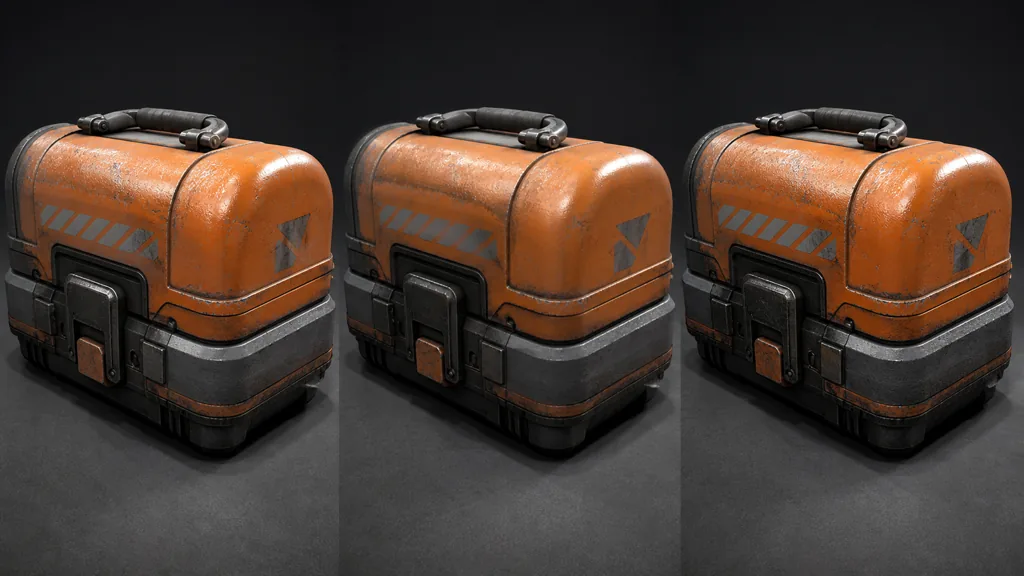
Subtle texture compression artifacts hide under soft light. Use grazing light, a moving reflection, and the smallest expected mip. Compare the build against the master one setting at a time.
| Symptom | Likely cause | Better next test |
|---|---|---|
| Square color patches | Low-rate color blocks crossing gradients | Compare BC1 with BC7 or a smaller ASTC block |
| Wavy or dented highlights | Normal treated as color or over-compressed | Use the normal-map import type and inspect BC5-like output |
| Roughness sparkles | High-frequency scalar detail aliasing in mips | Filter the source signal and inspect lower mip levels |
| Mask edge shifts | Thin features share blocks with opposite values | Increase feature width, resolution, or per-channel quality |
| Foliage vanishes | Alpha coverage lost during mip generation | Enable coverage-preserving mips and test the chain |
| Build looks blurry | Platform override, max size, or runtime transcode | Inspect packaged format and dimensions on device |
Do not respond to every artifact by disabling texture compression. First ask whether the signal is useful at the intended distance, whether the source is noisy beyond the texture’s sampling limit, and whether a map-specific format solves the failure. Uncompressed assets are sometimes justified for lookup tables, exact UI, signed data, or sensitive masks. They should be explicit exceptions with measured cost.
Verify texture compression in Unity and Unreal Engine
For texture compression Unity projects, set Texture Type, sRGB, alpha use, mips, and platform overrides. Declare map roles before Unity chooses target formats, then check the built runtime result because unsupported formats may expand in memory. Unity’s GPU texture format reference lists platform support.
For texture compression Unreal Engine, choose a role-specific Compression Setting, confirm sRGB separately, inspect resource size, and review lower mips. Unreal’s Texture Asset Editor documentation covers compression, filtering, mips, color, virtual textures, and normal renormalization.
- Import the same controlled test set.
- Build for the actual target rather than trusting a desktop editor preview.
- Capture source, compressed top mip, distant mip, and runtime memory.
- Rotate lighting across normals and roughness.
- Check alpha and packed masks one channel at a time.
- Save platform overrides in version control with a short reason.
The goal is no production-relevant difference at the approved camera distance, motion, display resolution, and hardware budget. Pixels do not earn tenure by surviving the source file.
FAQ
What is texture compression?
Texture compression stores image data in a GPU-friendly reduced representation, commonly using fixed-size pixel blocks. It lowers runtime memory and bandwidth at some quality cost, while source-file compression such as PNG mainly affects storage and transfer before import.
Which texture compression format is best for games?
There is no single best format for every map and platform. Use a color-capable format for base color, a two-channel format such as BC5 for tangent normals on supported desktop targets, dedicated scalar or mask treatment for data, and ASTC or ETC-family choices according to mobile hardware coverage.
Does texture compression improve game performance?
It can reduce VRAM use and memory bandwidth, which may improve loading, streaming, and frame stability when textures are a bottleneck. It does not guarantee a faster frame by itself, so profile runtime memory, bandwidth pressure, upload behavior, and visual quality on target hardware.
Should normal maps use BC5 compression?
BC5 is a strong desktop and console choice because it preserves two channels for tangent X and Y while the shader reconstructs Z. Use the engine's Normal Map import type, disable sRGB, verify green-channel orientation, and inspect lower mips under moving light.
Is ASTC better than ETC2 for mobile textures?
ASTC is more flexible because several block sizes trade quality against bitrate and it handles varied channel content well. ETC2 may provide a more suitable compatibility floor for some device sets, so choose from the supported hardware matrix and test the packaged result on representative devices.
Why do compressed textures look blurry or blocky?
The chosen format may be spending too few bits on a block containing sharp edges, gradients, or fine detail. Check max-size overrides, runtime format, mip level, color-space role, and whether a different format or cleaner source signal fixes the visible failure.
Does saving a texture as PNG reduce VRAM?
Not necessarily. PNG reduces source and download size losslessly, but engines usually convert it to a GPU runtime format whose dimensions, channel count, mip chain, and compression determine VRAM use.
Try CraftPBR
CraftPBR creates a coherent source material set before texture compression turns it into platform payloads:
- Text-to-PBR generates aligned maps from a physical surface description.
- Photo-to-PBR converts a controlled photo into coordinated base color, normal, roughness, height, AO, and metalness.
- Node workspace keeps tiling, levels, masks, layers, and material variations editable before destructive delivery steps.
- Engine export prepares map roles, color/data handling, normal orientation, and packed channels for common targets.
- Free tier lets you build and test a complete PBR set before allocating the final memory budget.
- CC0 output lets you modify, compress, render, and ship generated materials without attribution.
Create a PBR material ready for engine testing →
Keep the master generous. Make the runtime copy earn every bit.