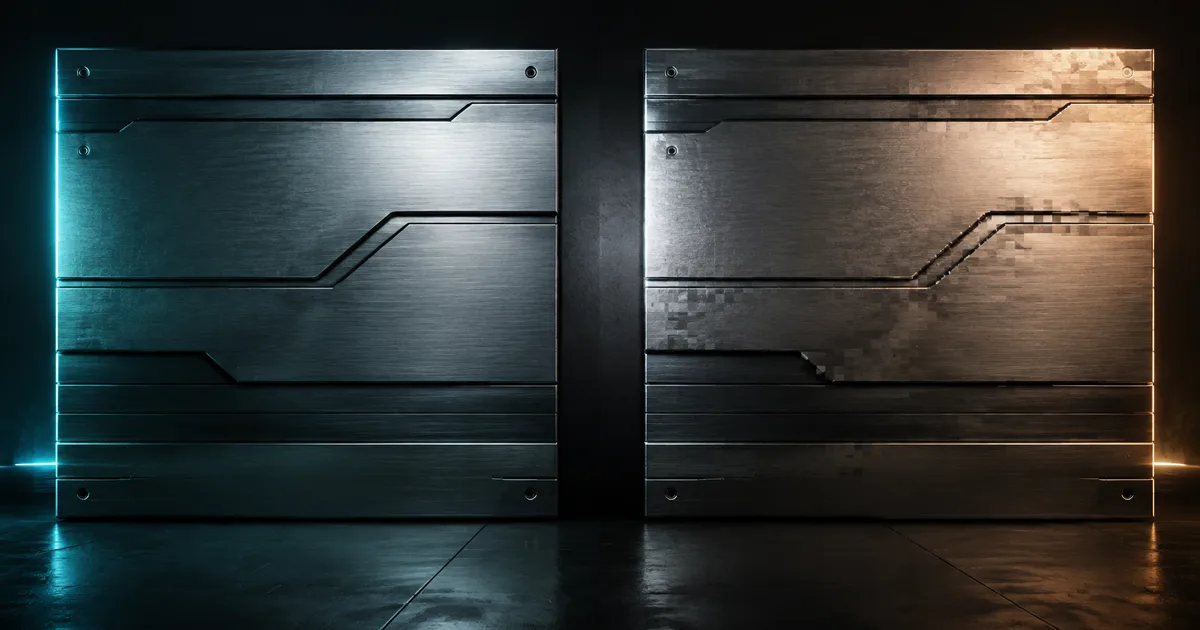
A panel is perfectly aligned near the origin, then its engraved lines begin to crawl when the camera moves. The source texture is fine. The UV islands are fine. The GPU is not adding character; it ran out of useful digits.
Texture coordinate precision controls how finely a renderer can store and calculate sample locations. When the available steps become wider than the surface detail, UVs snap between representable values. The symptoms look like texture wobble, stepped motion, drifting decals, displaced atlas regions, or seams that appear only in the engine.
Texture coordinate precision is a pipeline, not one checkbox
UVs begin as numbers in a DCC, travel through an interchange file, enter an engine vertex buffer, interpolate across triangles, and may be scaled, offset, wrapped, or projected in a shader. Any stage can reduce UV precision. Raising one later stage cannot recover detail discarded earlier.
Start by separating four budgets: source and export precision, mesh vertex storage, shader variable precision, and coordinate magnitude during material math. A static mesh can have full precision UVs in its vertex buffer while a mobile fragment calculation still uses a lower-precision type. Conversely, expensive high-precision shader math cannot restore UV bits already rounded on import.
This differs from the problems covered by texture filtering. Filtering chooses and combines texels for a pixel footprint. Precision determines whether the sampler receives the intended coordinate in the first place.
Half precision UVs lose fractional detail as the range grows
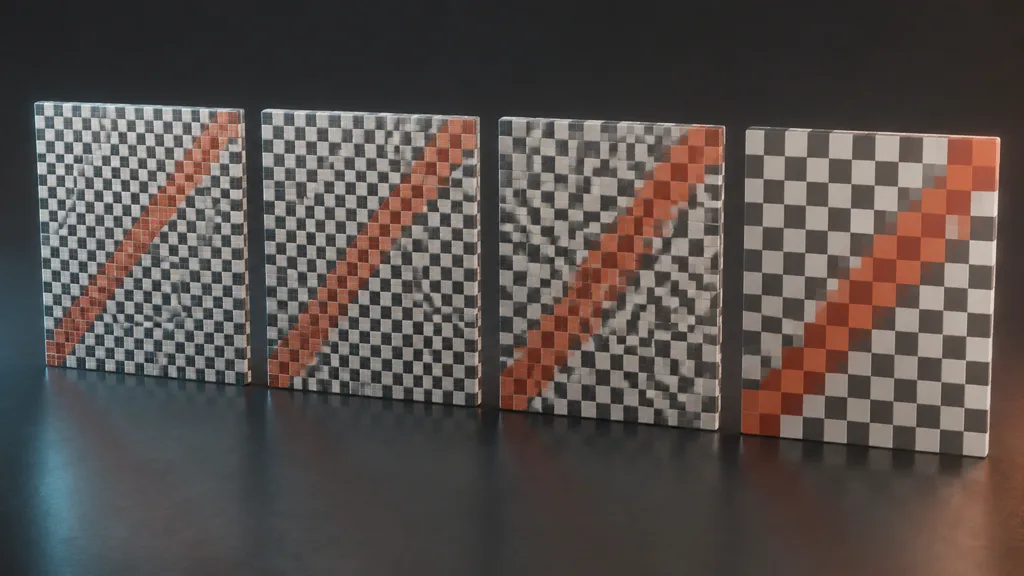
Floating-point values spend bits on sign, exponent, and fraction. A common 16-bit float has ten stored fraction bits, so spacing near UV 1 is about 1 / 1024. On a 4K texture, that interval spans roughly four texels. Near UV 8, the spacing is about 1 / 128, or roughly 32 texels on the same texture. Exact hardware and pipeline formats can differ, but the direction never becomes friendlier: larger magnitudes leave fewer fractional stops.
This is why half precision UVs can work for a prop packed inside 0–1 yet fail when an artist bakes a tiling factor of 64 into the mesh coordinates. Calling frac in the shader does not recreate the lost portion. It wraps the rounded value very efficiently.
Judge precision in texels, not abstract decimals. Multiply the coordinate step by texture width or height. Compare that displacement with the smallest feature that must remain stable, including atlas gutters, thin decal edges, lightmap padding, and normal-map detail.
Texture coordinate precision artifacts have recognizable shapes
Texture coordinate precision artifacts usually react to range, density, or motion. Wobble appears when a changing value jumps between coarse positions. Stair-stepped panning appears when an animated offset is evaluated at insufficient precision. A thin atlas region may sample its neighbor because a rounded coordinate crosses the useful rectangle or its padded border.
UV precision seams can show where vertices are duplicated for separate islands, hard normals, or material sections. Two values that were intended to meet may quantize to different sides of a texel boundary. LOD generation can make the mismatch intermittent by rebuilding topology or UVs differently at each level.
Large-world materials add a related failure. World coordinates far from the origin may lose the local fractional detail used to derive texture coordinates. Subtract a camera- or tile-relative origin before fine mapping where the renderer supports it. Do not confuse world-position precision with stored mesh UV precision; they can produce similar motion with different owners.
Keep coordinate ranges compact before paying for more bits
The cheapest fix for large UV coordinates precision is often smaller coordinates. Keep unique unwraps and atlas UVs close to their useful domain. Store a moderate base layout, then apply an intentional repeat factor in material math that has enough precision. For huge surfaces, split the coordinate into coarse tile identity and local fractional position instead of carrying one giant value everywhere.
Do not normalize every UV set blindly. A lightmap needs a bounded nonoverlapping layout; a detail map may deliberately tile; a flow map may use signed or transformed data. The UV channels guide helps keep these roles separate, while texture address modes explains what happens after a coordinate crosses the ordinary range.
Atlases deserve a hard calculation. If one cell occupies 1 / 128 of an axis and the stored coordinate step approaches that scale, the atlas has no safety budget left. A larger gutter cannot repair a coordinate that lands in another cell. Consider fewer cells, a texture array, or higher precision.
Choose half versus full precision UVs per asset
A two-component UV set nominally costs four bytes per vertex in 16-bit floats and eight bytes in 32-bit floats, before platform packing and alignment. Multiply the difference by vertices, channels, LODs, instances, and streamed assets. One hero mesh is cheap; a city of full-precision defaults is a bandwidth policy.
Use quantized UV coordinates when ordinary 0–1 layouts, shipped texture sizes, and target motion remain stable. Raise precision for large tiling ranges, dense atlases, in-camera display meshes, exact decal alignment, data encoded in UV channels, or any asset that fails a repeatable test. Precision is not a moral virtue. It is a budget with a screenshot.
Apply the decision to every LOD. A pristine LOD 0 followed by a half-precision LOD 1 produces a very punctual pop. Also inspect lightmap and secondary channels separately; one UV set can be safe while another carries tiny packed islands.
Set texture coordinate precision in Unity, Unreal Engine, and Blender
For texture coordinate precision Unity, inspect the vertex attributes that actually reach the mesh rather than assuming every import path uses the same representation. Unity's current VertexAttributeFormat reference lists both Float16 and Float32 formats for mesh components. Procedural mesh pipelines can choose descriptors explicitly; imported asset behavior should be verified with engine inspection and a target build.
For texture coordinate precision Unreal Engine, Static Mesh build settings expose Use Full Precision UVs. Epic's mesh build settings reference states that enabling it stores UVs at full floating-point precision. Rebuild the affected LODs, save the asset, and confirm that the visible error changes; a separate material precision problem may remain.
For UV precision Blender, keep the authoring layout and export values compact, inspect the exported file, and treat the destination importer as the authority for runtime storage. Blender can show that islands align before export, but it cannot guarantee how another engine packs vertex attributes or compiles shader precision.
How to fix UV precision artifacts in eight checks
- Capture motion. Record the artifact with an asymmetric high-frequency test texture at final output resolution.
- Measure range. Log UV minima, maxima, tiling, offsets, atlas scale, and world-coordinate inputs.
- Convert to texels. Multiply the suspected coordinate step by the shipped texture dimensions.
- Compare stages. Inspect DCC, exported file, imported vertex buffer, interpolation, and final shader value.
- Reduce magnitude. Keep local coordinates compact or split coarse and fine parts.
- Raise precision selectively. Change vertex storage or shader precision at the stage that actually loses detail.
- Rebuild all LODs. Recheck duplicated seams, secondary UV sets, and material variants.
- Ship the test. Validate the cooked build on representative hardware and quality tiers.
If a precision toggle fixes nothing, turn it back off. The bug has just told you it lives elsewhere.
This is the best UV precision workflow 2026 because it finds the lossy stage before increasing memory or shader cost.
Validate texture coordinate precision at hostile scales
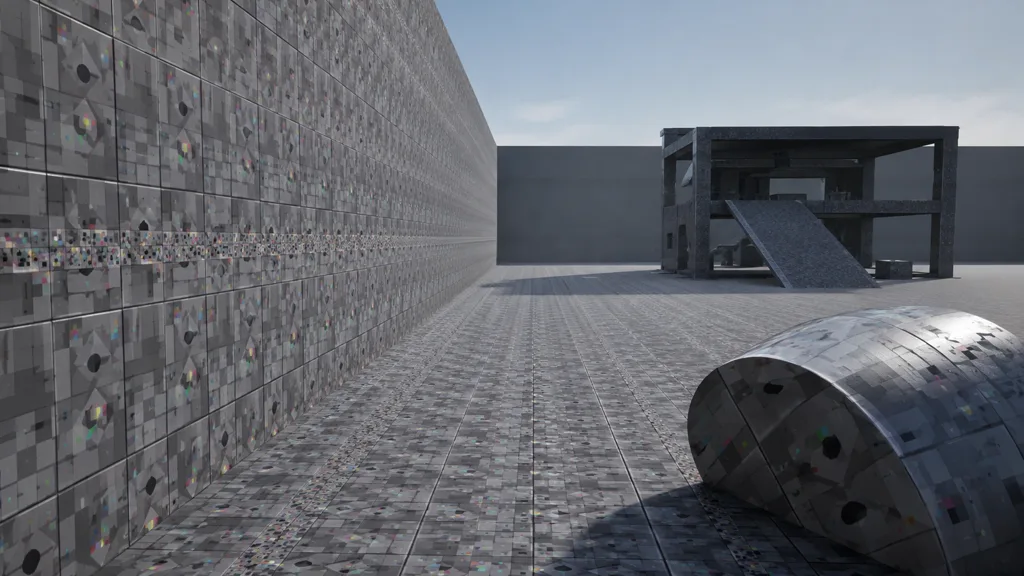
Build a lane containing a 0–1 hero prop, a wall tiled 64 times, a thin decal, a small atlas cell, a curved surface, and a distant LOD chain. Use one asymmetric diagnostic pattern with a fine grid, diagonal stripe, and colored corner. A symmetric checker is very good at forgiving the exact direction of an error.
Move both camera and objects. Test near the world origin and far from it. Change texture resolution without changing UVs; if the offset grows in texels, the coordinate error was already present. Then compare half and full storage, shader precision variants, and a compact-coordinate version one change at a time.
Pass when the shipped build stays stable in motion, seams remain closed, all PBR maps agree, and LOD transitions do not switch precision behavior. Finish with PBR material validation so a solved coordinate problem does not hide a color-space or map-range error.
FAQ
What is texture coordinate precision?
Texture coordinate precision is the numerical resolution available for storing and calculating UV values. If that resolution is too coarse for the coordinate range and texture density, distinct sample positions collapse to the same value and the material can step, drift, or split at seams.
Are half precision UVs good enough?
Often, yes, especially for ordinary 0–1 UVs and moderate texture sizes. They become risky with large tiled coordinates, tiny atlas regions, dense lightmaps, or material math that amplifies small errors, so the shipped mesh and shader should be tested rather than judged by the format name.
What is the difference between half and full precision UVs?
Half precision commonly stores each UV component in 16 bits, while full precision commonly uses 32-bit floating point. Full precision keeps much finer spacing across a wider range, but doubles the nominal storage for one two-component UV set from four bytes to eight bytes per vertex before alignment or compression.
Why do textures wobble at large coordinates?
Floating-point spacing grows as values grow, so a large coordinate has fewer representable fractional positions between neighboring whole numbers. Camera-relative motion, world-space mapping, or a large tiling multiplier can expose those jumps as crawling or wobbling samples.
How do I fix UV precision seams?
First identify whether the mismatch enters during export, vertex storage, interpolation, or shader math. Keep UV ranges compact, use full-precision storage or shader variables where the measured error requires it, and test duplicated seam vertices with an asymmetric high-frequency pattern.
Does texture resolution affect UV precision?
Yes. The same coordinate error crosses more texels on a higher-resolution image: an error of 1/1024 UV is one texel on a 1K texture but four texels on a 4K texture. Higher resolution therefore makes an unchanged UV quantization step easier to see.
Should every mesh use full precision UVs?
No. Use the lowest precision that passes the actual asset test because vertex bandwidth and memory still matter at scale. Reserve full precision for meshes, UV sets, and shader paths whose range or density proves that the cheaper representation is visibly insufficient.
Try CraftPBR
CraftPBR gives a texture coordinate precision test coherent source maps instead of six unrelated variables:
- Text-to-PBR generates aligned base color, normal, roughness, height, AO, and metalness from a material brief.
- Photo-to-PBR converts a controlled surface photo into a coordinated PBR set.
- Node workspace keeps tiling, levels, masks, and map relationships editable.
- Engine export prepares normal orientation, channel packing, color-space intent, and clear filenames.
- Free tier lets you test the full material before changing a project-wide precision policy.
- CC0 output lets you inspect, transform, repack, and ship generated textures without attribution.
Keep coordinates small enough to describe the detail. Spend more bits only when the detail asks.