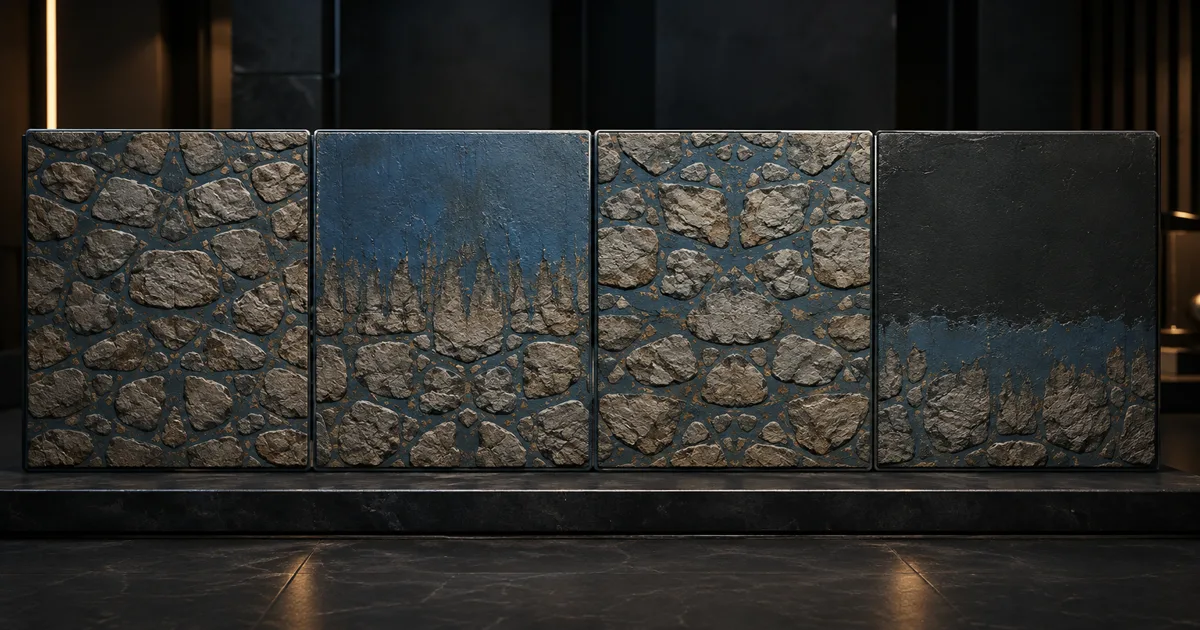
A decal grows a blue stripe to the horizon. A stone floor repeats correctly on U but smears down V. A mirrored normal map gives every second tile dents where bumps should be. These are not painting failures. They are texture address modes doing exactly what the sampler was told, with the tact of a spreadsheet.
This texture address modes guide separates wrap, clamp, mirror, and border behavior, then connects each choice to filtering, mipmaps, PBR map families, atlases, Unity, Unreal Engine, and Blender.
Texture address modes resolve coordinates outside 0–1
A 2D texture sample starts with coordinates (u, v). Inside the ordinary domain, the lower-left edge is near zero and the upper-right edge is near one. Once either component leaves that range, the texture addressing mode transforms the coordinate or chooses exterior data before texels are filtered.
Addressing and filtering solve different problems. Addressing decides which neighborhood exists outside the image. Point, bilinear, trilinear, and anisotropic filtering decide how samples from that neighborhood combine. The texture filtering guide covers the second half. Changing bilinear to trilinear will not turn a clamp streak into a repeated tile.
Texture address modes: wrap, clamp, mirror, and border
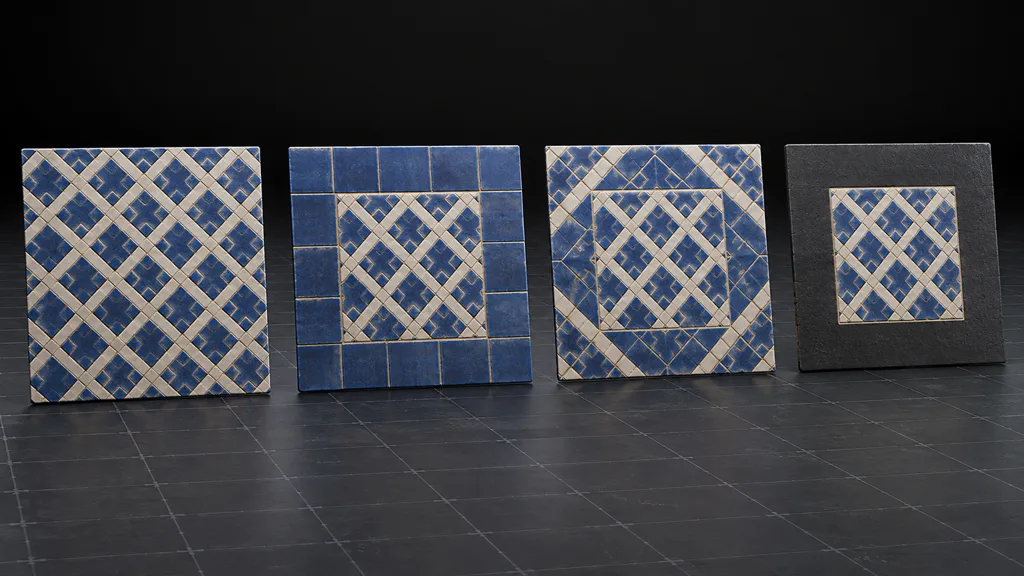
Wrap, often called repeat, keeps the fractional part of a coordinate. Values such as 0.2, 1.2, and -0.8 reach corresponding positions in repeated copies. It is the natural choice for tileable floors, walls, terrain layers, and detail maps. Opposite image edges must match across every relevant PBR channel or the repetition boundary remains visible.
Texture clamp mode holds coordinates at the outer texel region. It stops repetition for decals, masks, gradients, and many lookup textures, but it does not create empty space. A red pixel on the image edge becomes a red strip for every coordinate beyond it. Clamp is predictable; the surprise usually lives in the border pixels.
Texture mirror mode repeats the image while flipping every other copy. The value pattern meets itself at alternating boundaries, which can reduce a sharp discontinuity. Recognizable directional features still form a larger reflected rhythm.
Texture border color returns a constant value outside the image, with filtering blending toward that value near the edge. It is useful for some lookup, shadow, and effect textures, but engine support is less uniform than repeat, clamp, and mirror. One border value is also rarely neutral for a whole packed PBR set: flat normal blue, white roughness, black metalness, and transparent alpha want different defaults.
Choose texture address modes from texture role
Use repeat when the surface is designed to tile and its UV scale deliberately exceeds one. Use clamp when a unique image should stop at its boundary and its outer texels already contain safe color or mask data. Use mirror when an alternating reflection is acceptable and removes a value discontinuity. Use border only when the renderer exposes it consistently and the exterior constant has a defined meaning.
Decals deserve special care. A clamped decal with opaque edge alpha stretches that opacity forever. Give the image transparent padding, dilate visible RGB under that padding, and sample a proper opacity mask.
Texture address modes shape every filtered boundary
A sample on an exact edge is not isolated. Bilinear filtering can combine texels across that edge according to the address rule. With repeat, the rightmost texels blend with the leftmost ones. With clamp-to-edge, the outer texel is reused. With border sampling, the stored image blends toward the constant exterior value.
Manual wrapping inside a shader introduces another trap. Applying frac to UVs before an implicit texture sample creates a coordinate discontinuity at every integer boundary. Derivatives around that jump can select an unnecessarily blurry mip. Hardware repeat preserves the original coordinate gradients for sampling. If custom atlas or procedural logic must wrap coordinates, derive gradients from the unwrapped coordinates and use the graphics API’s explicit-gradient sample where available.
Texture atlases need gutters because modes see the whole image
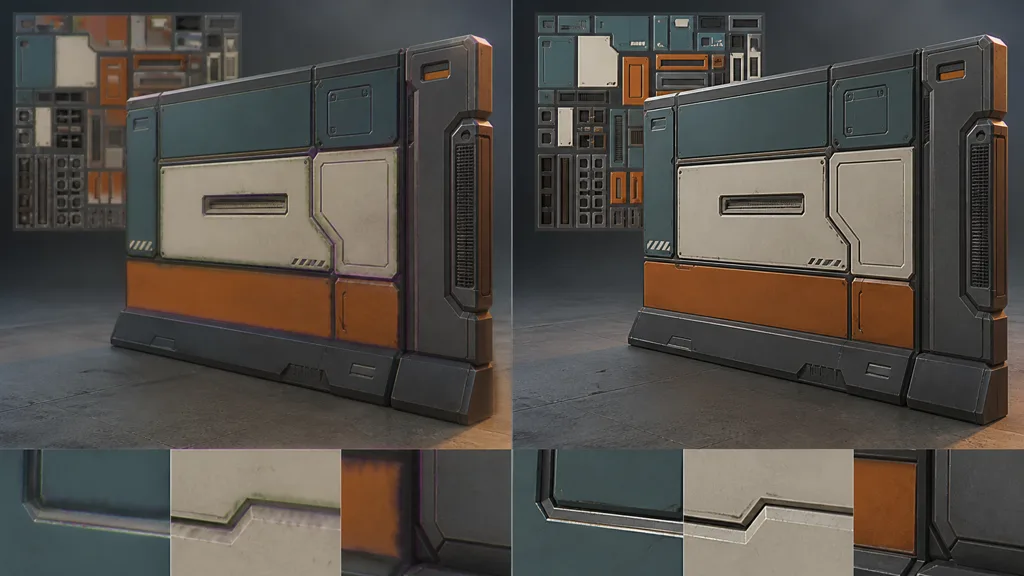
A sampler does not know that one rectangle inside a texture atlas belongs to a door and the neighboring rectangle belongs to a pipe. Wrap and clamp operate on the full texture boundary, not each atlas cell. Bilinear footprints and lower mips can cross sub-image borders long before a UV leaves 0–1.
Give every atlas island dilated gutters, align its usable rectangle to the packed mip plan, and inset sampling when the runtime representation requires it. The UV padding guide explains how much safety disappears at lower levels. Clamp may still be correct for the atlas as a whole, but it cannot repair internal bleeding.
Mirrored PBR maps can break directional data
Mirroring is visually convincing for nondirectional base color and scalar roughness when the reflected pattern is acceptable. Tangent-space normal maps are different. Flipping the lookup coordinate mirrors the height pattern, but the stored tangent-space vector does not automatically reverse the component aligned with the mirrored axis. Every alternate tile can shade with the wrong slope.
If a shader intentionally mirrors a tangent-space normal, track whether U or V is in an odd tile and invert the matching tangent or bitangent component before normalization. Flow maps and anisotropy direction maps need similar vector-aware treatment. A one-channel mask does not.
Set texture address modes in Unity, Unreal Engine, and Blender
For texture address modes Unity, Texture Import Settings exposes Repeat, Clamp, Mirror, Mirror Once, and per-axis choices where supported. Unity 6’s wrapModeU and wrapModeV references confirm independent U and V importer settings. Check platform imports and shader samplers before assuming a material override exists.
For texture address modes Unreal Engine, Texture assets expose X-axis and Y-axis tiling methods. Epic’s current TextureAddress reference lists Wrap, Clamp, and Mirror, while UTexture2D stores AddressX and AddressY. Inspect material sampler source settings when shared or virtual sampler paths enter the graph.
For texture extension mode Blender, the Image Texture node offers Repeat, Extend, Clip, and Mirror. Blender’s Image Texture API reference describes Extend as repeating edge pixels and Clip as transparent exterior sampling. Exported images do not carry a universal runtime sampler contract, so recreate the intended mode in the destination engine.
Build a texture address modes workflow in eight checks
- Measure coordinates. Capture the actual U, V, and optional W range after scaling, panning, projection, and animation.
- Classify the data. Mark tileable surfaces, decals, atlases, lookup maps, scalar masks, and directional vectors.
- Choose per axis. Assign wrap, clamp, mirror, or border from the expected exterior behavior.
- Prepare boundaries. Match repeat edges; dilate clamp edges; pad atlas sub-images.
- Align the PBR family. Verify every map uses compatible coordinates, mips, addressing, and transform.
- Confirm ownership. Find whether the texture asset, material node, sampler state, or platform override wins.
- Use hostile tests. Sample negative values, values above one, exact boundaries, one axis at a time, and odd mirrored tiles.
- Ship the test. Check compressed mips, motion, LODs, and the target GPU path.
The sampler cannot infer whether a UV escaped or was sent outside on purpose. Write the boundary rule down.
This is the best texture address mode workflow 2026 because it validates the state that ships, not the thumbnail that happened to look fine in the editor.
Validate texture address modes with asymmetric patterns and motion
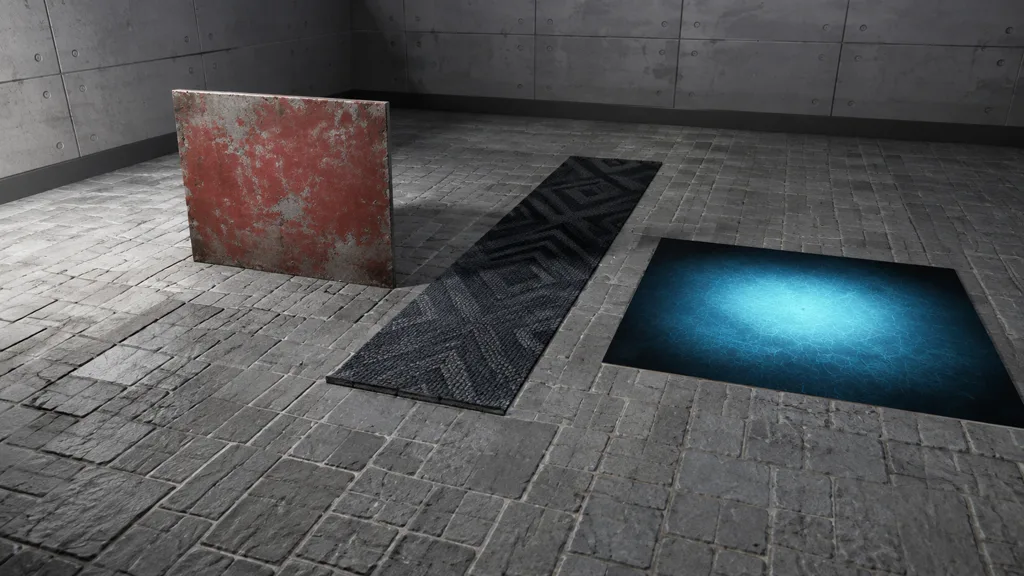
Start with an asymmetric diagnostic texture: one colored corner, one diagonal feature, and different edge values. A symmetric checker can make mirror look like repeat and hide orientation errors. Push UVs through -1.25, -0.01, 0, 0.5, 1, 1.01, and 2.25. Test U and V separately.
Then restore production textures and move the camera across mip transitions. Watch for repeat seams, clamp streaks, atlas contamination, mirrored vector errors, and border-color halos. Test anisotropic floor angles, animated UVs, dynamic resolution, and generated LODs. A static front view is very generous to boundary bugs.
Pass when behavior stays stable across scale and platform, every PBR channel agrees, and no importer silently replaces the intended texture wrap mode.
FAQ
What are texture address modes?
Texture address modes define what a sampler returns when a texture coordinate falls outside its normal 0–1 range. Common modes repeat the image, clamp to its edge texels, mirror alternating copies, or return a constant border color.
What is the difference between wrap and clamp?
Wrap repeats the texture every whole coordinate interval, so it suits tileable surfaces. Clamp holds the nearest edge texel outside 0–1, which prevents repetition but can stretch a one-pixel edge into a long colored band.
When should I use mirrored repeat?
Mirrored repeat is useful when an alternating flip hides a hard value jump at a texture boundary. It is safest for nondirectional color or scalar data; directional patterns and tangent-space normal maps may reveal the reflection or require component correction.
Why does a clamped texture create edge streaks?
Every coordinate beyond the valid range samples the same outer texel, so any bright, dark, or colored pixel on the border becomes an indefinitely stretched stripe. Add suitable edge padding, keep UVs in range, or use an explicit mask instead of expecting clamp to create transparency.
Do texture address modes affect mipmaps?
Yes. Filtering near a boundary may combine texels selected by the address mode, and lower mips magnify bad edge preparation. Repeating textures need matching opposite borders, while clamped and atlas textures need enough valid padding at every shipped mip.
Can one texture use different address modes?
Low-level graphics APIs can bind one texture through different sampler states, and some engines expose per-axis settings. Asset importers or material systems may couple the state to the texture, so verify the actual engine and platform path before relying on sampler reuse.
Which texture wrap mode should a decal use?
A decal that must not repeat usually uses clamp-to-edge plus transparent or dilated padding and a separate opacity mask. Clamp alone does not make pixels outside the decal transparent; it repeats the outermost stored color and alpha.
Try CraftPBR
CraftPBR prepares coherent surface data before texture address modes decide what happens at the boundary:
- Text-to-PBR generates aligned base color, normal, roughness, height, AO, and metalness from a material brief.
- Photo-to-PBR turns a controlled surface photo into a coordinated PBR set.
- Node workspace keeps tiling, edge cleanup, masks, and map relationships editable.
- Engine export prepares normal orientation, channel packing, color-space intent, and useful filenames.
- Free tier lets you test a complete material and sampler contract before building a library.
- CC0 output lets you crop, pad, tile, mirror, pack, and ship generated textures without attribution.
Choose the edge on purpose. Then make every map obey it.