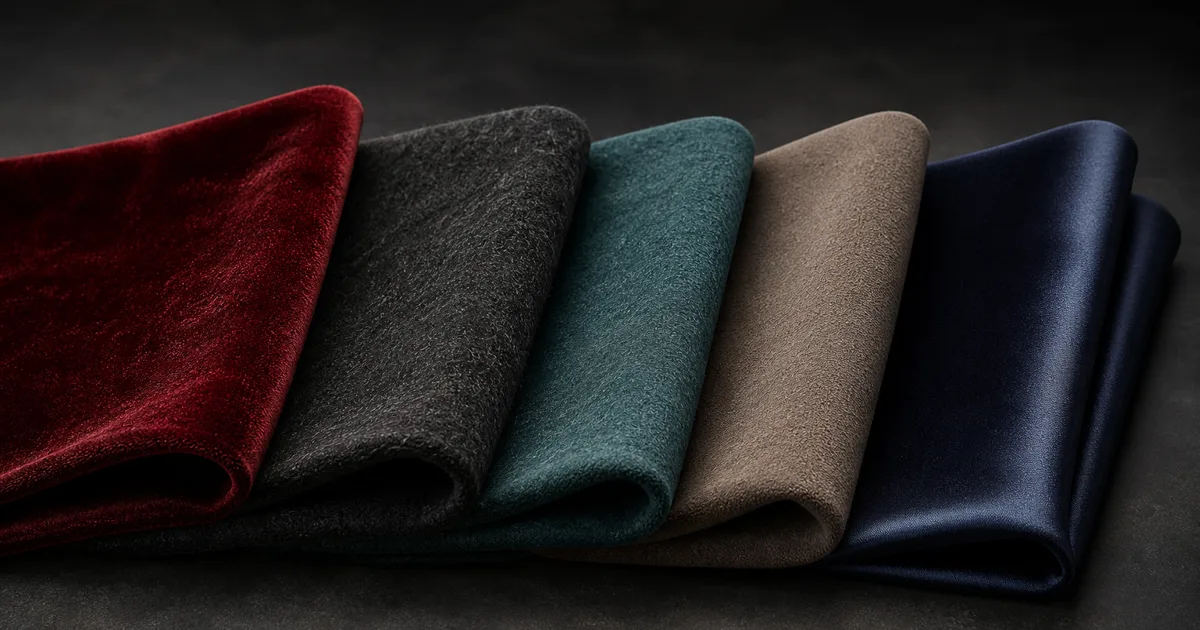
Place a velvet swatch under a long area light and rotate it. The center can remain deep and quiet while the folds facing away from the camera catch a broad, colored halo. Ordinary roughness can produce a soft highlight, but it does not fully describe this edge-weighted response. Sheen materials add a dedicated reflection lobe for the tiny fibers that sit above cloth, velvet, felt, microfiber, dusty leather, and similar surfaces.
That extra lobe is easy to misuse. Too much sheen turns a wool coat into illuminated peach skin. Too little leaves velvet looking like matte plastic with an expensive normal map. The goal is not generic softness; it is a response tied to fiber color, density, roughness, viewing angle, weave scale, and the base material underneath.
This guide treats sheen materials as a small optical system rather than a flattering filter. The result should survive motion, neutral lighting, distance, and export without requiring the art director to stand at one approved camera angle.
What PBR sheen adds to sheen materials
PBR sheen models reflection from fine fibers or microflakes above a surface. Those fibers tend to return more light toward the camera near grazing angles, where the surface normal points away from the view. The response is broad, soft, and often tinted by the fiber itself.
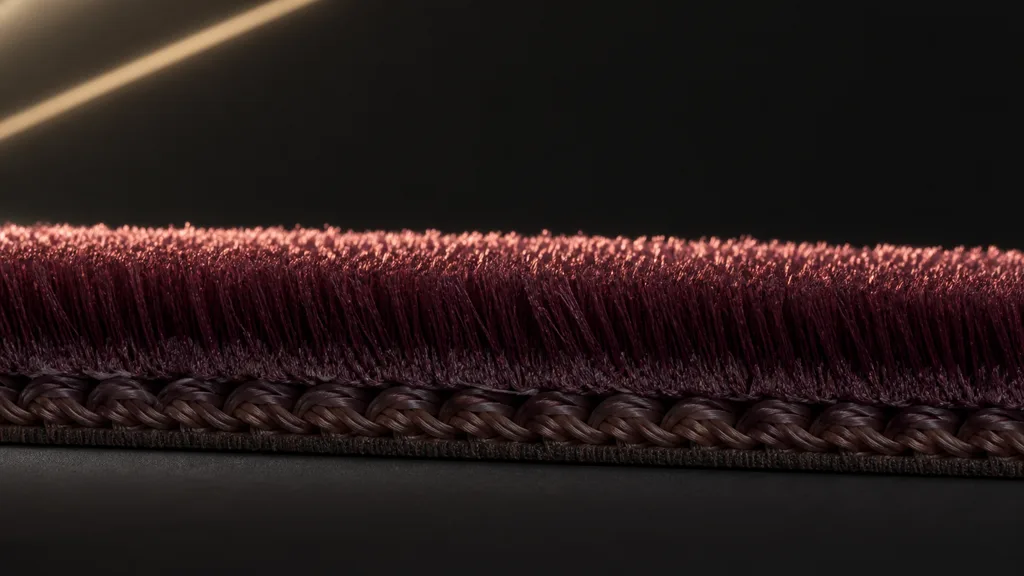
The lobe sits beside the familiar diffuse and dielectric specular response:
- Base color describes the body color after direct highlights are removed.
- Specular reflection describes the surface boundary and remains tied to IOR and roughness.
- Sheen describes the soft return from fibers above that boundary.
- Anisotropy stretches a highlight along a direction; silk and satin often need it, while velvet can show strong sheen without a polished directional highlight.
- Subsurface or transmission handles light travelling through thin or participating material. It is not a substitute for fiber reflection.
A cloth sheen shader may use a Charlie distribution, a microfiber BSDF, a fuzz approximation, or a Fresnel-shaped artistic term. These models do not share identical sliders. Move the visual intent—edge width, color, energy, and fiber coverage—not unexplained numeric presets.
Identify sheen materials by the fabric before touching sheen roughness
Start with the construction of the material. Fabric names are useful only when they imply visible fiber behavior.
| Surface | Dominant cue | Sheen approach |
|---|---|---|
| Velvet or velour | Dense pile, dark face, bright colored grazing edge | Strong broad sheen with pile variation |
| Wool or felt | Irregular short fibers and soft diffuse body | Moderate rough sheen with broken coverage |
| Cotton or linen | Visible weave, limited raised fuzz | Low sheen plus high-frequency thread normal |
| Microfiber or suede | Fine directional nap that changes when brushed | Sheen mask and direction-aware variation |
| Silk or satin | Smooth filaments and directional woven highlight | Anisotropy first, restrained sheen second |
| Dusty coated surface | Fine particles above a harder base | Subtle neutral sheen layered over the original material |
Do not infer sheen roughness from the ordinary roughness map. A velvet pile can have a broad fiber lobe while the underlying weave carries its own boundary reflection. Copying one map into both inputs creates convenient correlation, not physical evidence.
Use references captured under a moving strip light. Rotate both the sample and the camera. A single front-lit photo hides the grazing response, while a dramatic rim light can make every fabric look more heroic than it deserves.
Keep sheen color separate from base color
Sheen color represents the reflected color of the fibers, not an extra diffuse wash. It may resemble the base color because the same dye affects both, but it should be judged at grazing angles under neutral light.
For dark velvet, a saturated sheen color can reveal the pile without lifting the front-facing body into gray. For pale wool, a near-base tint may be enough. Neutral synthetic fuzz can reflect a less saturated light color. Avoid pure white unless the reference supports pale fibers; white sheen over dark cloth often looks like chalk dust.
Watch energy. Sheen materials with base diffuse, dielectric specular, and a bright fiber lobe can return too much light if the shader merely adds all three. Physically based implementations compensate or layer the lobes. A custom approximation should at least be tested against white and saturated materials under a calibrated light.
This is also a color-space problem. Store color textures with their intended color encoding, but import sheen roughness, masks, direction data, and packed channels as linear data. The sRGB vs linear textures guide covers the boundary in detail.
Build sheen materials around fiber scale
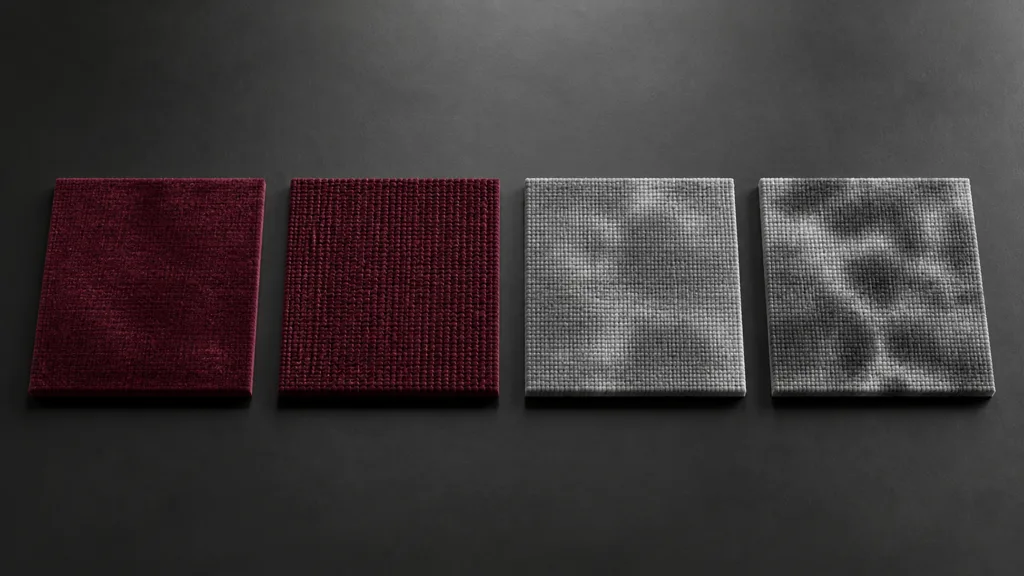
A practical texture set for sheen materials can include:
- Clean base color. Remove directional lighting and bright fiber rims from scans or photos.
- Macro normal map. Describe folds, quilting, seams, and larger compression where geometry does not carry them.
- Thread or pile detail normal. Tile a high-frequency weave or fiber pattern independently so it survives normal asset UV scale.
- Base roughness. Describe oil, wear, compression, and the underlying thread surface.
- Sheen mask. Control fiber coverage, rubbed areas, seams, printed regions, and places where the pile has been flattened.
- Optional direction map. Store nap or weave direction when brushing changes the response or the model supports anisotropy.
Author at physical scale. If a 2K detail map represents a five-centimetre swatch on one prop and a two-metre sofa on another, one of them has acquired rope. Record threads per centimetre, pile length class, and the intended metres per tile.
Keep high-frequency fiber information in a detail map when the base texture must cover a large object. Use a mask to suppress it at leather piping, buttons, polished wear, wet patches, or printed coating. If you pack the mask with other scalar data, document the channels and choose a format that survives the target platform’s texture compression.
How to make sheen materials that survive rotation
- Choose one named reference. Specify velvet, wool felt, brushed microfiber, cotton, or satin plus its real scale.
- Match the base under frontal light. Set base color, nonmetal behavior, base roughness, and normal detail with sheen disabled.
- Add a long grazing light. Rotate the sample until the fiber rim is clear but not clipped.
- Set sheen color. Match the fiber tint without brightening the front-facing center unnecessarily.
- Set sheen roughness or falloff. Match the width of the edge response before matching its peak brightness.
- Paint coverage. Mask flattened pile, seams, wear, prints, and non-fabric attachments.
- Add direction only when visible. Use anisotropy or a nap field for satin, brushed microfiber, or fabrics whose response changes with orientation.
- Validate under motion and distance. Rotate camera, object, and light; then inspect mipmaps and the shipped quality tier.
The best sheen material workflow 2026 keeps the base believable with the lobe disabled. That makes the sheen an explanation for fibers, not a rescue service for weak roughness.
Sheen materials in Unity, Unreal Engine, and Blender
For sheen materials Unity, HDRP’s Fabric Master Stack offers Cotton/Wool and Silk material types. Cotton/Wool targets diffuse fabrics such as cotton, wool, linen, and velvet; Silk targets smoother anisotropic fabrics. Unity’s fabric documentation also defines a thread map with AO in red, normal data in green and alpha, smoothness in blue, plus a separate single-channel fuzz map. URP does not expose the same full Fabric stack, so a custom Shader Graph approximation needs its own lighting and platform tests.
For sheen materials Unreal Engine, the Cloth shading model adds Fuzz Color and Cloth inputs above the usual base, specular, roughness, and normal controls. Fuzz Color sets the fiber contribution and Cloth masks its strength. Epic’s shading-model documentation describes that thin fuzz layer. Newer Substrate workflows can also represent fuzz with independent amount, color, and roughness; confirm the rendering path used by the shipped project rather than mixing legacy and Substrate assumptions.
For sheen materials Blender, Principled BSDF exposes Sheen Weight, Roughness, and Tint for small-fiber edge reflection. Blender also provides a layered Sheen BSDF in Cycles, with a microfiber distribution for cloth or dust and an older Ashikhmin velvet option. The Blender Sheen BSDF manual notes that higher roughness can return more color and appear dustier, so do not assume its control moves visually like an ordinary GGX roughness slider.
Translate by appearance: edge width, tint, coverage, and energy. Slider names are not a cross-engine file format.
Stop sheen materials from shimmering at distance
Fiber normals and masks contain high-frequency contrast. At distance, subpixel threads can shimmer, crawl, or collapse into a bright average. The sheen lobe can amplify that instability near silhouettes.
Use mipmaps that preserve the average normal and coverage. Reduce tiny normal amplitude in lower mips, keep the sheen mask from drifting brighter, and inspect temporal anti-aliasing or upscaling on the actual motion path. The texture filtering guide explains why a perfect close-up can still fail during a camera dolly.
Budget complete sheen materials, not isolated texture samples. A base color, normal, masks, thread map, direction map, and multiple lobes may be justified for a hero coat but not every upholstered chair in a stadium. Share tiling detail textures, pack compatible scalar data, and provide a cheaper distant material that retains the broad fiber cue.
When simplifying sheen materials, do not fade the fiber lobe entirely at the first LOD. A restrained grazing response may carry the identity of velvet after the weave disappears. Remove the expensive frequency before removing the readable silhouette cue.
Diagnose sheen materials by the direction of the error
| Symptom | Likely cause | First useful check |
|---|---|---|
| Cloth looks dusty everywhere | Sheen too bright, too neutral, or visible at frontal angles | Disable the lobe and restore it under one grazing light |
| Velvet looks like matte plastic | Missing edge lobe or pile mask, normal detail too uniform | Rotate a strip light and inspect the silhouette |
| Edge becomes neon | Additive energy, clipped light, or saturated sheen color | Test a middle-gray material and lower exposure |
| Satin looks like velvet | Sheen replacing directional specular | Set anisotropy and tangent direction first |
| Fabric sparkles during motion | Thread detail aliases or low mips preserve too much variance | Force mip levels and reduce detail-normal amplitude |
| Brushed nap runs the wrong way | Tangent basis or direction map is rotated or mirrored | Render a known direction field on a simple plane |
| Seams glow like loose fibers | Coverage mask ignores compression and construction | Darken or flatten the sheen mask at seams |
| Every fabric shares one personality | One preset controls unrelated fiber structures | Compare velvet, felt, cotton, and satin in the same rig |
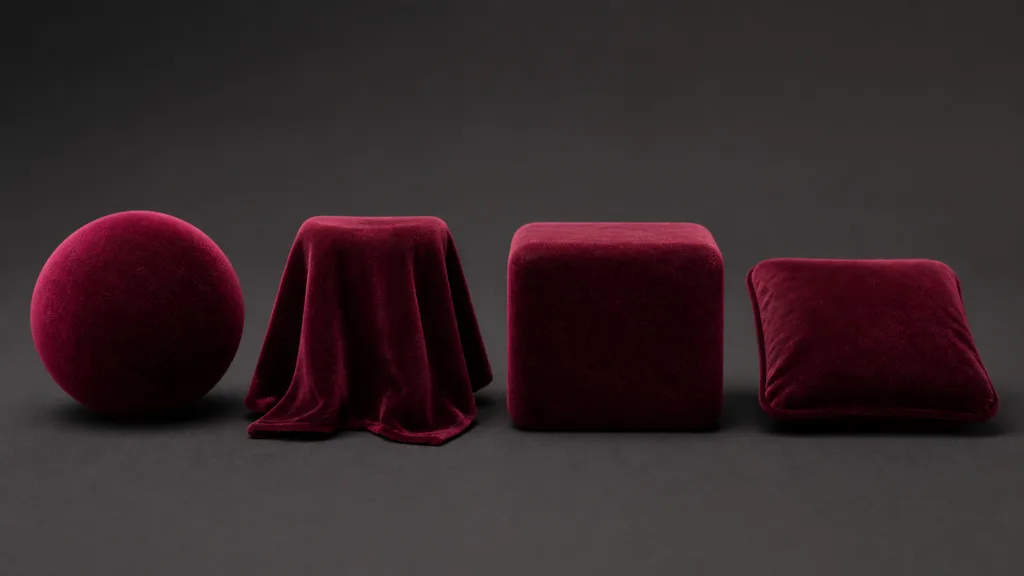
Test sheen materials on a sphere, folded plane, rounded block, and production mesh. Use frontal, grazing, and broad environment lighting. The sphere shows angular falloff; folds reveal whether the lobe follows form; the block exposes bright corners; the production mesh finds UV, tangent, and LOD problems that primitives politely conceal.
FAQ
What is sheen in a PBR material?
Sheen is a soft, edge-weighted reflection lobe used for tiny fibers or microflakes above a surface. It is common on cloth, velvet, felt, microfiber, and dusty materials, and it sits alongside the base diffuse and specular response.
How does sheen work in a shader?
The shader evaluates a fiber-oriented distribution that returns more light near grazing view angles. Implementations include Charlie distributions, microfiber BSDFs, cloth fuzz models, and Fresnel-shaped approximations, so matching the visual response matters more than copying values.
Is sheen the same as roughness?
No. Roughness controls the spread of the ordinary surface reflection, while sheen adds a separate response for raised fibers. The inputs may correlate through the material construction but should not automatically share one texture.
What color should fabric sheen be?
Use the visible color of the fibers under neutral grazing light. It often resembles the dyed base color, but pale, synthetic, dusty, or worn fibers may be less saturated; avoid pure white unless the reference shows it.
Does velvet need a normal map and sheen?
Usually yes. The normal map describes weave, pile breakup, seams, and larger surface orientation, while sheen describes the grazing reflection from the fibers. A sheen lobe alone produces a clean halo without convincing material structure.
What is the difference between sheen and anisotropy?
Sheen produces broad fiber reflection, often strongest near grazing angles. Anisotropy stretches a specular highlight along a tangent direction; satin and silk often need anisotropy, while velvet and felt may rely more heavily on sheen.
Why does my sheen material sparkle in motion?
The thread normal, direction map, or sheen mask likely contains contrast finer than the projected pixels. Inspect mipmaps, reduce lower-mip variance, confirm texture filtering, and test with the production temporal anti-aliasing or upscaler.
Try CraftPBR
CraftPBR prepares the coordinated surface maps beneath and around sheen materials:
- Text-to-PBR generates a full material set from a description of fiber, weave, color, scale, wear, and finish.
- Photo-to-PBR converts a controlled fabric photo into aligned base color, normal, roughness, height, AO, and metalness maps.
- Node workspace keeps levels, masks, tiling, fiber breakup, and high-frequency detail editable.
- Engine export prepares normal orientation, linear masks, channel packing, filenames, and target-specific conventions.
- Free tier lets you generate and test a complete fabric set before tuning the renderer’s sheen lobe.
- CC0 output lets you modify, render, and ship generated textures without attribution.
Give the fibers their own reflection. Do not let them redecorate the whole BRDF.