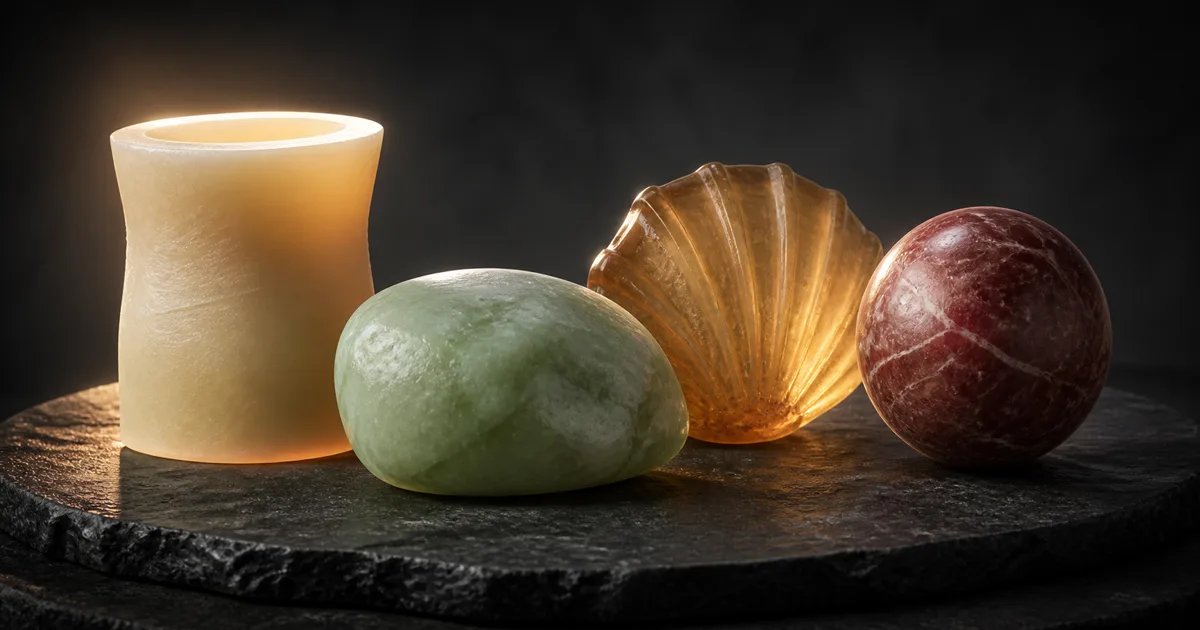
Subsurface scattering materials describe solids that let light enter, travel inside, and leave somewhere nearby. Wax, jade, marble, leaves, fruit, skin, soap, snow, and some plastics all do it at different distances and wavelengths. Their edges brighten against a backlight, shadows soften through shallow regions, and fine forms carry color that ordinary diffuse shading cannot explain.
The common mistake is to treat subsurface scattering as a glow slider. Raise it until the object looks expensive, then discover that a marble column has become a candle and a leaf appears to contain its own small sun. A convincing result depends on physical scale, geometry thickness, scattering distance, absorption color, surface roughness, and the renderer’s approximation.
This guide builds subsurface scattering materials from those constraints. The useful question is not “how much SSS?” It is “how far can each wavelength travel through this material at this size?”
How subsurface scattering materials redirect light
Ordinary opaque diffuse shading assumes light enters at a point and effectively leaves at that point after microscopic interactions. A subsurface model allows the exit point to move. The renderer evaluates a BSSRDF, a diffusion profile, a screen-space approximation, or a volume walk to spread illumination across the surface.
That displacement is why PBR subsurface scattering softens the boundary between light and shadow without simply blurring the whole image. Thin edges can receive energy from the far side. Red, green, and blue wavelengths may travel different average distances, creating colored falloff rather than a uniform pale haze.
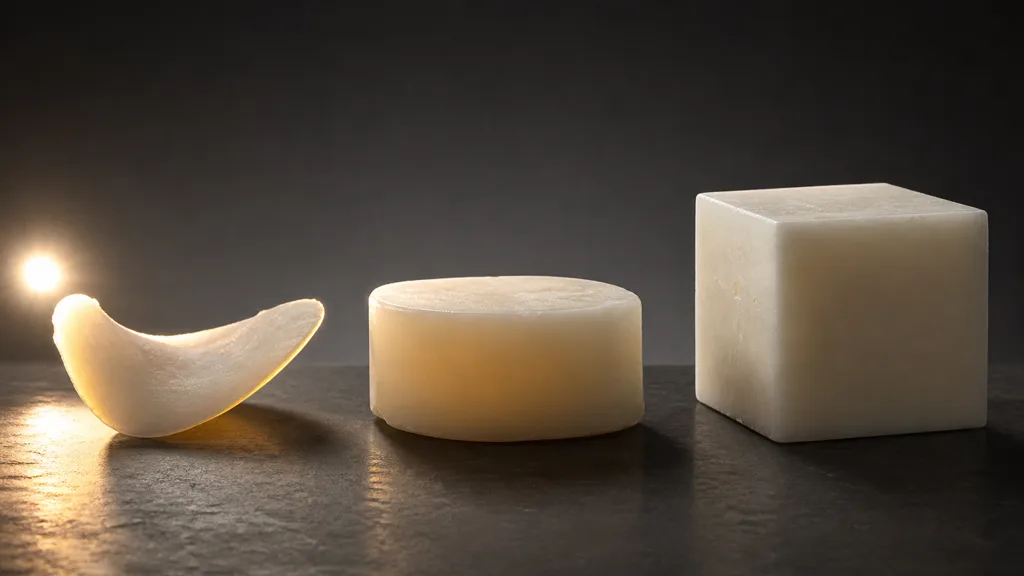
Keep three phenomena separate:
- Surface reflection happens at the boundary and still needs plausible roughness, IOR, normals, and coat behavior.
- Subsurface diffusion enters and exits near the incident point, softening local shading while preserving an opaque object.
- Transmission or refraction sends light through the object, often along a direction, and may reveal the environment behind it.
Wax can combine a broad surface highlight with warm internal diffusion. A leaf often needs thin transmission plus surface normals. Clear resin may need refraction with limited scattering. Replacing all three with low opacity makes the object transparent; replacing them with emission makes it a lamp. Neither shortcut understands the material.
Choose the scattering model from the object, not the highlight
The right model follows thickness and camera use.
| Material case | Useful model | Main control |
|---|---|---|
| Opaque wax, jade, marble, soap | Surface diffusion / subsurface profile | Scatter distance by wavelength |
| Skin or layered organic tissue | Profiled or random-walk SSS | Measured scale, radius, masks |
| Leaf, petal, paper-thin wax | Thin two-sided transmission | Thickness and back-light color |
| Cloudy resin or milky liquid | Participating volume | Absorption and scattering coefficients |
| Distant or mobile asset | Wrapped diffuse approximation | Artist mask and bounded cost |
Screen-space diffusion is practical for real-time subsurface scattering materials, but it only knows what is visible in the frame. Edges, off-screen contributors, temporal reconstruction, and resolution can affect the result. A path tracer or random-walk method can follow scattering through closed geometry more faithfully, at higher cost and with stricter topology needs.
Thin transmission assumes the surface is thin enough that a thickness estimate and backlighting response are more important than lateral diffusion. It is excellent for foliage and poor for a thick wax statue.
Choose the least complex model that preserves the cues visible at the approved camera. A background soap bar does not need a graduate thesis in radiative transfer. It does need to stop glowing through a steel shelf.
Scale and thickness control subsurface scattering materials
Scattering distance is measured in world units, even when an interface hides that fact behind normalized sliders. A radius that looks plausible on a five-centimetre wax sample will dissolve detail on a five-millimetre ornament. Scaling the mesh without scaling the SSS profile changes the apparent substance.
Start by recording:
- object dimensions in metres or centimetres;
- typical thin and thick regions;
- the average distance travelled by red, green, and blue light;
- whether transmission should cross the entire object;
- the closest camera and smallest silhouette feature that must survive.
A thickness map stores a local estimate of distance through the object. White and black do not have a universal physical meaning; the shader or diffusion profile maps them to a minimum and maximum thickness. Bake from the intended direction for thin shells, or derive thickness from paired surface intersections when the pipeline supports it. Normalize against documented world-space values, not against whichever part happened to be thickest in one mesh revision.
A transmission map PBR workflow may use thickness, a transmission mask, or both. Thickness answers “how far does light travel here?” The mask answers “where is this effect allowed?” Keep them separate when seams, paint, bark, metal fittings, makeup, or opaque inclusions must block scatter independent of geometry.
Author the texture maps without baking the glow
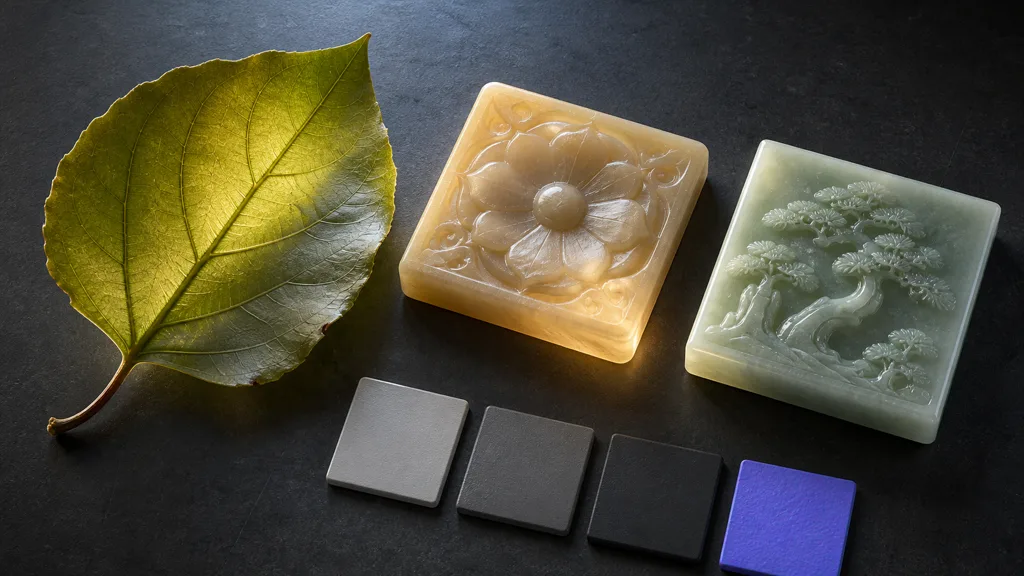
A subsurface scattering texture set still needs ordinary PBR discipline:
| Input | Responsibility | Common mistake |
|---|---|---|
| Base color | Surface albedo or renderer-defined diffuse color | Painting the backlit orange glow into the texture |
| Roughness | Sharpness of the boundary reflection | Blurring it to imitate soft SSS |
| Normal | Fine surface orientation | Using deep normals to fake internal volume |
| Thickness | Local travel distance through the object | Treating ambient occlusion as thickness |
| SSS mask | Where diffusion participates | Using one global value across mixed materials |
| Scatter color / radius | Wavelength-dependent internal travel | Matching the RGB swatch without physical scale |
Remove cast shadows and strong specular highlights from captured base color. Otherwise the renderer adds new lighting over old evidence.
The normal map must remain visible above the diffusion. If the SSS material erases every pore and carved edge, reduce radius or move some structure into geometry and surface roughness. If there is no softness under a backlight, confirm the renderer feature, scale, profile, thickness range, and light support before multiplying the base color by orange.
For a packed texture, keep the thickness map, scattering mask, and other numeric controls linear. Document every channel. The sRGB vs linear textures guide covers color/data interpretation, while texture channel packing covers safe resource layouts.
How to make a subsurface scattering material
- Name the substance. Choose wax, jade, leaf tissue, marble, soap, resin, or another measured reference—not “soft translucent thing.”
- Lock real scale. Apply object transforms and record the intended dimensions before tuning scatter radius.
- Separate optical layers. Identify surface coat, diffuse body, pigments, inclusions, veins, and opaque attachments.
- Choose the renderer model. Pick profiled SSS, random walk, thin transmission, volume scattering, or a bounded approximation.
- Author clean surface maps. Build base color, roughness, and normals without baked backlighting.
- Bake thickness and masks. Calibrate their ranges in world units and exclude parts that should stay opaque.
- Set wavelength falloff. Tune scatter distance and color under neutral white lighting, one channel relationship at a time.
- Test several forms and lights. Compare thin, thick, curved, flat, front-lit, side-lit, and backlit cases.
- Profile the shipped renderer. Inspect temporal behavior, half-resolution passes, mobile fallbacks, shadow modes, and target hardware.
The best subsurface scattering workflow 2026 stores the material’s scale, profile, texture meanings, and renderer limits beside the asset. That prevents a later export from inheriting plausible color with entirely implausible distance.
Subsurface scattering in Unity, Unreal Engine, and Blender
For subsurface scattering Unity, HDRP Lit materials support Subsurface Scattering and Translucent material types. Assign a Diffusion Profile, use the subsurface mask for local strength, and use thickness or transmission controls where light crosses thin regions. Unity’s HDRP Lit documentation describes thickness, transmission, and diffusion-profile inputs. URP does not provide the same full HDRP diffusion workflow, so use a deliberate Shader Graph or custom-lighting approximation and validate the fallback separately.
For subsurface scattering Unreal Engine, choose the shading model by material. Subsurface works for opaque wax- or jade-like response, Subsurface Profile provides screen-space diffusion suited to skin and wax, and Two Sided Foliage addresses thin leaves. Epic’s Subsurface Profile documentation covers scatter distance, profile assets, masking, and screen-space behavior. In the profile model, use the Opacity input as the local SSS contribution mask according to the active workflow, and keep non-scattering regions black.
For subsurface scattering Blender, the Principled BSDF exposes Subsurface Weight, Radius, Scale, IOR, and anisotropy options. Cycles’ Random Walk methods work best on closed, non-overlapping geometry; Eevee uses an approximation with different limits. Blender’s Principled BSDF manual documents channel-specific radius and scale. Apply object scale, test the mesh for holes, and compare the same material in the renderer you will actually deliver.
Diagnose subsurface scattering materials by the broken cue
| Symptom | Likely cause | First useful check |
|---|---|---|
| Entire object glows evenly | Radius too large or mask ignores thickness | Halve the scatter scale and display thickness |
| Material looks like plastic | SSS disabled, radius too small, or roughness too uniform | Backlight a thin region and isolate diffuse/SSS |
| Fine detail disappears | Diffusion radius exceeds feature scale | Compare surface normal before and after SSS |
| Thin edges stay dark | Transmission disabled, reversed thickness, or unsupported light | Use one direct backlight and inspect the mask |
| Object turns transparent | Opacity/refraction substituted for scattering | Return to an opaque SSS shading model |
| Glow leaks across contacts | Screen-space blur or shadow limitation | Test separation, stencil/profile IDs, and quality mode |
| Result changes after scaling | Scatter distance did not follow object scale | Apply transforms and retune in world units |
| Red channel dominates unnaturally | Radius ratios or base color are overdriven | Test neutral white material with channel radii |
Change one variable at a time. Subsurface scattering materials couple lighting, scale, geometry, and textures closely enough that random slider sweeps can produce ten attractive mistakes before one defensible material.
Validate subsurface scattering materials before shipping
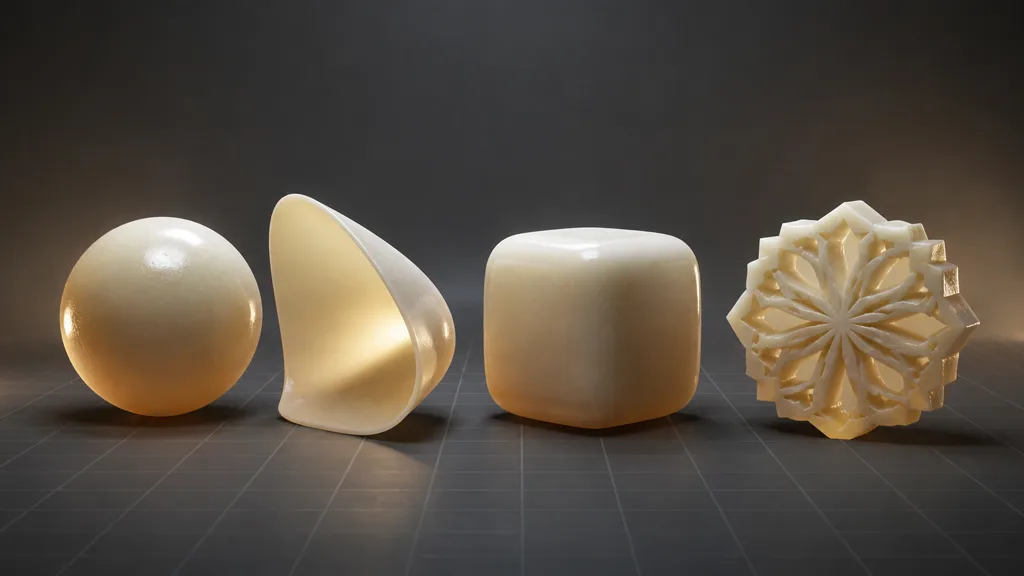
Build a compact validation rig with a sphere, thin shell, rounded block, and detailed relief. Use the same subsurface scattering materials on every form. Light them from the front, side, and back with neutral sources, then repeat under the production exposure and tone map.
The sphere reveals broad diffusion and surface highlights. The thin shell proves transmission and thickness. The block shows whether the profile turns dense mass into jelly. The relief checks whether small detail survives. Rotate both camera and light; screen-space methods can fail differently at the frame edge or when an occluder leaves view.
Finally, compare editor, standalone build, and target hardware. Record GPU cost with SSS on and off, inspect dynamic resolution, temporal stability, shadows, and the lowest supported quality tier. An SSS material is finished when it behaves under changing conditions—not when one still image makes everyone briefly quiet.
FAQ
How does subsurface scattering work?
Light crosses the surface, scatters through the material, and exits at another nearby point. The renderer approximates that travel with a diffusion profile, BSSRDF, screen-space blur, thin transmission model, or volumetric path depending on quality and material type.
What materials use subsurface scattering?
Common examples include skin, wax, soap, jade, marble, leaves, fruit, snow, cloudy resin, milk, and other participating solids or liquids. Their scattering distance, color, thickness, and surface reflection differ substantially, so they should not share one generic preset.
What is a thickness map for subsurface scattering?
A thickness map estimates how far light travels through the object at each texel. The shader maps its grayscale values to documented physical distances, often combining it with a separate mask that controls where scattering or transmission is allowed.
Is subsurface scattering the same as translucency?
No. Subsurface scattering spreads light inside a material and can remain visually opaque, while translucency is a broader term for light passing through. A thin-transmission model may be appropriate for leaves; thick wax or marble usually needs lateral diffusion or a volume model.
Why does my subsurface material look like wax?
The scatter radius may be too broad, the color too warm, the geometry scale incorrect, or the surface roughness too uniform. Reduce the travel distance, restore sharp boundary reflections and surface detail, then validate under neutral white light.
Do subsurface scattering materials need a thickness map?
Not always. A profiled opaque surface may use a uniform radius and local SSS mask, while thin transmission and variable shells benefit strongly from thickness data. Use a map when the visible response should change with local geometry and the renderer cannot derive that thickness accurately.
Is subsurface scattering expensive in real time?
It can be, especially with high-quality screen-space diffusion, multiple profiles, transmission, temporal filtering, or ray tracing. Cost varies by engine and platform, so measure the shipped scene and provide a simpler material or wrapped-light fallback where required.
Try CraftPBR
CraftPBR supplies the coordinated surface data around your subsurface scattering materials, while the target shader owns the optical profile:
- Text-to-PBR generates a complete material set from a description of substance, scale, surface finish, inclusions, and wear.
- Photo-to-PBR converts a controlled reference into aligned base color, normal, roughness, height, AO, and metalness maps.
- Node workspace keeps surface variation, masks, levels, tiling, and local scattering controls editable.
- Engine export prepares normal orientation, linear masks, channel packing, filenames, and target-specific map conventions.
- Free tier lets you build and test a full material before tuning its SSS profile in the renderer.
- CC0 output lets you modify, render, and ship generated textures without attribution.
Let the light travel. Make it carry a passport with the correct scale.