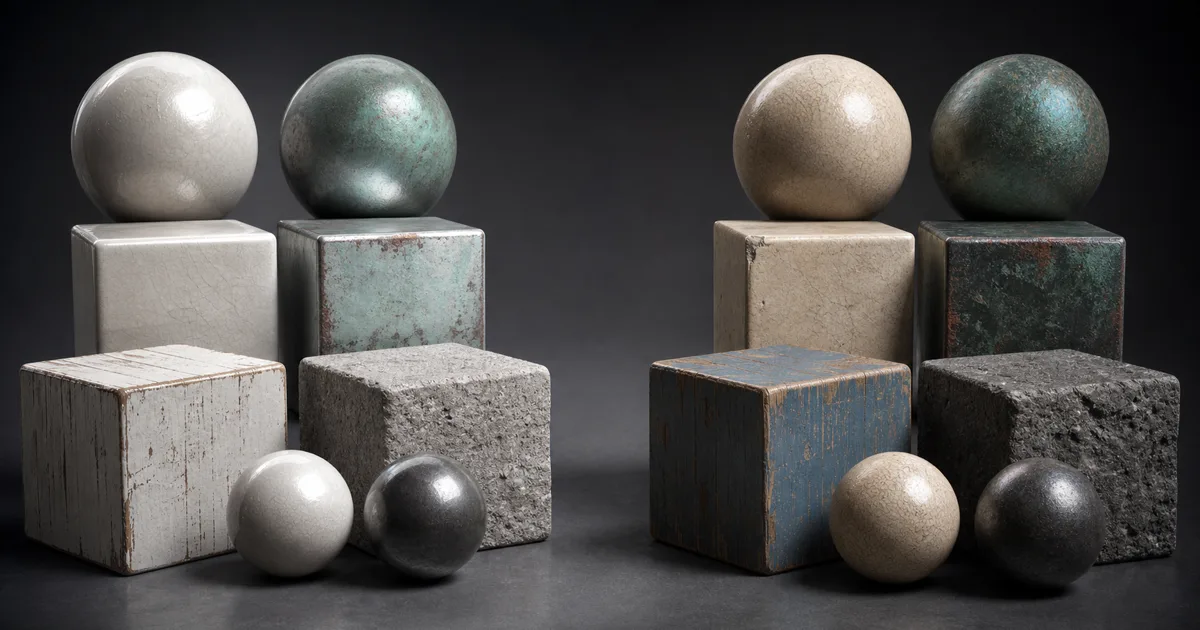
sRGB vs linear textures sounds like a preference hidden in an import panel. It is actually a contract about what the stored numbers mean. Break that contract and a respectable PBR material can become pale, oily, chalky, or all three before anyone touches the light rig.
The short rule is simple: images that represent visible color are usually stored with an sRGB encoding and decoded to linear values when sampled. Images that represent measurements—roughness, metalness, normals, height, ambient occlusion, masks—must arrive as unchanged linear data. Lighting then happens in a linear working space, and the finished image is transformed for the display.
The entire sRGB vs linear textures decision starts with that distinction: appearance or data.
Most sRGB vs linear textures failures are not mysterious math. They are one conversion too many, one conversion too few, or a packed map whose channels disagree about whether they are colors. The checkbox is innocent. The assumption attached to it is carrying the crowbar.
What sRGB vs linear textures actually changes
An 8-bit pixel value is not automatically a physical intensity. In an sRGB image, the stored code values are shaped by the sRGB transfer function so useful precision is distributed across the tones people see. Before a renderer adds light, interpolates colors, or evaluates a BRDF, the GPU normally decodes those values into a linear relationship with light.
In a correct sRGB vs linear textures pipeline, that decode belongs at the boundary between an encoded color file and linear shader math.
A stored sRGB midpoint is therefore not a linear intensity of 0.5. If the shader uses the encoded number directly, color mixing and light response are wrong. If the sampler decodes a roughness value that was already meant to be 0.5, the parameter also changes. The first error corrupts color math; the second edits the material without permission.
That is why sRGB vs linear textures affects both appearance and material parameters even when the source pixels never change.
The reliable PBR texture color space path is: decode authored color once, do shading in linear space, apply tone mapping or a view transform, then encode for the display once. Data maps skip the color decode because their values already mean exactly what the shader expects.
sRGB vs linear texture map table
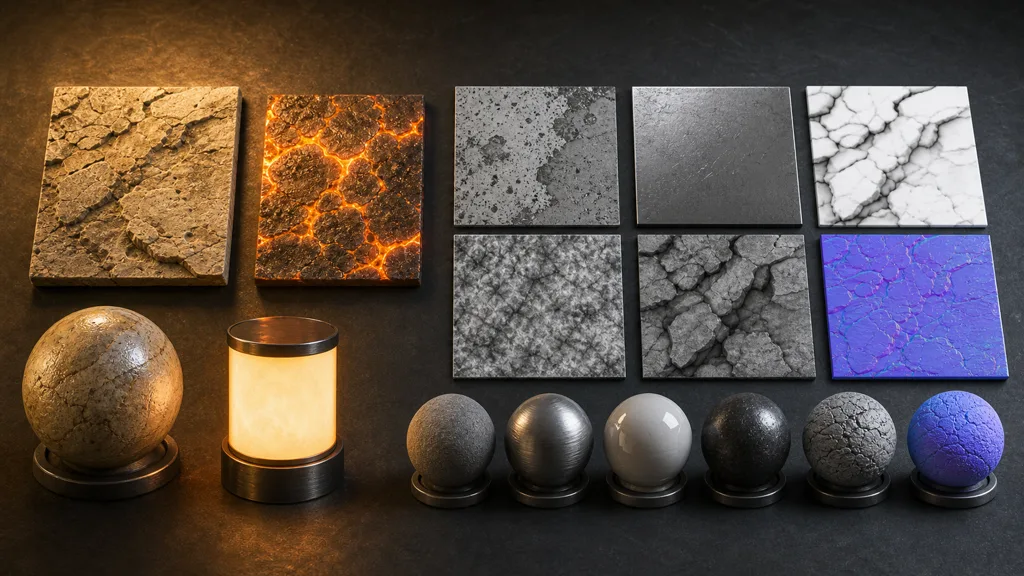
Use this sRGB vs linear textures classification as the default, then document the few format-specific exceptions.
| Map | Typical import | Reason |
|---|---|---|
| Base color / albedo | sRGB | Represents visible reflected color |
| Emissive color | Usually sRGB | Represents authored color; linear HDR files are an exception |
| Roughness / smoothness | Linear | Stores a scalar shader parameter |
| Metalness | Linear | Stores material classification or blend values |
| Ambient occlusion | Linear | Stores a visibility multiplier |
| Normal map | Linear / normal type | RGB encodes vector components, not display color |
| Height / displacement / bump | Linear | Stores relative or calibrated distance |
| Opacity and masks | Linear | Stores coverage or control values |
This answers which textures should be sRGB for the standard metallic-roughness workflow and establishes the usual albedo map sRGB import: normally base color and ordinary emissive color use sRGB. It also answers should a roughness map be sRGB and normal map sRGB or linear: both are linear data. A normal map is colorful in the same way a spreadsheet conditional format is colorful; the decoration does not change what the cells mean.
A team-wide sRGB vs linear textures rule prevents those map roles from changing between DCC, export, and engine import.
How gamma decoding mistakes change a material
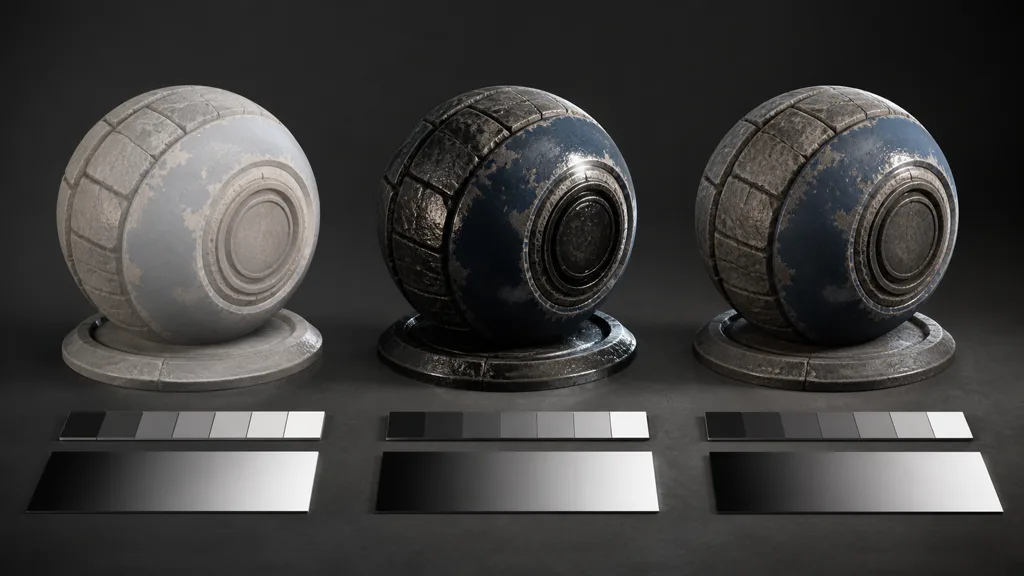
When sRGB textures are sampled without decoding, midtones remain too high for linear lighting. Base color can look washed out, blends become bright, and the material may seem to ignore art direction. Adding a manual power node can appear to fix one preview, then double-decode the texture when an importer flag changes later.
This is the color side of the sRGB vs linear textures failure: encoded appearance values reach lighting math untouched.
When linear data textures are mistakenly marked sRGB, their midrange values are reduced during sampling. A roughness value near the middle can become much lower, sharpening reflections and making stone look varnished. AO can become too dark. Height can shift nonlinearly. Normal components bend before reconstruction, changing the apparent surface direction.
This is the data side of the sRGB vs linear textures failure: the sampler helpfully corrects numbers that were not colors.
Do not diagnose why do textures look washed out by adjusting every light and map. First display the sampled texture value in an unlit debug material. Test a source ramp with known values such as 0, 0.25, 0.5, 0.75, and 1. If a data midpoint does not arrive as the intended midpoint, the import path has already confessed.
A ramp turns sRGB vs linear textures from a visual debate into a repeatable numerical test.
Set the PBR texture color space step by step
- Inventory every image. Record its role, channel meanings, source format, bit depth, and authoring space.
- Classify meaning. Ask whether RGB describes visible color or numerical shader inputs. Do not decide from the thumbnail.
- Confirm encoding. Identify sRGB-encoded color, linear floating-point color, and raw data explicitly.
- Set the importer. Enable sRGB sampling for encoded color and disable it for masks, normals, heights, and packed data.
- Remove duplicate math. If the sampler converts sRGB to linear, the shader should not apply another generic gamma node.
- Probe known values. Use ramps and constant swatches before judging a complicated material under cinematic lighting.
- Validate the final renderer. Check the engine, platform override, cooked format, shader variant, and final output transform.
Following the same sRGB vs linear textures checklist for every material is more reliable than repairing individual shader graphs.
The best PBR color space workflow 2026 stores this classification in the asset pipeline rather than relying on filenames and memory. Suffixes such as _BaseColor, _Normal, and _ORM can drive import presets, but a small manifest is safer when channels are custom. Automated validation is less glamorous than relighting a broken material, but it is considerably faster.
Keep packed masks and file formats linear
Packed textures make the sRGB vs linear textures rule resource-wide. An ORM texture might store AO in red, roughness in green, and metalness in blue. All three are data, so the texture stays linear. The texture channel packing guide covers engine layouts and debugging in detail.
Do not place base color in RGB and roughness in alpha, then assume each channel will receive an independent transfer function. APIs and engines may treat alpha separately from RGB, but the result is pipeline-specific and easy to misread. Separating visual color from linear masks makes the contract obvious and permits appropriate compression for each.
For packed resources, the sRGB vs linear textures choice should be shared by every numerical RGB channel.
File metadata is useful evidence, not sole authority. PNG chunks, embedded ICC profiles, EXR conventions, DCC settings, and engine import heuristics do not form one universal agreement. Preserve high-bit-depth linear masters where required, export deliberately, and verify what the shader samples after compression. The texture compression guide explains why a correct color-space flag can still be paired with the wrong GPU format.
The asset manifest should therefore record the intended sRGB vs linear textures interpretation beside format and channel ownership.
sRGB vs linear in Unity, Unreal Engine, and Blender
Each application names the control differently, but the sRGB vs linear textures contract remains the same.
For sRGB vs linear Unity, use a Linear project color space for physically meaningful lighting and enable sRGB (Color Texture) for ordinary encoded color maps. Disable it for lookup textures, masks, and other numerical data; Unity normally handles textures imported as Normal Map as linear data. Unity’s TextureImporter sRGB documentation describes the flag as the switch controlling sRGB-to-linear sampling.
For sRGB vs linear Unreal Engine, the texture asset’s sRGB property describes the stored encoding. Leave it enabled for encoded base color and disable it for individually sampled masks and linear data. Normal-map compression presets commonly establish the right interpretation, but inspect the imported asset rather than trusting a filename. Epic’s Texture Asset Editor documentation covers the sRGB and source color settings.
For sRGB vs linear Blender, set visible color images to their actual input color space and set normal, bump, displacement, roughness, metalness, alpha masks, and similar values to Non-Color. Blender converts authored color into its scene-linear working space while Non-Color avoids an unwanted transform. The Blender manual’s image settings reference documents that distinction.
Diagnose sRGB vs linear texture failures
For sRGB vs linear textures, begin with the first symptom that appears before creative lighting or post-processing.
| Symptom | Likely mistake | First check |
|---|---|---|
| Base color is pale | Encoded color used directly or display transform duplicated | View the sampled color before lighting |
| Stone looks wet | Roughness imported as sRGB | Display roughness and probe a 0.5 source value |
| Normal detail twists | Normal sampled as color | Use the engine normal-map type and test a flat normal |
| AO is too heavy | Linear mask decoded | Disable sRGB on the AO or packed mask texture |
| DCC and engine disagree | Different input transforms or view transforms | Match source interpretation before matching the display look |
| Only one platform is wrong | Platform import or compression override | Inspect the cooked texture and shader variant |
| Fix works twice as strongly | Automatic and manual decoding both active | Trace every conversion from file to framebuffer |
Validate sRGB vs linear textures before shipping
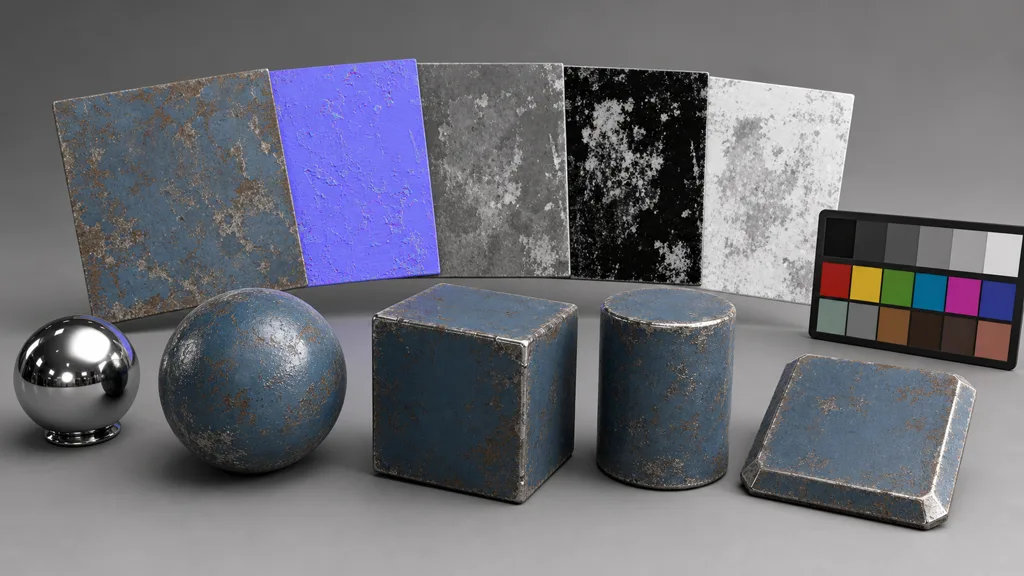
Build one small validation scene for every material pipeline. Use a matte gray card, chrome ball, sphere, cube, cylinder, and beveled plane under a neutral light. Include debug views for raw sampled color, roughness, metalness, AO, tangent-space normals, and the final shaded result.
That scene makes sRGB vs linear textures behavior comparable across DCC previews, engine editors, and builds.
Test constant 0, 0.5, and 1 values through the actual imported texture, not only shader constants. Check mip levels because import and compression paths can differ. Then compare editor, standalone build, and target hardware. Gamma corrected textures are correct only when the intended conversion occurs once at the right boundary.
Ship the sRGB vs linear textures preset only after the cooked asset preserves those known values.
FAQ
Which textures should be sRGB in a PBR material?
Base color or albedo is normally sRGB because its RGB values describe visible color. Emissive color is also commonly sRGB when authored as a display-referred image, while HDR emission stored in EXR may already be linear.
Should a roughness map be sRGB?
No. Roughness stores numerical surface parameters, so it should be sampled as linear data. Marking it as sRGB changes midrange values and can make a material much glossier or rougher than the authored map.
Should a normal map be sRGB or linear?
A normal map should be treated as linear, non-color data even though it looks purple. Its RGB channels encode vector components; an sRGB decode bends those components before the shader reconstructs the normal.
Why do textures look washed out in a game engine?
A common cause is a missing or duplicated sRGB conversion. Check whether the source was encoded as sRGB, whether the importer decodes it, whether the shader performs another manual conversion, and whether the final framebuffer applies the display transform once.
Is sRGB the same as gamma 2.2?
Not exactly. The sRGB transfer function has a linear segment near black and a power curve elsewhere; gamma 2.2 is only a rough shorthand. Use the engine or GPU sRGB conversion instead of a hand-written power approximation unless the pipeline explicitly requires one.
Can color and data maps share one packed texture?
Avoid packing sRGB color with linear masks because one texture resource normally has one sampling interpretation for its RGB channels. Pack roughness, metalness, AO, and similar linear masks together, and keep base color in a separate sRGB texture.
Does PNG store whether a PBR texture is linear?
PNG can carry color-profile or gamma metadata, but pipelines do not interpret every file consistently and data maps are not really colors. Treat the asset manifest and engine import setting as authoritative, and validate the sampled values in the target renderer.
Try CraftPBR
CraftPBR keeps the maps in a generated material coordinated while you decide how the target renderer should interpret them:
- Text-to-PBR generates a complete material from a physical description of surface, color, wear, and finish.
- Photo-to-PBR converts a controlled reference into aligned base color, normal, roughness, height, AO, and metalness maps.
- Node workspace keeps levels, masks, tiling, and channel relationships editable before export.
- Engine export prepares normal orientation, color/data conventions, packing, filenames, and destination-specific files.
- Free tier lets you generate and validate a full PBR set in your color pipeline before committing.
- CC0 output lets you modify, render, and ship generated textures without attribution.
Decode color once. Leave the roughness numbers alone.