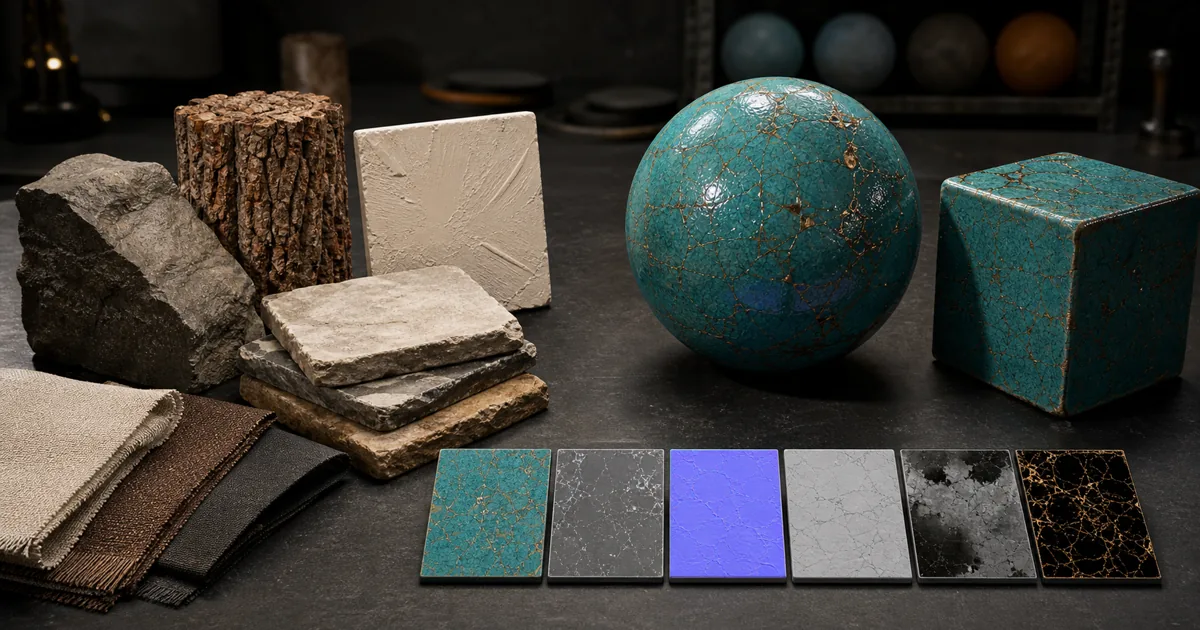
Poly Haven is often the correct answer. That makes a search for a Poly Haven alternative slightly awkward, but useful: perhaps the library does not contain the exact surface, perhaps you need several controlled variations, or perhaps the missing asset is a model, HDRI, or material rather than “a texture” in the broad folder-name sense.
This guide compares four practical routes: another CC0 asset library, a custom PBR material generator, a photo or scan workflow, and a hybrid production library. The point is not to replace a good public resource on principle. It is to choose a source that matches the job, keeps the license clear, and produces an asset that survives the renderer after the thumbnail has finished being persuasive.
Decide what a Poly Haven alternative must replace
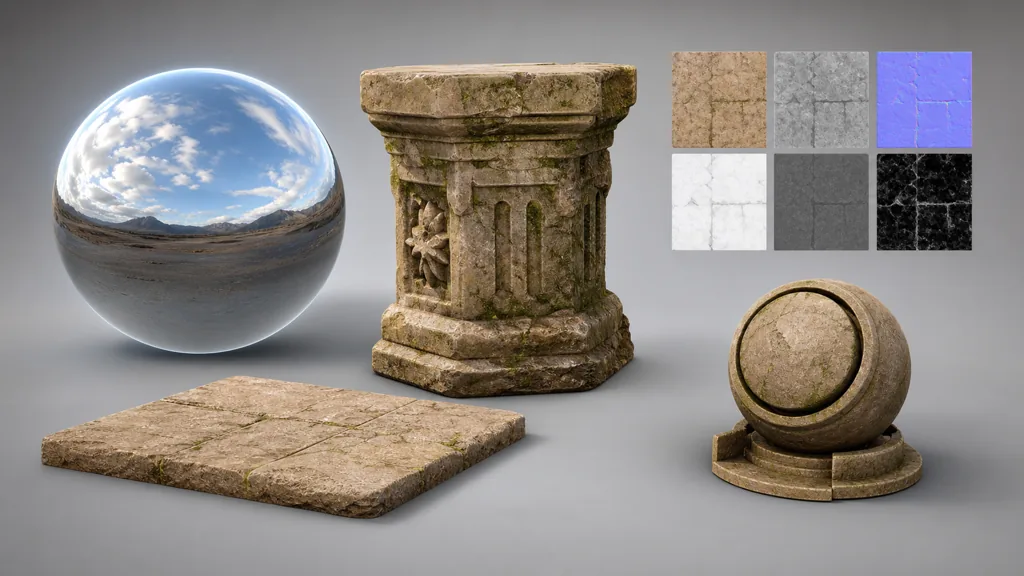
Poly Haven is a curated public library of HDRIs, textures, and 3D models. Its textures are high-resolution photoscanned PBR materials, its HDRIs provide image-based lighting, and its models deliver geometry plus materials. A texture generator covers only one part of that scope. Asking it for an HDRI is like asking a very capable toaster to provide weather.
Write the missing deliverable before comparing sites:
- HDRI: you need calibrated environment lighting and reflections, not a surface texture.
- 3D model: you need geometry, UVs, materials, and an appropriate polygon budget.
- Ready-made PBR material: you want a real scanned surface with maps, measured scale, and minimal authoring.
- Custom PBR material: you need a particular construction, colour, age, damage pattern, or art direction that a fixed catalogue may not contain.
- Exact site material: you need the stone, floor, wall, or fabric from a real location, so capture and provenance matter more than catalogue breadth.
Once the asset type is explicit, the Poly Haven alternative usually becomes obvious. Browse another library for ready-made assets, generate a custom surface, or capture the real thing. No single site needs to win all three jobs.
Poly Haven alternative options at a glance
| Route | Best for | Main strength | Main limit |
|---|---|---|---|
| Poly Haven | Ready-made HDRIs, models, and scanned materials | Curated human-made CC0 assets | A fixed catalogue cannot match every brief |
| ambientCG | Another ready-made CC0 catalogue | Broad material, HDRI, and model search | You still choose from existing assets |
| Custom PBR generator | Specific or art-directed materials | Prompted variants and coordinated maps | Output needs physical and technical review |
| Photo or scan | An exact real surface | Direct visual provenance and local specificity | Capture, delighting, scale, and cleanup take work |
| Hybrid library | Production teams and repeated projects | Uses the fastest suitable source per asset | Requires naming, metadata, and validation discipline |
A sensible Poly Haven alternative for game developers may therefore be a stack rather than a website. Use a public scan for generic rock, generate three controlled wall variants, photograph the studio carpet, and keep all approved assets in one searchable local library. Consistency comes from review and metadata, not from forcing every asset through one source.
Use another CC0 library for ready-made assets
ambientCG is the closest straightforward answer when “alternative” means another downloadable library. It publishes PBR materials, HDRIs, and models under CC0, so it suits commercial work and can complement Poly Haven without adding a second licensing philosophy to every asset review.
Search both libraries by physical need rather than by the prettiest preview. Check the available maps, source resolution, real-world dimensions, tiling quality, bit depth, file format, and whether the material is appropriate for the shot distance. An 8K source can be valuable for close archviz work, but it is not automatically a better shipping texture for a prop that occupies eighty pixels.
A ready-made free Poly Haven alternative is strongest when the catalogue already contains the required asset. Downloading a credible limestone scan is faster than generating “credible limestone scan” and then rediscovering geology through revisions. The free PBR textures guide covers more sources and the checks that matter before production use.
Public libraries also reduce authoring uncertainty for common natural surfaces. They do not guarantee a matching family of variations, a fictional material, project-specific wear, or a colour direction chosen by an art director. That is the boundary where browsing stops being efficient.
Use a generator for custom PBR materials
A Poly Haven alternative for PBR textures changes category when the brief becomes specific: smoked blue limestone with pale calcite lines, glazed ceramic repaired with bronze-filled cracks, or painted steel whose coating has worn only along forklift contact zones. Those are material systems, not useful search tags.
A custom PBR generator should produce aligned base colour, normal, roughness, height, ambient occlusion, and metalness maps from one approved material concept. It should also let you correct tiling, range, masks, and layer relationships before export. The AI PBR material generator guide explains why map coherence matters more than six attractive thumbnails.
Judge an AI texture generator alternative to Poly Haven by production questions:
- Do cracks, chips, mortar, paint, and exposed substrate align across every map?
- Can the surface tile without edge seams or one memorable landmark repeating across a wall?
- Can you define physical scale and preserve it through export?
- Are colour images and numeric data exported in the correct spaces?
- Can normals and channel packing match Unity, Unreal Engine, Blender, or Godot?
- Are the output license and input provenance suitable for the project?
This route is useful when you need to generate textures instead of downloading the nearest approximate material. It is less useful for an HDRI, complete prop, or historically exact surface. Custom does not mean automatically correct; it means the errors are now yours to inspect with purpose.
Capture or scan the exact real surface
Sometimes the best Poly Haven alternative is the wall in front of you. Photographing or scanning a specific surface preserves local aggregate, manufacturing marks, age, and colour that no general library can promise. It is the right route for restoration visualization, product twins, location-specific VFX, and a studio library built from materials the team actually uses.
A photograph still contains illumination, perspective, lens behavior, and no automatic physical scale. Capture perpendicular to the surface with even light, include a scale reference and colour reference, avoid clipped highlights, then correct perspective and delight the image before deriving maps. The photo-to-PBR guide covers that workflow; the scanned textures guide covers photogrammetry and photometric capture in more depth.
Capture works poorly for mirror-like materials, transparent or translucent surfaces, deep undercuts, moving subjects, and anything whose identity depends on full geometry rather than a surface patch. In those cases, use a specialized scan rig, model the object, or return to a suitable library.
Keep license, provenance, and asset scope separate
Poly Haven's official license page says its HDRIs, textures, and 3D models are CC0. ambientCG also states that its assets are CC0. That makes both unusually simple for commercial use, modification, and redistribution, but a production asset record should still preserve the source URL, asset name, download date, author when available, and a copy or reference to the license.
Do not assume every free site uses CC0, or that every file on a marketplace shares the marketplace's broad headline license. “Free to download,” “royalty-free,” and “public domain” are different statements. Check whether redistribution, client transfer, model training, source-file delivery, and commercial use are allowed when those activities matter to the project.
For generated or captured materials, record input provenance as well as output terms. A CC0 texture generator can clarify the generated asset's usage, but it cannot retroactively grant rights to a copyrighted logo, design, or reference image supplied as input. License metadata is boring in the same way backups are boring: mostly until the exact afternoon they become fascinating.
Make custom variants before repetition becomes architecture
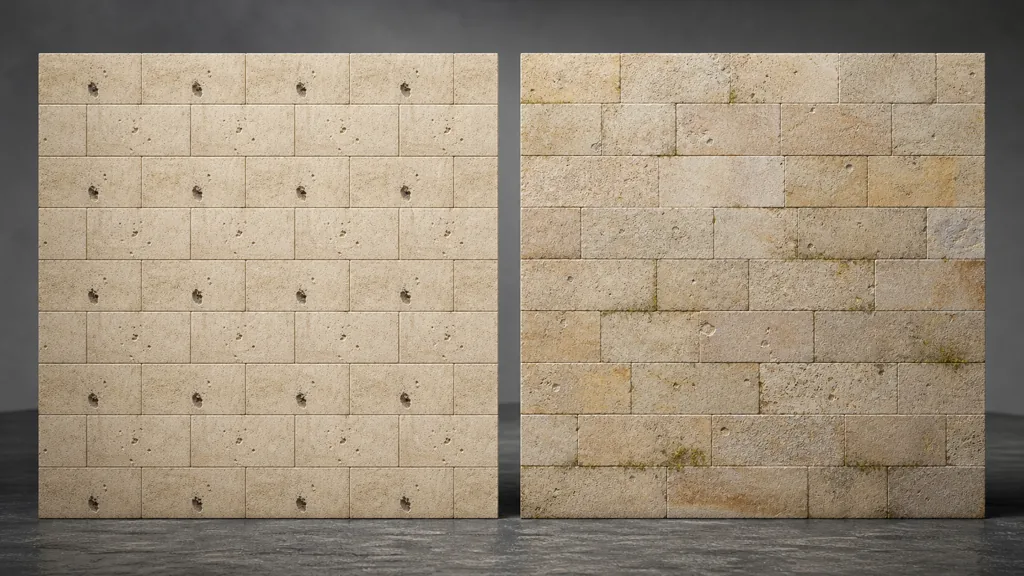
A downloaded material may be seamless yet visibly repetitive. The eye notices a dark pore, pale stone, diagonal crack, or moss island returning every metre. This is where a custom PBR texture generator or editable node workflow earns its place beside a public library.
Keep one verified base material, then create restrained variants that preserve scale and substance: shift aggregate distribution, move damage masks, change moisture or dust, and alter broad colour within plausible limits. Blend those variants with vertex colour, world-space masks, stochastic sampling, decals, or material instances. Do not rotate directional wood, runoff, courses, or machining merely to hide a repeat.
The goal of a Poly Haven vs AI texture generator decision is not “scan or generation” for an entire project. A stronger answer is often “scan plus controlled variations.” The scan anchors reality; generation or procedural editing supplies the family the scene requires. See the seamless tileable textures guide for seam repair and macro-variation methods.
Validate every Poly Haven alternative in a material lab
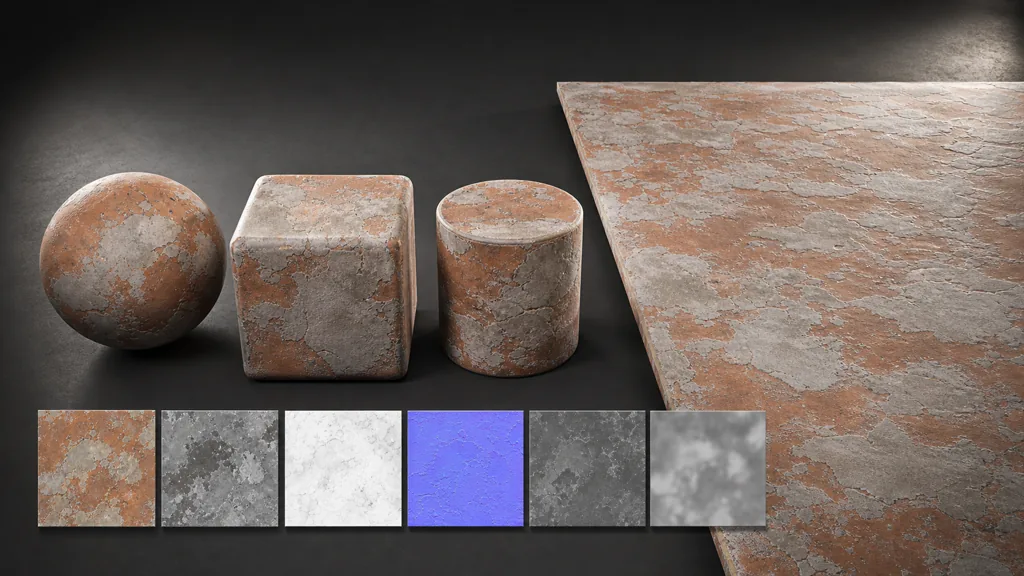
Every Poly Haven alternative eventually produces files, and files deserve the same test regardless of origin. Apply the material to a sphere, beveled cube, cylinder, and repeated plane. Rotate a neutral area light, inspect the surface close and far, and compare the result with neighboring materials at real scale.
- Check that base colour contains no fixed highlight or cast shadow.
- Confirm that roughness changes reflection spread rather than merely copying image brightness.
- Verify metalness by substance and coating state, not by visual darkness.
- Test tangent normals in the target convention and look for inverted relief.
- Tile a large plane to expose seams and repeated landmarks.
- Inspect compressed engine imports and mip levels, not only lossless source maps.
- Record metres per tile, map packing, normal orientation, source, license, and approved version.
Store approved assets in Blender's Asset Browser, an engine library, or a versioned studio catalogue with useful previews and tags. The best Poly Haven alternative 2026 is not necessarily the site with the longest grid of thumbnails. It is the route that gives the project the correct asset, clear rights, predictable maps, and a result another artist can find six months later.
Try CraftPBR
CraftPBR is a Poly Haven alternative when the missing deliverable is a custom, editable PBR material:
- Text-to-PBR creates a coordinated material set from a specific physical description.
- Photo-to-PBR converts a captured surface into aligned base colour, normal, roughness, height, AO, and metalness maps.
- Node workspace keeps masks, tiling, ranges, layers, and variants adjustable.
- Engine export prepares map names, normal orientation, colour/data settings, and channel packing for Unity, Unreal Engine, Blender, and Godot.
- Free tier lets you test a complete material before adding it to the production library.
- CC0 output lets you use, modify, and ship generated materials without attribution.
Generate a custom PBR material with CraftPBR →
Keep the public libraries. Replace the hour spent searching for a material they were never asked to contain.