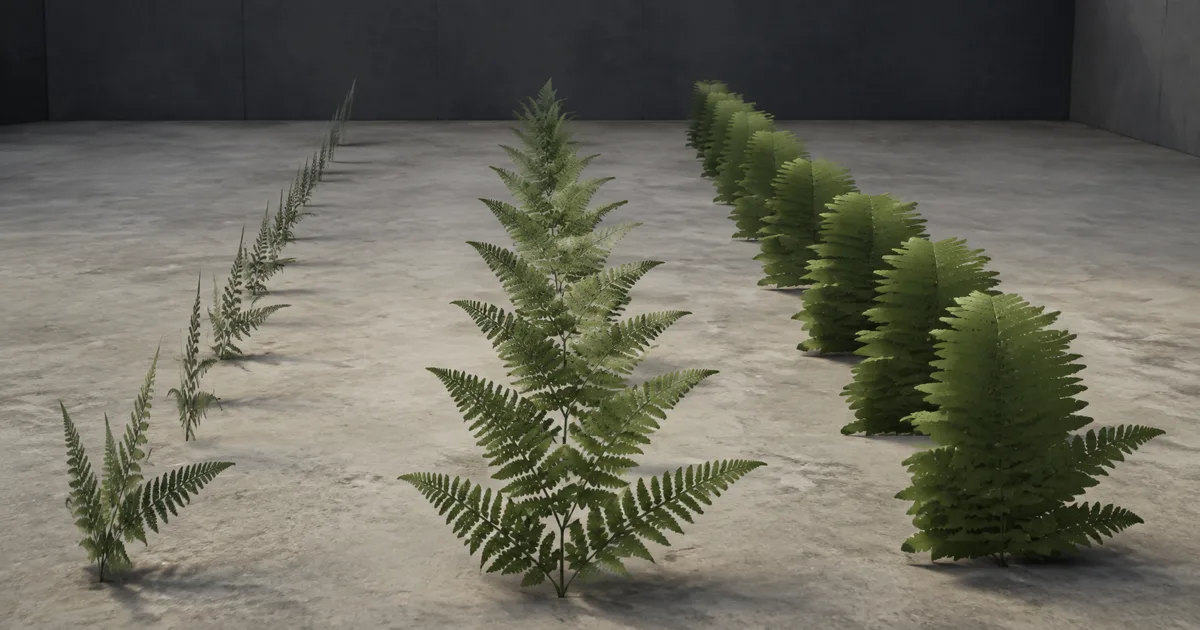
A fern looks full beside the camera and half-dead twenty metres away. No wind system did this. The card still exists; its lower mip simply averaged enough leaf alpha with empty background that most texels fell below the clip threshold. Alpha coverage mipmaps keep the passing area stable instead of letting the plant quietly unsubscribe from the scene.
This matters anywhere a grayscale mask turns a rectangle into a detailed silhouette: foliage, chain-link fences, hair cards, grass tufts, torn cloth, grates, decals, and particles. Ordinary mip filtering protects sampling frequency, but alpha testing converts a smooth stored value into a hard decision. That nonlinearity needs its own rule.
The fix is measurable: approve one cutoff, record how much of the source passes it, then adjust lower mip alpha so roughly the same fraction survives. Keep hidden RGB padded, compression honest, and mesh LODs in the same test. The result should lose fine shapes with distance, not total material mass.
Alpha coverage mipmaps preserve a silhouette test
An alpha-tested material keeps a fragment when its sampled alpha is at or above an alpha cutoff threshold and discards it otherwise. If the cutoff is 0.5, alpha 0.49 is absent and 0.51 is opaque. The texture may contain a soft edge, but the test turns that edge into a binary coverage pattern.
Define coverage at threshold t as the number of texels with alpha ≥ t divided by the total texel count. A source fern might cover 37% of its card at t = 0.5. Naively downsampled alpha tested mipmaps may cover 24%, because thin leaflets average with transparent neighbors and slide below the same threshold.
Coverage preserving mipmaps rescale or remap alpha in each lower level until its measured coverage approaches the source target. They do not recreate veins or tiny gaps that no longer fit. They preserve the broader question the shader asks: how much of this card remains visible?
Average alpha and tested coverage are different quantities
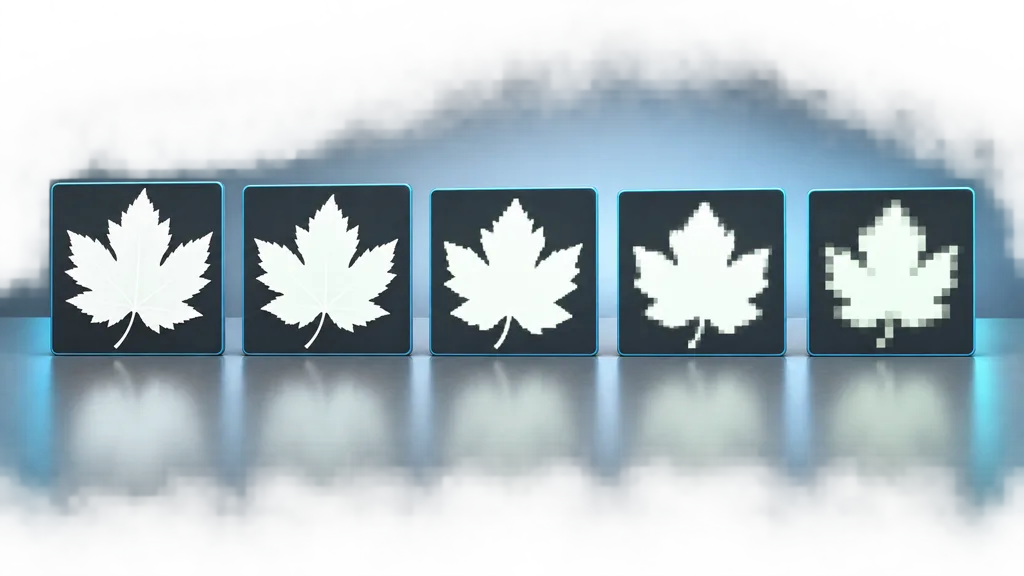
A box-filtered mip preserves average alpha reasonably well. It does not guarantee the same binary result after the shader compares every sample with a cutoff. Four source texels with alpha 1, 1, 0, 0 average to 0.5. Depending on comparison convention, texture filtering, and later compression, the new texel may all pass, all fail, or wobble around the boundary.
That is why raising mip sharpness or globally lowering the material threshold is unreliable. Sharpening can create ringing and jagged clumps. A lower runtime cutoff may restore distant mass but thicken the close silhouette, reveal padded pixels, and change shadows. Coverage processing targets each mip rather than asking one shader value to compensate for every scale.
Pick the reference threshold before building the chain. If authoring preserves coverage at 0.5 but the material ships at 0.33, the measured contract no longer matches the rendered one. Store cutoff policy with the texture group or material family, not in someone’s memory of a slider.
Build each mip around the shipping cutoff
A practical processor first downsamples the source, then searches for an alpha scale or remap that makes the lower mip’s passing ratio match mip zero at the chosen cutoff. A binary search over a multiplier is common: apply a candidate scale, count passing texels, then move the scale until coverage is within tolerance. Clamp values to the stored range.
Exact equality is not always possible in a tiny mip because one texel represents a large percentage of the image. Preserve the trend, cap extreme scaling, and decide when the asset should hand over to a mesh LOD, impostor, or fade. The last 2×2 level does not owe the art director a botanical census.
Process each meaningful cutout channel separately if several masks share a texture. Mipmap alpha coverage depends on the threshold and intended consumer. Packing unrelated opacity masks into channels is safe only when resolution, UVs, mip policy, compression, and cutoff ownership agree. The texture channel packing guide covers that wider contract.
Inspect the generated values after import, not only the source file. Texture compression can quantize edges across the cutoff or mix nearby values inside a block. Re-measure the platform result when a format or quality tier changes.
Protect RGB beneath transparent pixels
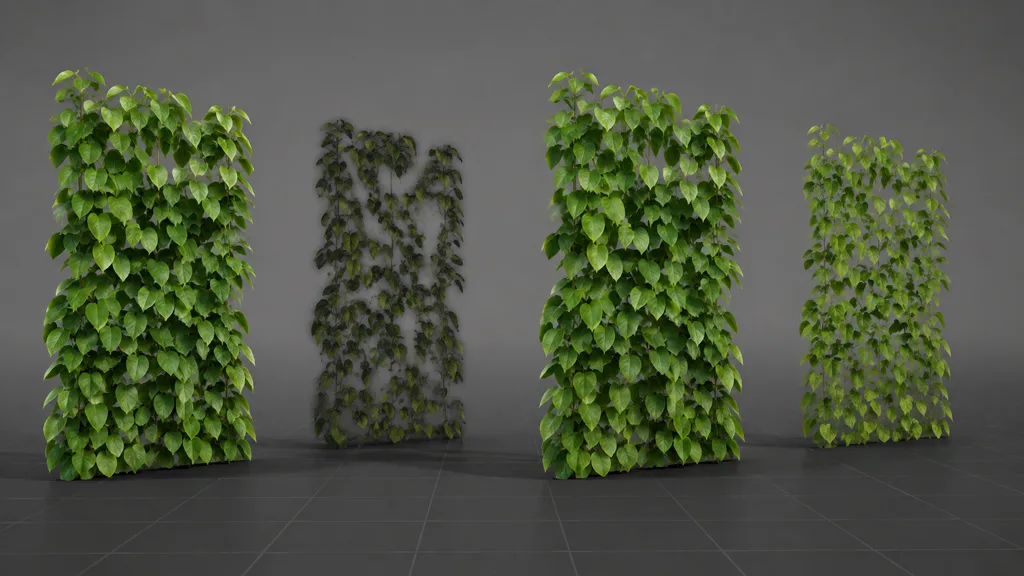
Preserve alpha coverage and clean color edges solve separate failures. Coverage decides how much survives. RGB dilation decides which color filtering finds around the surviving edge. A leaf cutout with transparent black outside its mask may keep the correct area and still grow a dark outline in lower mips.
Before mip generation, extend valid leaf, hair, cloth, or fence color beyond the visible alpha boundary. This hidden padding gives the filter plausible RGB when it blends across the edge. For atlases, also leave enough gutter between islands so neighboring cards do not donate color to each other. The UV padding guide explains how lower mips consume borders.
Premultiplied-alpha workflows change how color and alpha should be filtered, but alpha test commonly uses straight color plus a mask. Document the representation. “It looked transparent in the paint app” says nothing about the RGB stored under zero alpha.
Choose alpha test, alpha-to-coverage, or temporal dithering
Hard alpha test is predictable, writes depth, and avoids general transparency sorting. Its edge moves in whole pixel decisions and can shimmer when a fine silhouette crosses the screen. Alpha to coverage converts fragment alpha into a multisample coverage mask, producing intermediate sample coverage when MSAA is active. The OpenGL specification defines this as a multisample fragment operation; without multisampling, there are no extra coverage samples to distribute.
Alpha-to-coverage can soften clipped edges on forward-rendered foliage, but results depend on sample count, implementation, and pipeline. It does not restore a lower mip whose values already collapsed. Use it after building sound alpha cutout texture mips.
Temporal dithering alternates a coverage pattern and lets TAA or another history filter integrate it. This can fade cards and LODs smoothly, but motion, disocclusion, and low render scale may expose the pattern or create trails. Alpha blend supports true partial transparency but adds sorting and overdraw costs described in the opacity map guide.
Choose by asset and renderer: hard test for stable opaque cutouts, alpha-to-coverage when MSAA and pipeline support are proven, temporal dither for managed fades, and blend only when the surface actually needs partial transmission.
Build an alpha coverage mip workflow in eight checks
- Approve mip zero. Lock the source silhouette, straight or premultiplied representation, and material cutoff.
- Measure source coverage. Count the fraction passing that exact threshold.
- Dilate hidden color. Expand valid RGB beyond every visible edge and through atlas gutters.
- Generate role-aware mips. Downsample color and alpha with a documented filter.
- Rescale lower alpha. Adjust each level toward the source coverage, with tolerance and a sensible clamp.
- Compress the real output. Inspect the target GPU format and recheck the passing ratio.
- Coordinate material and LODs. Keep cutoff, culling, shadows, card density, mesh reduction, and fade policy aligned.
- Validate in motion. Cross mip and LOD boundaries against light and dark backgrounds on target hardware.
Coverage is a ratio at a threshold. If neither value is recorded, “preserved” is only a mood.
This is the best alpha coverage mip workflow 2026 because every stage has a testable owner. Automate it for foliage and cutout texture groups; reserve per-asset exceptions for silhouettes that genuinely need them.
Set alpha coverage mipmaps in Unity and Unreal Engine
For alpha coverage mipmaps Unity, enable mip generation and the coverage-preserving option on the Texture Importer, then set the alpha test reference to the cutoff used by the material. Unity’s mipMapsPreserveCoverage documentation says generated mip alpha is rescaled so a higher percentage of pixels continues to pass the alpha test. Check platform overrides and the imported preview, because texture type changes and compression can alter the final path.
For alpha coverage mipmaps Unreal Engine, inspect Mip Gen Settings, Preserve Border, alpha coverage thresholds, compression, and the material’s Opacity Mask Clip Value. Epic’s texture property reference documents per-channel Alpha Coverage Thresholds, while current texture build settings expose coverage scaling in the build pipeline. Verify the cooked texture rather than assuming editor mip zero represents the package.
In Blender or another source DCC, author the cutout and inspect alpha clipping, but treat the game engine or offline texture build step as the authority for shipping mips. Export valid RGB under transparent pixels and, when a custom tool generates mips, deliver the full chain in a format the importer is configured to preserve.
Validate foliage mipmaps across distance and LODs
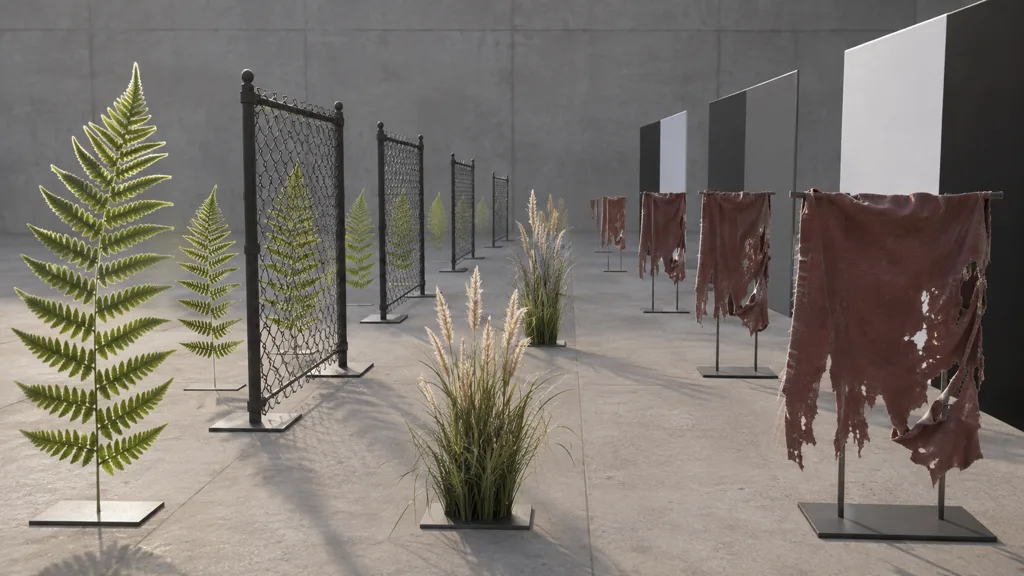
Build a lane with broad leaves, thin needles, a regular fence grid, hair or fur cards, torn fabric, and a dense grass tuft. Place copies at fixed distances and use a slow camera path that crosses each mip transition. Put light and dark panels behind the edges so halos cannot choose a friendly background.
Watch silhouette area, holes closing, isolated pixels, edge color, shadow coverage, two-sided lighting, and overdraw. Cross mesh LOD changes too. A lower-card-count plant may need a coordinated coverage adjustment or fade; otherwise texture mips preserve leaf mass until the geometry removes half the cards in one frame.
Pass when apparent mass changes gradually, lower mips do not become opaque slabs, thin features stop aliasing without vanishing, and compressed edges stay clean. Then test production TAA or upscaling, dynamic resolution, wind motion, and the actual device. PBR material validation adds checks for the rest of the map family.
FAQ
What are alpha coverage mipmaps?
Alpha coverage mipmaps are lower-resolution texture levels whose alpha values are adjusted so roughly the same fraction of pixels passes a chosen alpha-test threshold. They keep cutout foliage, fences, hair cards, and torn edges from thinning or swelling as the texture gets smaller.
Why does foliage disappear at distance?
Averaging thin opaque leaves with transparent background pixels pushes alpha below the material cutoff in lower mips. Those pixels then fail the alpha test, so the plant loses apparent mass even though the card geometry still renders.
How do you preserve alpha coverage in mipmaps?
Measure the source coverage at the same cutoff used by the shader, downsample the texture, then rescale or remap each mip alpha until its passing-pixel ratio closely matches the reference. Recheck after compression because block encoding can move values across the cutoff.
Is alpha-to-coverage the same as coverage-preserving mipmaps?
No. Coverage-preserving mipmaps adjust stored alpha across resolution levels, while alpha-to-coverage converts fragment alpha into a multisample coverage mask during rasterization. They can work together, but alpha-to-coverage requires multisampling and does not repair a bad mip chain.
What alpha cutoff should foliage use?
There is no universal value. Pick a threshold that matches the approved source silhouette, use that same reference when generating coverage-preserving mips, and validate it under the final compression and shader path.
Why do alpha-cutout textures get dark halos?
Transparent pixels often contain black or unrelated RGB, which filtering pulls into visible edge pixels at lower mips. Dilate valid leaf, fabric, or fence color beyond the alpha boundary before mip generation, then leave enough atlas padding.
Should alpha-tested textures have mipmaps?
Usually yes. Removing mipmaps makes distant cards alias and shimmer because one pixel samples detail far above its usable frequency. Build role-aware mips that preserve coverage and padded edge color instead of disabling the chain.
Try CraftPBR
CraftPBR prepares the coordinated surface data behind an alpha coverage mipmaps workflow:
- Text-to-PBR generates aligned base color, normal, roughness, height, AO, and metalness from a surface brief.
- Photo-to-PBR turns controlled leaf, fabric, or material photos into a coordinated map set.
- Node workspace keeps masks, edge color, tiling, levels, and material variations editable.
- Engine export prepares normal orientation, channel packing, color-space intent, and clear filenames.
- Free tier lets you test a complete cutout material before building a library.
- CC0 output lets you edit, dilate, mip, pack, and ship generated textures without attribution.
Let detail simplify. Keep the silhouette’s share of the screen.