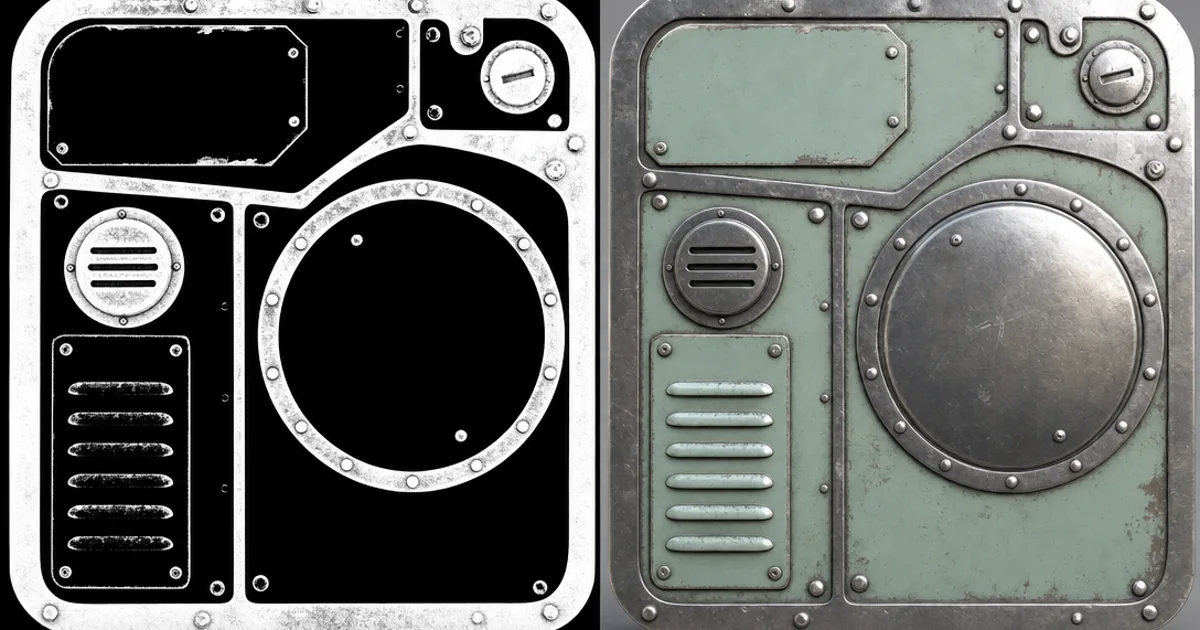
You know that feeling when your sword or armour looks less like steel and more like grey painted plastic? Nine times out of ten the culprit is the metalness map. It’s the deceptively simple greyscale map that tells the renderer one crucial thing: is this pixel bare metal, or isn’t it?
Metal behaves completely differently from every other material in a PBR pipeline, and the metalness map is the switch that flips that behaviour on. This guide explains what it stores, why it should be almost pure black and white, and how to make one.
What a metalness map stores
In the real world, materials fall into two camps. Metals (conductors) reflect almost all light as a tinted reflection and have no diffuse colour of their own. Non-metals (dielectrics — wood, plastic, stone, skin) have a diffuse colour and only a weak, white reflection. A metalness map is a greyscale image that flags which is which: white = metal, black = non-metal.
The engine reads that flag and switches its whole lighting model per pixel. Where the map is white, the base colour becomes reflectance (how the metal tints its reflection); where it’s black, the base colour is treated as ordinary diffuse colour. One map, two completely different physics.
Why it should be black and white
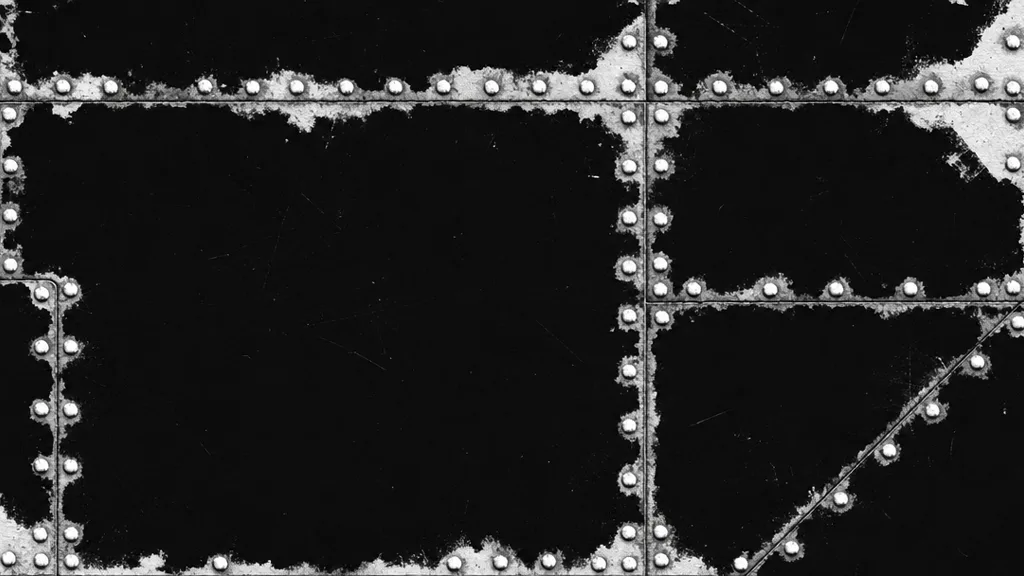
A surface is either metal or it isn’t — there’s no “50% metal” in physics. So a correct metalness map is overwhelmingly pure black (0.0) or pure white (1.0), with very little in between. The only legitimate grey is a transition: a thin film of dirt, rust, or paint partly covering metal, where the surface is genuinely part-metal part-not at the pixel scale.
A metalness map full of soft mid-greys is almost always an error — usually a colour map mistakenly wired into the metalness slot. If your metal looks murky, check for stray grey.
Metalness vs specular workflow
There are two PBR workflows, and the metalness map belongs to one of them:
- Metal/Rough (metalness) — one greyscale metalness map plus a roughness map. The engine derives reflectance from the base colour. Simpler, smaller, the modern default in Unity, Unreal, Blender, and Godot.
- Spec/Gloss (specular) — an RGB specular map storing reflectance colour directly, plus a glossiness map. More direct control, more memory, more room for physically wrong values.
Both can produce the same result, but the metalness workflow is harder to get wrong and uses less texture memory, which is why most pipelines standardised on it.
Why metalness fixes plastic-looking metal
The number-one reason metal renders as grey plastic is a metalness value that isn’t white where it should be. If bare steel reads as 0.6 instead of 1.0, the engine gives it a diffuse grey component it shouldn’t have, killing the clean reflection. Two fixes cover most cases: make sure bare metal is pure white in the map, and import the map as linear data so the values aren’t gamma-shifted. Pair it with a good roughness mapand the metal finally reflects like metal.
Making a metalness map
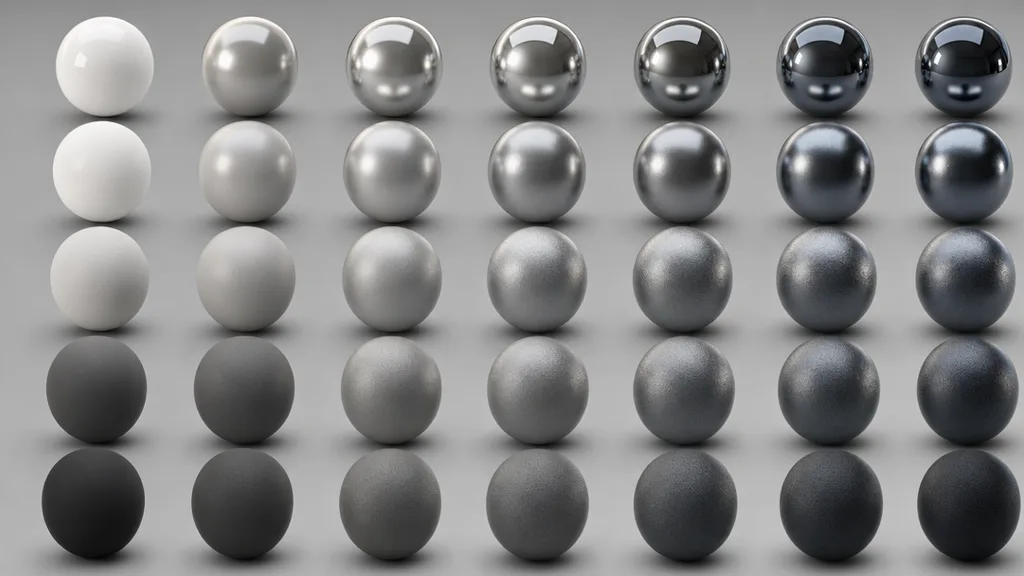
- Paint it — mask which areas are metal, fill them white, the rest black. Because it’s nearly binary, it’s one of the easiest maps to author.
- Bake it from material IDs on a textured model.
- Generate it as part of a full PBR set so it agrees with the colour and roughness.
That last route is the fastest. CraftPBR produces a metalness map alongside base colour, normal, roughness, and AO from a text prompt or photo — the same text to texture workflow, with the metal/non-metal split already sorted. See it in action in the seamless metal texture guide.
Metalness maps in Unity, Unreal, Blender, and Godot
- Unity — assign to the Metallic slot (or the red channel of a mask map in HDRP/URP). Import as Non-Color. The Standard shader pairs metallic with smoothness (inverted roughness).
- Unreal — plug into the Metallic input, or use a channel of a packed ORM/MRA texture. Import with sRGB off.
- Blender — connect to the Metallic input of the Principled BSDF; set the image to Non-Color.
- Godot — assign in StandardMaterial3D’s Metallic section and pick the correct channel; set the metallic factor to 1 so the map drives it.
Key takeaways
- A metalness map is a greyscale mask: white is bare metal, black is everything else
- It switches the engine’s lighting model per pixel — metal reflects, non-metal has diffuse colour
- It should be almost pure black and white; grey is only for dirt, rust, or paint transitions
- Plastic-looking metal is usually metalness that isn’t white where it should be, or an sRGB import
- The metalness workflow is the modern default over the specular workflow — simpler and smaller
- Always import it as linear / Non-Color, and pair it with a good roughness map