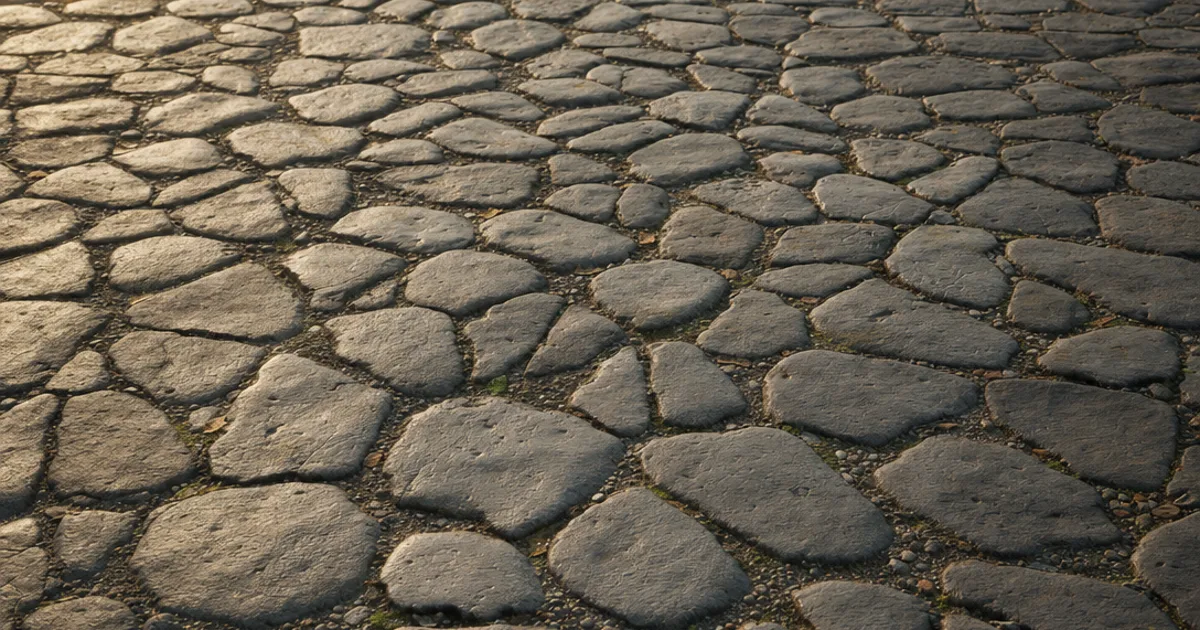
You know that feeling when your medieval street looks great head-on but turns into a flat painted floor the moment the camera tilts? Cobblestone is all about bumpy, rounded stones, so it’s the material where a flat texture gives itself away fastest. A seamless cobblestone texture tiles cleanly and brings the depth that makes a cobbled road read.
Cobblestone is two challenges at once: tiling an already-patterned surface without an obvious repeat, and giving the rounded stones real silhouette. This guide covers what makes cobblestone seamless, why it needs a height map, and three ways to get a proper PBR set.
What makes a cobblestone texture seamless?
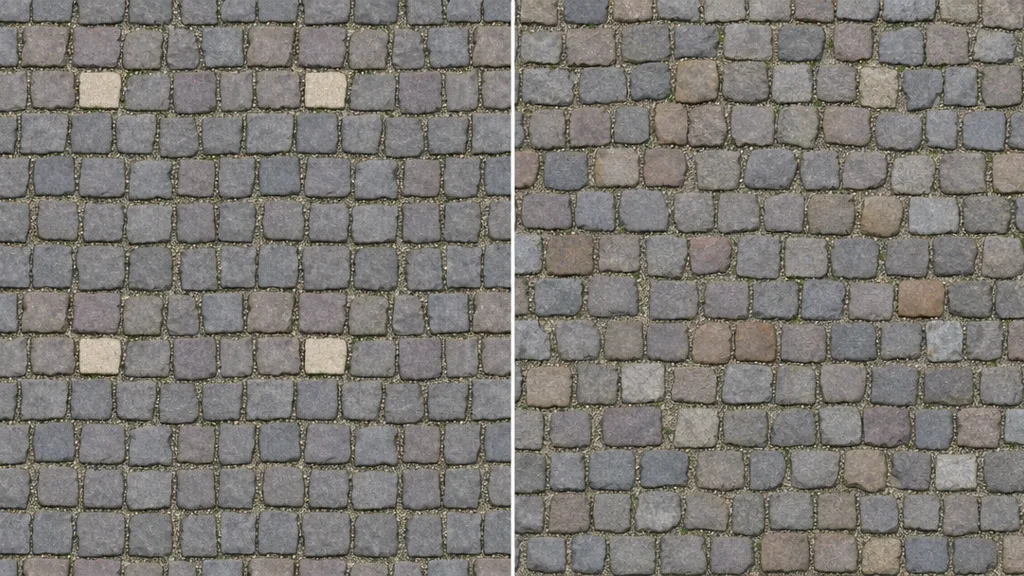
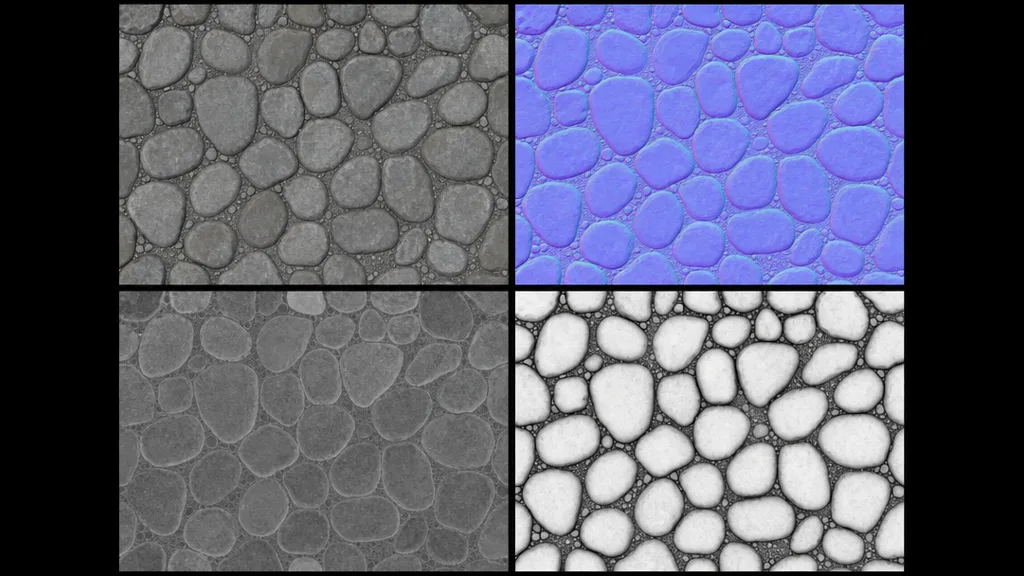
A texture is seamless when its opposite edges match — right continues into left, top into bottom. For cobblestone the catch is the layout: the stones and the gaps between them have to continue unbroken across the wrap, and no uniquely shaped or coloured cobble can repeat. A proper tileable cobblestone texture is a full PBR set where every map wraps together — base colour, normal, roughness, AO, and height — or the seam shows in the gaps and shadows even when the colour tiles fine.
Why cobblestone needs a height map
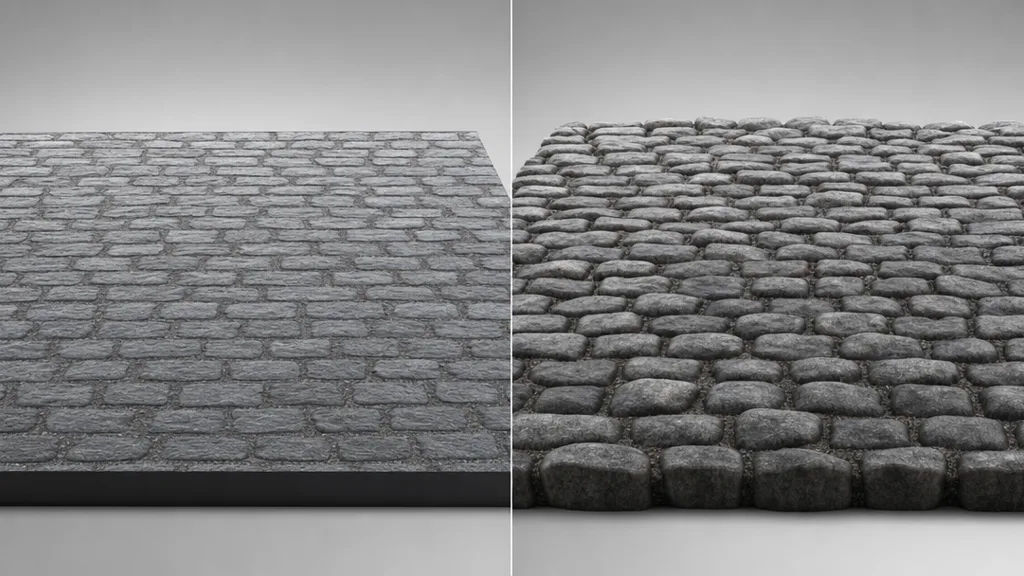
Cobblestones are rounded and they stick up from the gaps. That means their silhouettematters — the edge of a cobbled surface should be bumpy, and each stone should cast a little shadow into the gaps. A normal map alone fakes the lighting but keeps the surface dead flat, so at a glancing angle the cobbles flatten into a sticker. A height or displacement map gives the stones real bumps, correct silhouettes, and self-shadowing. Cobblestone leans on height more than almost any other tileable surface.
The maps cobblestone needs most
- Height / displacement — the rounded stones and deep gaps, as real geometry. The map that makes cobbles read at any angle.
- Normal — fine stone surface detail and edges, layered on top of the height. (New to these? See what a normal map is.)
- Ambient occlusion — the deep shadow in the gaps between stones, for grounded depth.
- Roughness / base colour — wet glossy versus dry matte stone, with natural stone-to-stone colour variation.
Three ways to get a seamless cobblestone texture
1. Heal a photo by hand
Take a flat top-down cobblestone photo, offset it by a whole number of stones (Photoshop: Filter › Other › Offset, wrap-around), and heal the seam so the gaps and stones flow across the join. Then break up any distinctive cobble that would repeat. Free, fiddly with the layout, and you still derive the normal, roughness, AO, and height maps separately.
2. Download a CC0 set
Poly Haven, ambientCG, and similar libraries give you ready-made seamless cobblestone with full PBR maps — including height — under CC0. Fast and high quality, with one limit: you get the paving that exists. A specific stone shape, layout, or wetness may not be in the catalogue.
3. Generate it from a prompt
Describe the cobblestone — “wet rounded medieval river cobbles with mossy gaps” — and let AI build a tileable PBR set already wrapped, height included. CraftPBR generates the base colour and derives a matching normal, roughness, AO, and height, then makes the set seamless together. You get the exact paving you described, in about a minute — the same text to texture workflow, pointed at the street.
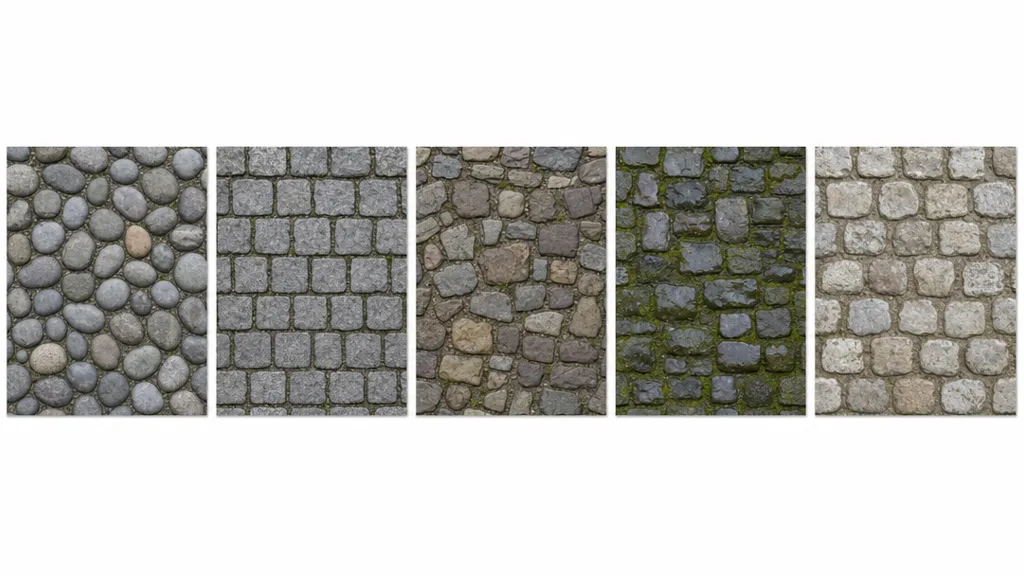
Killing the grid: break up the repetition
- Add a macro variation map — large, faint noise that drifts whole regions wetter, darker, or more worn, like a real well-trodden street.
- Blend a wear or puddle decal layer — worn paths, water, moss between stones placed by hand, off the tiling grid.
- Vary UV scale and rotation per surface so the same stones don’t line up.
- Use a stochastic/hex-tiling node (Unreal, Blender) — cobblestone hides it reasonably well thanks to its irregular stones.
For the full anti-repetition toolkit across every material, the seamless tileable textures guide goes deep.
Seamless cobblestone in Unity, Unreal, Blender, and Godot
- Unity — Wrap Mode Repeat, base colour sRGB, normal/roughness/AO/height as linear (Non-Color). Use parallax occlusion or tessellation (HDRP) for the cobble depth; Tiling to scale.
- Unreal — drop the maps into a Material, add Nanite displacement or tessellation for the real bumps, and remember Unreal expects DirectX normals — flip the green channel if yours are OpenGL.
- Blender — Image Texture nodes set to Repeat, base colour sRGB and the rest Non-Color, height into Displacement with adaptive subdivision for real geometry. Blender uses OpenGL normals.
- Godot — assign the maps in a StandardMaterial3D, enable height (parallax) and AO, set UV1 scale to tile. Godot uses OpenGL normals like Blender.
Key takeaways
- Cobblestone is an already-patterned surface, so an accidental tiling repeat on top is doubly obvious
- The stones and gaps must continue across the wrap; flatten any standout cobble
- It needs a height or displacement map more than most materials — the bumpy silhouette is the tell
- The deep gaps live in the AO and height; roughness separates wet glossy from dry matte
- Break up repetition with macro variation, puddle and wear decals, and UV rotation
- It imports into any engine — add tessellation/displacement and mind the OpenGL/DirectX normal convention