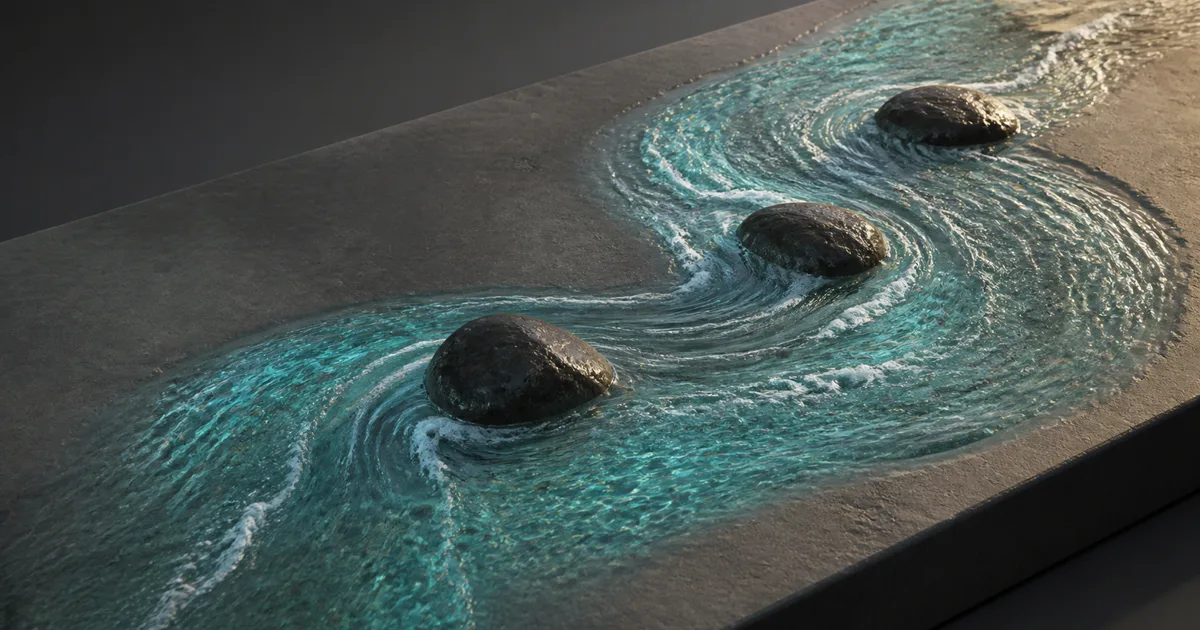
Put a normal map on a river bend and pan it in one direction. The ripples march across the bank, slide through rocks, and continue downstream with the confidence of a shader that has never seen a river. A single UV offset can move detail, but it cannot turn that motion locally.
A flow map texture fixes the directional problem. Instead of storing visible color, it stores a two-dimensional vector at each texel. The shader decodes that vector and uses it to push UV coordinates, rotate anisotropic detail, steer particles, or distort another texture. One small data map can make foam split around a stone, lava follow a channel, rain bend across a windshield, or magical energy spiral toward a point.
The useful part is not merely painting pretty gradients. A flow map texture needs an explicit coordinate contract, stable neutral value, sensible magnitude, a loop that hides its reset, and import settings that do not reinterpret data as color. Get those pieces right and the motion follows the surface. Get one wrong and the river may attempt to return to its source.
A flow map texture stores direction, not appearance
A conventional texture answers, “What should this point look like?” A flow map answers, “Which way should another sample move from this point?” The usual implementation stores the horizontal vector in red and green:
- Red represents motion along the texture’s U axis.
- Green represents motion along the texture’s V axis.
- Blue may be unused, fixed, or reserved for another scalar.
- Alpha may store speed, foam, turbulence, or a documented mask.
Ordinary texture channels cannot store negative values directly, so tools commonly remap a signed vector from -1..1 into 0..1. The shader reverses it:
direction = flowRG * 2 - 1
Under that convention, (0.5, 0.5) means no movement. Full red and half green mean positive U; black red means negative U. Some tools invert green or use another space, so a flow map texture needs a declared contract.
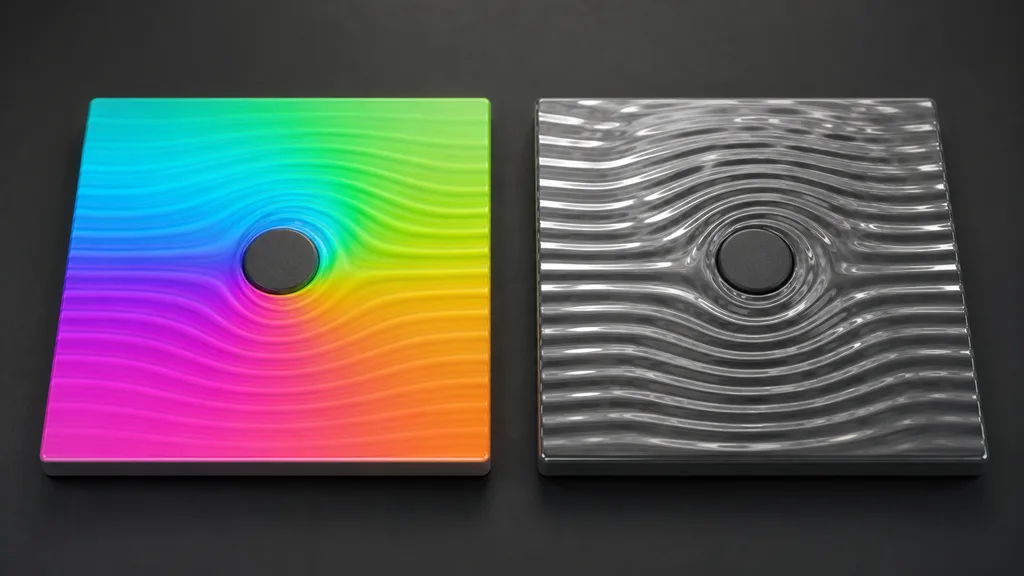
Magnitude matters too. Normalizing every vector erases painted speed differences; preserving length lets distance from neutral control speed. Decide whether RG stores both direction and speed before painting.
Choose the space before painting the flow map vector field
A flow map vector field only makes sense relative to a coordinate system. Most surface effects use UV space because the map and animated texture share the same unwrap. That is cheap, portable, and easy to paint, but mirrored islands reverse directions and UV seams can interrupt the field.
World-space or object-space flow can align motion across many meshes or terrain tiles, but it needs a projection and coordinate-basis conversion. Tangent-space flow can follow deforming meshes only when the tangent basis and mirrored-UV convention match at runtime.
Write down five decisions for every flow map texture:
| Contract item | Example choice | Failure when ambiguous |
|---|---|---|
| Vector space | UV0 tangent plane | Direction changes after export |
| Channel decode | RG maps from 0–1 to -1–1 | Neutral pixels drift diagonally |
| Green orientation | Positive G moves toward positive V | Motion runs backward in one engine |
| Length meaning | Vector length stores speed | Slow and fast regions become identical |
| Wrap behavior | Repeat with padded tile borders | Edge samples pull from the wrong side |
Test the contract with neutral, right, up, and diagonal fields before painting curves. A striped debug texture makes reversed axes obvious; water can hide a sign error behind reflections for an impressive amount of time.
Use flow only where local direction earns the sample
A panner remains correct for conveyor belts, scan lines, and broad layers moving in one direction. A flow map shader adds a texture read, coordinate math, and commonly a second content sample to hide looping. Spend that cost where direction changes.
Good candidates include:
- Rivers that curve, split, accelerate, and form eddies around obstacles.
- Lava, mud, slime, or oil following terrain channels.
- Rain and grime streaks bending over vehicle surfaces.
- Foam, caustics, sediment, and bubbles sharing a water current.
- Hair, brushed surfaces, or cloth effects that need a painted direction field.
- Fire, smoke, portals, and energy effects with controlled vortices.
- Terrain blending where a mask should stretch downhill.
Do not ask one flow map texture to simulate fluid dynamics. It represents an authored or baked velocity snapshot; it does not conserve mass or react to new obstacles. Dynamic channels need a runtime field, spline-driven system, or simulation.
The flow map texture must steer content with enough variation to reveal motion. A uniform texture remains uniform after UV distortion; there is nothing to move.
How to make a flow map texture that stays editable
- Define the surface and space. Choose UV, object, world, or tangent space and freeze the relevant unwrap or projection.
- Mark sources, sinks, and obstacles. Identify where motion begins, ends, splits, converges, or must pass around geometry.
- Lay down broad directions. Paint long coherent strokes or generate the field from splines, simulation velocity, geometry, or a vector-paint tool.
- Set speed deliberately. Use vector length or a documented scalar channel; keep banks, sticky edges, and stagnant pockets near neutral.
- Smooth direction changes. Remove abrupt vector flips that would fold the sampled texture unless the reference contains a real discontinuity.
- Repair UV borders. Match direction across shared edges, pad islands, and avoid mirrored shells where flow must remain continuous.
- Preview with stripes and noise. A directional stripe exposes turns; broadband noise reveals stretching, compression, and dead zones.
- Build the loop. Use two phase-offset samples and a crossfade so UV displacement can reset invisibly.
- Validate in the destination shader. Confirm axis orientation, color space, compression, mips, wrap mode, speed, and target hardware.
For how to make a flow map quickly, generate a coherent base from splines or simulation, paint obstacle corrections, then relax the field without erasing meaningful speed differences.
Keep a high-precision source when the authoring tool supports it. Export the runtime flow map texture only after the field behaves; repainting a compressed asset makes tiny errors permanent.
Hide the reset with two phase-offset samples
The simplest animation offsets UVs by decoded direction times time:
uvA = baseUV - direction * phase
Eventually phase wraps from one back to zero. If the moving texture is not perfectly periodic along every curved path, that reset pops. A standard flow map shader samples the animated texture twice at phases half a cycle apart, then crossfades between them. While one sample approaches its most distorted state, the other is near a cleaner midpoint.
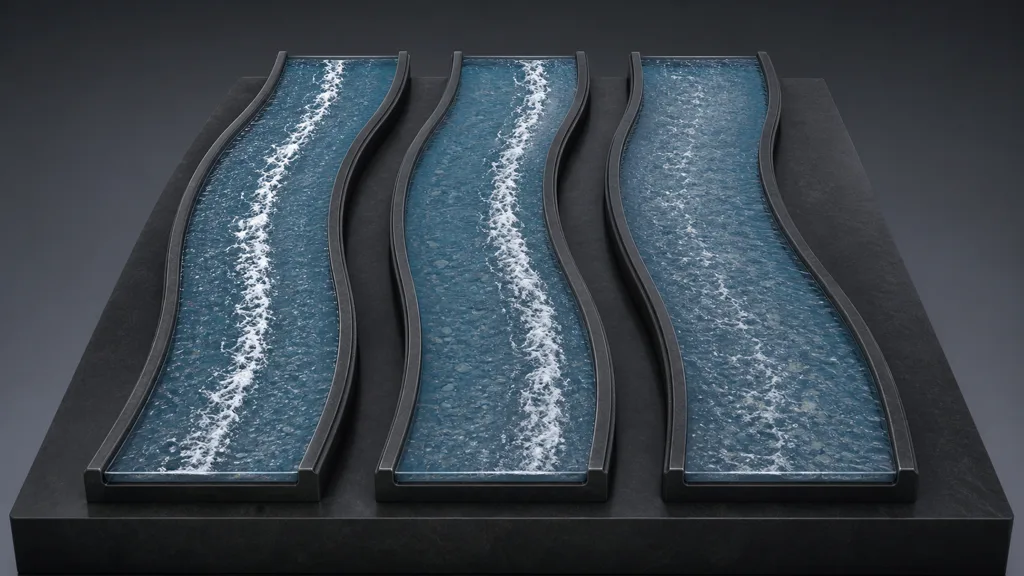
Use a triangular blend weight, derive both phases from the same clock, and apply the same flow map texture to both. Decorrelate detail only when the duplicate samples become visible.
Flow strength should remain bounded because large offsets stretch texels and destabilize mip selection. For a flow map water shader, combine moderate flow with independently scaled normals and foam. The flow map texture supplies direction; it should not drag one pattern halfway across the river per cycle.
Protect flow data from color management, compression, and seams
Import a flow map texture as linear data with sRGB decoding disabled. Gamma decoding moves the neutral midpoint and bends vector length nonlinearly, so (0.5, 0.5) no longer remains still. The sRGB vs linear textures guide covers why data maps need different import treatment from base color.
For flow map texture compression, inspect the platform format. Block compression may create direction steps near neutral or sharp boundaries, exposed by moving high-frequency normals. Compare desktop and mobile builds in motion, and use the texture compression guide to choose the destination format deliberately.
Mipmaps average vectors. Opposing directions can collapse toward neutral and stop distant motion. Preserve speed separately when direction cancellation and average velocity mean different things, or tune mips for the intended signal.
Most flow map seam artifacts come from mismatched border vectors, mirrored islands, poor padding, or wrap mode. Test the strongest offset and lowest relevant mip; a connected phase-zero field can separate once the sample travels.
Build the same flow map texture in Unity, Unreal, and Blender
For flow map Unity materials, sample the map as linear data, decode RG, multiply by speed and phase, then offset the animated sample’s UV input. Unity’s Sample Texture 2D documentation confirms that Shader Graph accepts custom UV input. Put the two-phase function in a Sub Graph and expose green inversion.
For flow map Unreal Engine materials, decode the map and offset TextureCoordinate values before sampling detail. Epic’s texturing material functions documentation includes ZWorldSpaceFlow, which blends two panning variations and accepts a 2D direction. A painted field supplies decoded per-pixel RG instead.
For flow map Blender look development, set the image to Non-Color, remap RG around 0.5, multiply by time, and add the pair to UVs before the animated Image Texture. Blender’s Vector Math documentation covers the operations. Game exports normally recreate the shader in the target engine.
Across all three, expose the same small contract: axis inversion, speed, strength, tiling, phase, and optional magnitude channel. Matching names reduce the chance that one engine’s river becomes another engine’s uphill delivery service.
Validate direction, looping, and scale in motion
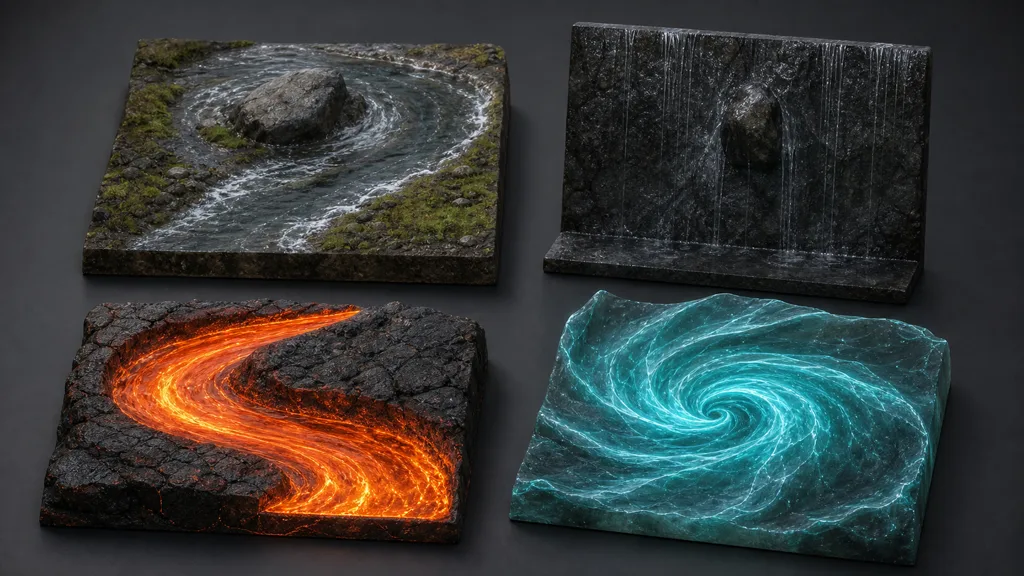
Use a test scene with a straight strip, S-curve, obstacle, fork, seam, mirrored island, and production mesh. Display decoded direction first, then animate a stripe, noise, and the final material for two full cycles.
Check the flow map texture slowly and at exaggerated strength to expose resets, reversals, seams, and stretching. Force lower mips and platform compression, then test the final speed during camera motion. The texture filtering guide explains why stable close-up detail can still fail when it recedes.
Diagnose by evidence:
| Symptom | Likely cause | First useful check |
|---|---|---|
| Whole effect moves diagonally at neutral | sRGB decode or wrong midpoint | Display decoded vector length |
| Motion runs backward | Sign or green axis inverted | Test one pure-axis field |
| River crosses its bank | Field ignores boundary or offset is too large | Preview stripes at maximum strength |
| Animation pulses every cycle | Single phase or synchronized fade error | View the two samples separately |
| Vortex stops at distance | Opposing vectors cancel in mips | Inspect mip levels and speed storage |
| UV seam opens during motion | Border vectors or padding disagree | Freeze the cycle at maximum offset |
| Detail smears into long streaks | Excess flow strength or low source frequency | Reduce displacement before sharpening |
| Mobile build changes direction | Platform compression damaged near-neutral data | Compare decoded vectors by build target |
The best flow map workflow 2026 ships the debug view beside the material. A button that displays direction, magnitude, phase A, phase B, and final blend can save more time than another heroic round of nudging speed by 0.03.
FAQ
What is a flow map texture?
A flow map texture is a two-dimensional vector field stored in texture channels, usually red and green. A shader decodes those channels and uses the direction to offset UVs, steer surface detail, or orient another effect.
How do flow maps work?
Each texel stores a local direction and sometimes speed. The shader multiplies that vector by time and strength, adds the result to texture coordinates, then samples normals, foam, noise, or color at the displaced position.
What color means no movement in a flow map?
In the common signed RG convention, red and green values of 0.5 decode to zero motion. Confirm the project convention because tools may invert green or use another encoding.
Why is my flow map moving backward?
The shader may use the opposite sign or the V axis may be inverted between tools. Test pure horizontal and vertical fields, then expose sign and green-invert controls.
How do you make a flow map for water?
Paint or bake directions along the river tangent, bend the field around banks and obstacles, and preview it with stripes. Then animate normal maps and foam with a two-phase loop.
Should a flow map texture use sRGB?
No. A flow map is vector data and should normally be sampled as linear, non-color data because sRGB decoding shifts the midpoint and changes direction and magnitude.
Can a flow map loop without popping?
Yes. Sample the animated texture twice with phases half a cycle apart and crossfade them with a repeating triangular weight.
Try CraftPBR
CraftPBR creates the surface maps that a flow map texture can animate, distort, and steer:
- Text-to-PBR generates a coordinated material set from a description of surface, scale, color, finish, wear, and moisture.
- Photo-to-PBR converts a controlled reference into aligned base color, normal, roughness, height, AO, and metalness maps.
- Node workspace keeps tiling, levels, masks, distortion inputs, and material variants editable while you test motion.
- Engine export prepares normal orientation, linear masks, channel packing, filenames, and target-specific conventions.
- Free tier lets you generate and test a complete material before investing in the destination flow shader.
- CC0 output lets you modify, animate, render, and ship generated textures without attribution.
Give the pixels a route before asking them to travel. Straight-line optimism is not a vector field.