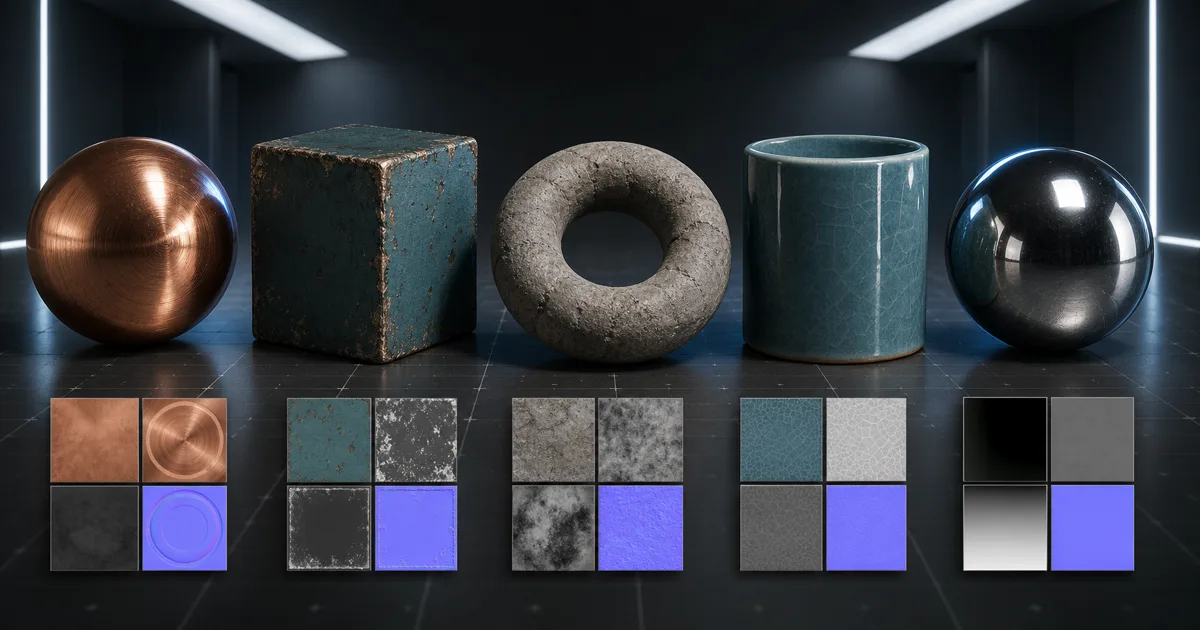
A set of Three.js materials can fail while every file involved is technically valid. The model has UVs. The textures return 200. The renderer draws a sphere. Yet the stone shines like lacquer, the metal looks charcoal-grey, or the normal map turns mortar joints into tiny inflatable tubes.
The fix is rarely another dramatic light. It is usually a contract problem: the wrong material model, a colour texture treated as data, a data texture treated as colour, a missing UV channel, an inverted normal axis, or a height map asked to move vertices that do not exist. This guide builds Three.js materials from those contracts outward, then checks the browser costs before the GPU begins collecting textures like souvenir mugs.
Choose Three.js materials by the light model
Do not choose a material because its name sounds approximately shiny. Choose it by the lighting behavior the surface needs. For authored PBR texture sets, Three.js materials usually start with MeshStandardMaterial: it implements the metallic-roughness workflow and accepts the familiar base-colour, normal, roughness, metalness, AO, emissive, and displacement inputs.
| Material | Use it for | Important trade-off |
|---|---|---|
| MeshBasicMaterial | Unlit decals, debug colour, screen-like surfaces | Ignores scene lighting; not a PBR material |
| MeshLambertMaterial | Cheap diffuse-only objects | No believable specular response |
| MeshPhongMaterial | Legacy or intentionally simple highlights | Uses a non-PBR specular model |
| MeshStandardMaterial | Most opaque PBR surfaces | Needs useful light and costs more than legacy materials |
| MeshPhysicalMaterial | Clearcoat, glass-like transmission, sheen, iridescence | Extra features increase shader and sampling cost |
For Three.js materials, start with the cheapest model that explains the surface. A painted steel crate belongs in MeshStandardMaterial. A varnished car panel may justify clearcoat in MeshPhysicalMaterial. A UI marker that must stay flat under every light belongs in MeshBasicMaterial. Turning on a more elaborate shader does not add craftsmanship; sometimes it just gives the profiler more vocabulary.
Wire a Three.js PBR material from one coherent map set
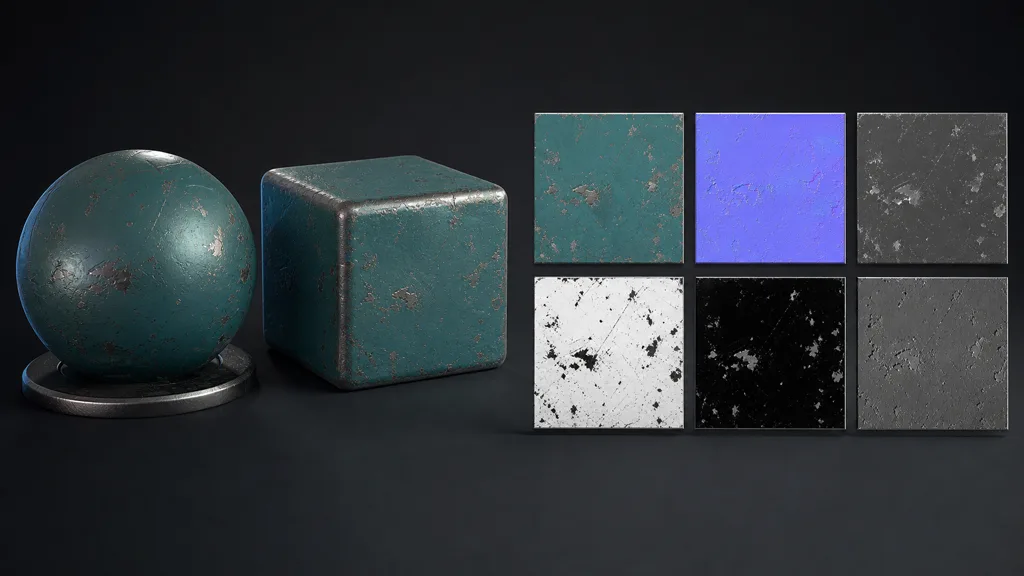
When building Three.js materials, load every map from the same approved source and keep its crop, scale, rotation, and UV registration unchanged. The following setup makes the two multipliers that often cause confusion explicit: roughness and metalness maps are multiplied by the material’s scalar values, so a metalness map paired with metalness: 0 produces no metal at all.
import * as THREE from 'three'

const loader = new THREE.TextureLoader()
const [color, normal, roughness, metalness, ao] = await Promise.all([
  loader.loadAsync('/materials/painted-steel/basecolor.webp'),
  loader.loadAsync('/materials/painted-steel/normal.webp'),
  loader.loadAsync('/materials/painted-steel/roughness.webp'),
  loader.loadAsync('/materials/painted-steel/metalness.webp'),
  loader.loadAsync('/materials/painted-steel/ao.webp'),
])

color.colorSpace = THREE.SRGBColorSpace
for (const map of [normal, roughness, metalness, ao]) {
  map.colorSpace = THREE.NoColorSpace
}

const material = new THREE.MeshStandardMaterial({
  map: color,
  normalMap: normal,
  roughnessMap: roughness,
  metalnessMap: metalness,
  aoMap: ao,
  roughness: 1,
  metalness: 1,
})
In Three.js materials, base colour describes reflected colour without baked highlights or shadows. Roughness controls reflection spread. Metalness marks exposed conductors, not merely dark pixels. Normal changes the shading direction without moving the silhouette. AO adds restrained local occlusion. If one map invents a chip where the others see intact paint, the Three.js PBR material has no physically consistent answer.
Fix Three.js texture colour space before touching the lights
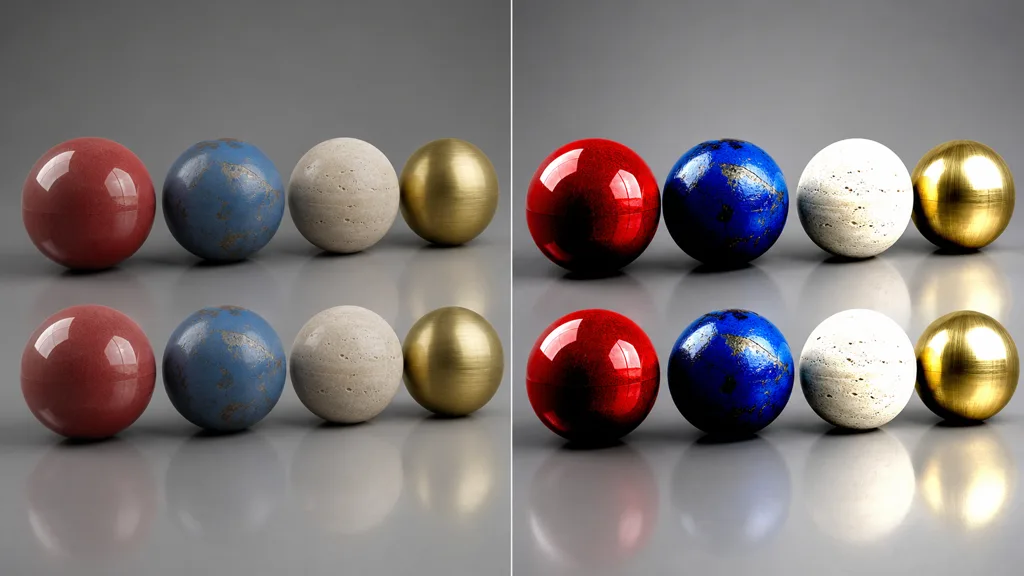
For Three.js materials, the Three.js colour-management guide separates colour information from physical data. PNG or JPEG base-colour and emissive maps normally use SRGBColorSpace. Normal, roughness, metalness, AO, and displacement maps are measurements, so they remain in NoColorSpace. Rendering math happens in linear space; the annotation tells Three.js how to interpret the stored values before that math begins.
Common symptoms are useful. An untagged base-colour map can look too dark or washed out. An sRGB-tagged roughness map changes the distribution of reflection values and may make a material unexpectedly glossy. An sRGB-tagged normal map bends its vectors before the shader uses them. When several Three.js texture maps look wrong together, inspect their colour-space annotations before raising every light intensity in the scene.
glTF is a strong delivery option because it records material relationships and expected texture roles. The official Three.js documentation recommends GLTFLoader for glTF 2.0 and warns that older formats often describe colour space inconsistently. Even with glTF, test the exported asset early; a standard can carry a mistake very efficiently.
Check normal, AO, and displacement assumptions
A Three.js normal map is normally tangent-space data. If a DirectX or otherwise left-handed normal map makes grooves look raised, negate the Y component of normalScale or export an OpenGL-style map. Do not invert the entire texture: X and Z were not involved in the disagreement.
The Three.js AO map uses its red channel and needs the intended secondary UV coordinates according to the material documentation. Confirm the geometry actually contains that coordinate set and that the texture samples it. Duplicating the first UV set can be acceptable when AO shares the same unwrap, but it is not a substitute for a deliberately separate bake layout.
A Three.js displacement map moves vertices. It does not manufacture topology between them. A two-triangle plane can become a tilted card, not a cobblestone road. Subdivide the geometry enough for the required silhouette change, use displacementScale and displacementBias at real scene scale, and retain a matching normal map for detail below the mesh resolution. For distant or flat surfaces, parallax-free normal detail is often the better budget.
Give Three.js materials an environment worth reflecting
Three.js materials need illumination that reveals both diffuse response and reflections. Add a direct light when form and shadow matter, then use an environment for broad image-based lighting. The MeshStandardMaterial documentation recommends an environment map for best results, and Three.js prefilters environments for the roughness response through PMREM.
Test Three.js materials under one neutral environment before stylized scene lighting. Rotate the environment or the object and watch the highlight travel. Metal should reflect the environment through its coloured base response; dielectrics should retain their diffuse colour while the specular reflection changes with roughness. If the highlight is painted into the base-colour map, it will stay fixed while the real reflection moves—an efficient way to make a wall look haunted by a second sun.
Control UV scale, wrapping, and filtering together
Three.js materials cannot look convincing at the wrong physical scale. Decide how many metres one tile covers, apply the same repeat and transform to every registered map, and inspect the result at the camera distances that matter. The Three.js texture guide covers wrapping, repeat, filtering, and mipmaps; treat those as a set rather than unrelated toggles.
Repeatable Three.js materials need RepeatWrapping on both axes and identical repeat values across the map set. Increase anisotropy selectively for floors and other grazing-angle surfaces, but cap it to the renderer’s supported maximum. Keep mipmaps enabled for ordinary power-of-two material textures so distant detail becomes stable instead of shimmering through the browser like an anxious spreadsheet.
Test a large repeated plane as well as a sphere and bevelled cube. The plane reveals seams and landmarks; the sphere reveals reflection spread; the cube exposes tangent and UV discontinuities. Use the seamless texture guide when the border closes cleanly but a memorable stain still repeats every two metres.
Debug Three.js materials one map at a time
When complete Three.js materials fail, remove information until the failure becomes specific. This order keeps the investigation short:
- Render the geometry with a plain colour and MeshStandardMaterial under known direct light.
- Add the base-colour map and verify its URL, UVs, orientation, and sRGB annotation.
- Add roughness, then metalness, with both material multipliers set to one.
- Add the normal map and check whether flipping only its Y response fixes the relief.
- Add AO after confirming the coordinate set and red-channel content.
- Add displacement last, on subdivided geometry, with a deliberately small scale.
- Compare the same asset under neutral and production lighting.
Also inspect network failures, CORS errors, zero-size geometry, back-face culling, accidental opacity, extreme tone mapping, and stale cached files. A purple normal preview proving the image downloaded does not prove it was connected to normalMap. Browsers are literal colleagues.
Budget Three.js material performance for the browser
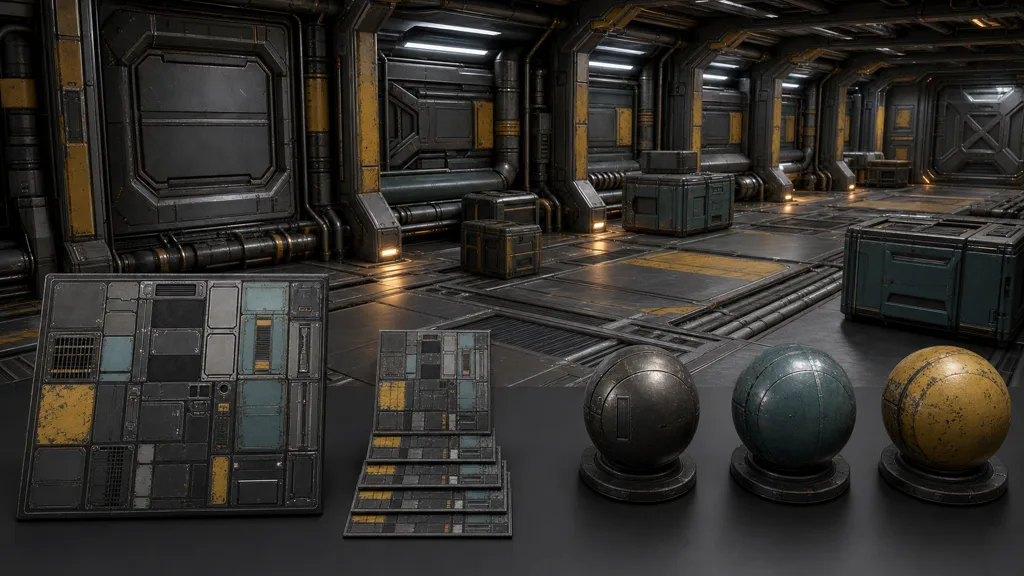
For Three.js materials, download size is not GPU size. Compressed JPEG and WebP files expand into texture memory after upload, and every extra map adds bandwidth, memory, and sampling work. Reserve 4K maps for surfaces that earn 4K screen coverage. Background props often need fewer maps and lower resolution than the portfolio turntable suggests.
Reuse Three.js materials across meshes that share a surface, and use atlases or trim sheets when many small objects draw from one material family. glTF can deliver KTX2/Basis compressed textures through GLTFLoader, reducing transfer and GPU-memory pressure on supported devices. Transparency is expensive and order-dependent; use alpha testing for hard cutouts when smooth blending is unnecessary.
Watch renderer.info for texture and program counts. When a level, configurator option, or user upload is truly replaced, call dispose() on obsolete textures and materials; disposing a material does not dispose textures shared elsewhere. The official cleanup guide explains why these GPU resources are not reclaimed by normal JavaScript garbage collection alone.
FAQ
How do I use PBR textures in Three.js?
Load the texture set, assign base colour to map, then connect normal, roughness, metalness, AO, and optional displacement to a MeshStandardMaterial or MeshPhysicalMaterial. Mark colour textures as sRGB, leave data maps in NoColorSpace, provide useful lighting or an environment map, and verify the geometry has the required UVs.
Which Three.js material supports PBR?
MeshStandardMaterial implements the metallic-roughness PBR workflow and is the usual starting point. MeshPhysicalMaterial extends it with effects such as clearcoat, transmission, sheen, iridescence, and anisotropy, but those features add shader cost and should be enabled only when the surface needs them.
Why is my Three.js material black?
MeshStandardMaterial needs light, so first confirm that the scene has direct lights or an environment map. Then check that the base colour was tagged sRGB, data maps were not tagged sRGB, texture URLs loaded successfully, and the camera is looking at the front side of the geometry.
Does Three.js use OpenGL or DirectX normal maps?
Three.js normally expects tangent-space normal maps with the OpenGL-style Y direction. If a left-handed or DirectX normal map makes dents look raised, negate the Y component with material.normalScale.y or export the map in the expected convention.
How do I add an AO map in Three.js?
Assign the texture to aoMap and ensure the geometry supplies the UV coordinate set used by that map. The AO value is sampled from the red channel; keep the texture as non-colour data and use aoMapIntensity to tune the effect instead of baking darker shadows into base colour.
Why does displacementMap not work in Three.js?
Displacement moves existing vertices, so a plane with only a few segments cannot reproduce detailed height. Add enough subdivisions, confirm the mesh can move along its normals, and tune displacementScale and displacementBias while keeping a matching normal map for smaller detail.
How do I improve Three.js material performance?
Reuse materials and textures, reduce unnecessary map resolution, prefer glTF with KTX2/Basis compressed textures, avoid transparent materials where alpha testing is enough, and watch renderer.info. Dispose textures and materials when they are genuinely replaced so long-running applications do not retain GPU resources.
Try CraftPBR
CraftPBR supplies the material set that Three.js materials need:
- Text-to-PBR generates coordinated maps from a physical surface description.
- Photo-to-PBR converts a controlled surface photo into aligned base colour, normal, roughness, height, AO, and metalness.
- Node workspace keeps masks, tiling, levels, and material layers editable after generation.
- Engine export prepares clear filenames, OpenGL normal orientation, separate data maps, and web-friendly delivery.
- Free tier lets you test a complete material before it joins the application bundle.
- CC0 output lets you use, modify, and ship generated materials without attribution.
Let the browser render the material. Do not make it guess what each grayscale file meant.