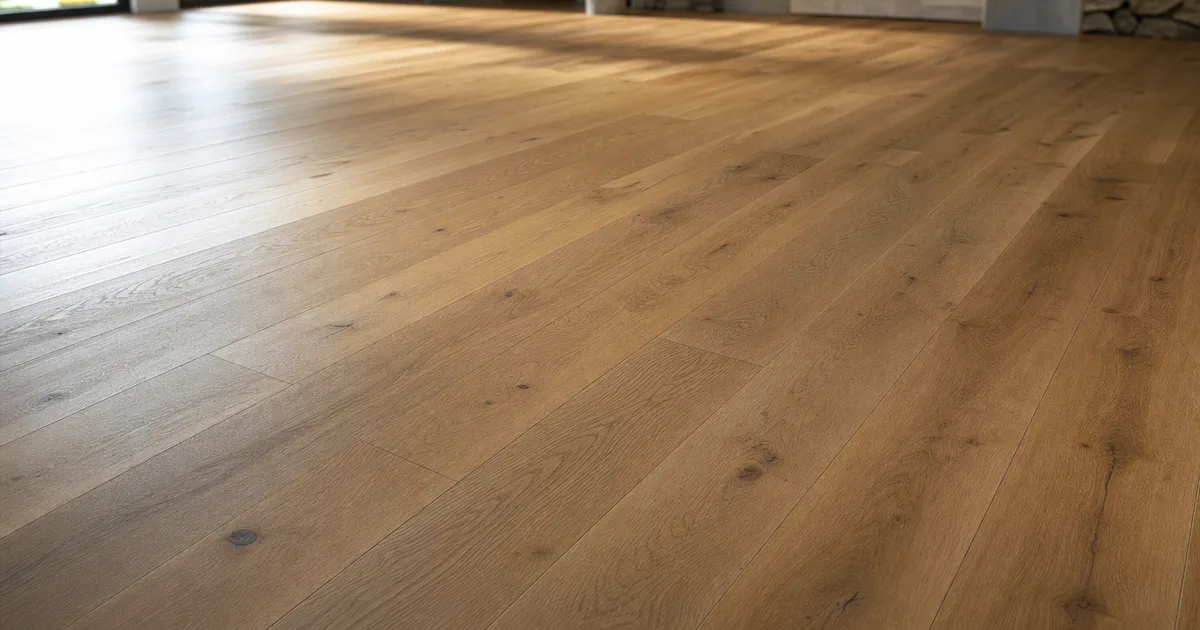
You know that feeling when you drop a wood texture onto a floor, zoom out, and suddenly it looks like graph paper made of planks? A seamless wood texture fixes that. It tiles in every direction with no edges and no repeating knot giving the game away, so a 2K tile can cover a whole warehouse and still read as real wood.
The trouble is that “seamless” is only half the battle. A texture can wrap perfectly at the pixel level and still look fake the moment it repeats, because wood has loud features — knots, cracks, colour bands — that your eye latches onto. This guide covers both problems: making wood actually tile, and making tiled wood stop looking like a grid.
What makes a wood texture seamless?
A texture is seamless when its opposite edges match: the right edge continues into the left, the top into the bottom. Lay copies next to each other and you can’t find the joins. For wood specifically, that means the grain has to flow across the wrap and the tone has to stay even — a plank that’s a shade darker on one edge will strobe when it tiles.
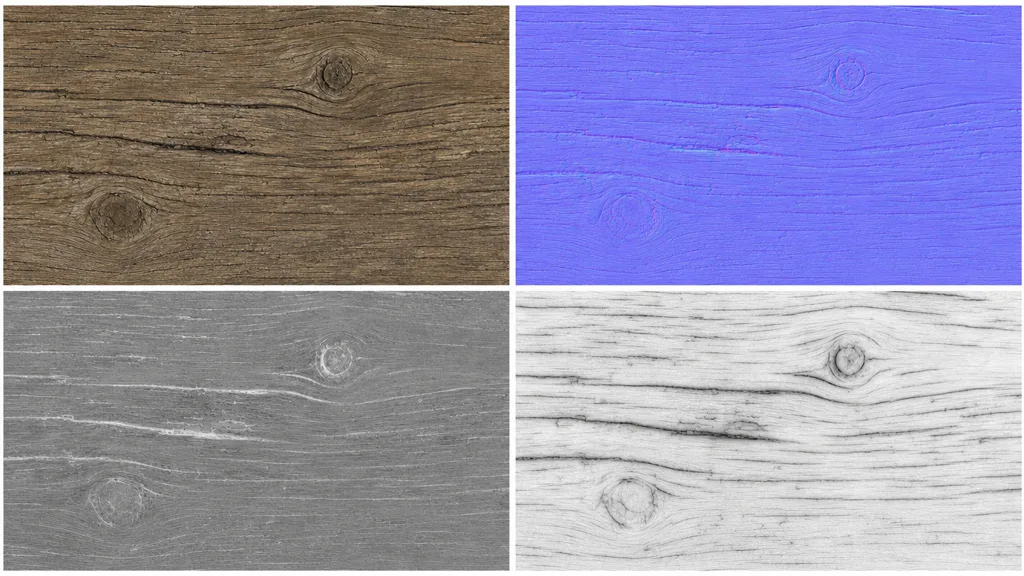
A proper tileable wood texture isn’t just one image, either. It’s a full PBR set where every map wraps: base colour, normal, roughness, and ambient occlusion all have to tile in lockstep. If the colour map is seamless but the roughness map isn’t, you’ll see the seam in the reflections even though the wood grain looks fine.
Why tiled wood looks fake (and it’s not the seam)
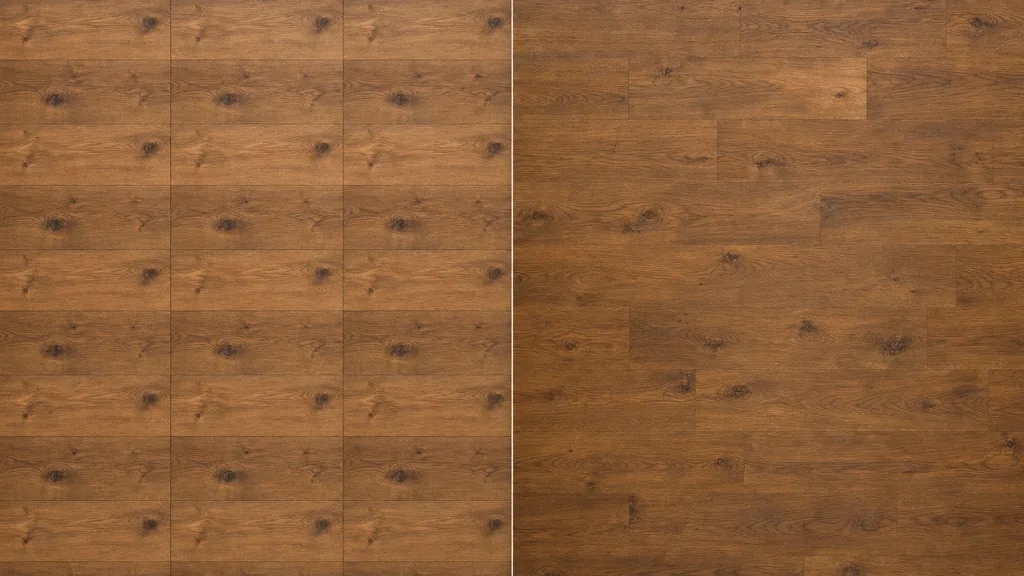
Here’s the thing nobody tells you: most “bad” wood textures are technically seamless. They wrap fine. The problem is repetition. The human visual system is a pattern detector, and wood is full of patterns to detect:
- A loud knot. One dark whorl that shows up every metre, like clockwork. Instant tell.
- A colour band. If the source plank trends darker top-to-bottom, every tile inherits that gradient and the floor stripes.
- A signature crack. Any distinctive split or gouge becomes a fingerprint the eye tracks across the surface.
- Directional grain. All planks running the exact same way reads as wallpaper, not flooring.
A repeatable wood texture that actually holds up is one with the volume turned down: even tone, no single hero feature, grain that varies just enough. Then you break up what repetition remains in-engine — more on that below.
The three texture maps wood needs most
Wood is a forgiving material in some ways and brutal in others. These are the maps that make or break it:
- Base colour (albedo) — the grain and tone, with lighting information removed. No baked shadows, no shine.
- Normal — the grain’s relief, plank bevels, and surface scratches faked without geometry. This is what catches raking light. (New to these? See what a normal map is.)
- Roughness — where the finish is glossy (a sealed plank) versus matte (raw or weathered wood). Wood lives or dies on this map; a flat roughness value makes it look like printed laminate.
Add ambient occlusion for the shadow in the plank grooves and you have a convincing material. The mistake is shipping wood with only a colour map and a normal — flat roughness is the single most common reason wood looks plasticky.
Three ways to get a seamless wood texture
1. Heal a photo by hand
The old-school method. Take a flat-on wood photo, offset it by half its width and height (in Photoshop: Filter › Other › Offset, wrap-around), then clone-stamp over the cross seam that appears in the middle. Then hunt down every knot and colour band that would repeat and paint them out. It works, it’s free, and it eats an afternoon per plank — and you still have to derive the normal and roughness maps separately.
2. Download a CC0 set
Poly Haven, ambientCG, and similar libraries give you ready-made seamless wood with full PBR maps under CC0. Fast and high quality, with one limit: you get the planks that exist. If you need a specific stain, a particular plank width, or a wear pattern that isn’t in the catalogue, you’re back to editing — or compromising.
3. Generate it from a prompt
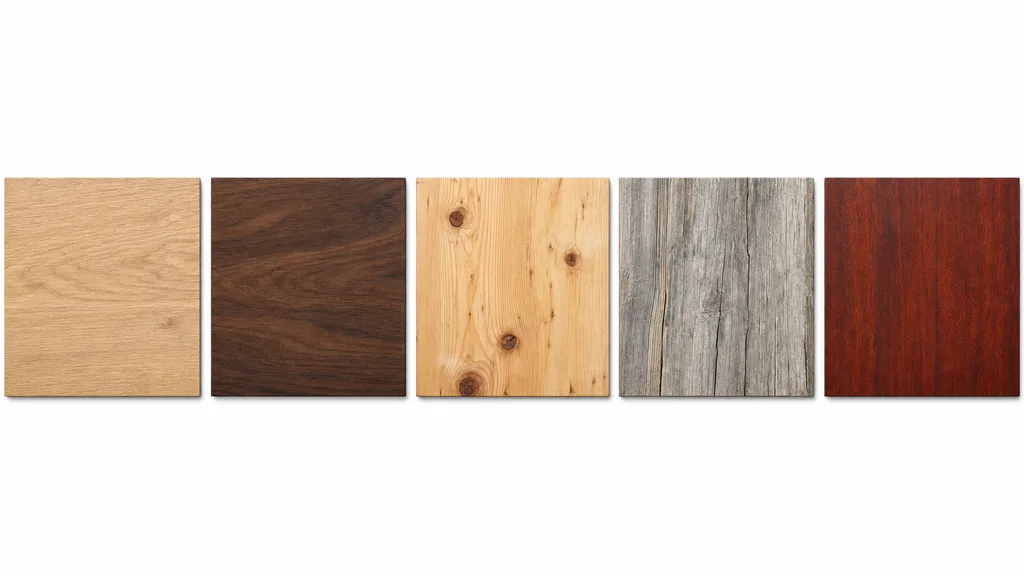
Describe the wood — “weathered grey barnwood, wide planks, matte finish” — and let AI produce a tileable PBR set already wrapped. CraftPBR generates the base colour and derives a matching normal, roughness, AO, and metalness, then makes the whole set seamless together. You get the exact wood you described instead of the closest thing in a library, and it takes about a minute. It’s the same idea as our text to texture workflow, pointed at wood.
Killing the grid: break up the repetition
Even a perfect seamless wood texture repeats if your surface is bigger than the tile. These are the standard tricks to hide it:
- Vary the UV scale and rotation per object so identical planks don’t line up.
- Blend two wood textures with a low-frequency noise mask, so tone drifts across the floor like real timber.
- Add a detail/decal layer — scuffs, stains, footworn paths — that doesn’t tile on the same frequency.
- Use a stochastic/hex-tiling node (Unreal, Blender) that shuffles the tile so the eye can’t find the grid.
For the full toolkit on this, the seamless tileable textures guide goes deep on anti-repetition across every material, not just wood.
Seamless wood texture in Unity, Unreal, Blender, and Godot
A seamless wood texture is just a PBR set, so it drops into any engine. The per-engine notes that actually matter:
- Unity — set the texture Wrap Mode to Repeat, base colour as sRGB, normal/roughness/AO as linear (Non-Color). Use a Tiling value on the material to scale the wood to the surface.
- Unreal — drop the maps into a Material, wire roughness and AO, and remember Unreal expects DirectX normal maps — flip the green channel if your wood was authored for OpenGL.
- Blender — Image Texture nodes set to Repeat extension, base colour on sRGB and the rest on Non-Color, into a Principled BSDF. Blender uses OpenGL normals.
- Godot — assign the maps in a StandardMaterial3D, enable AO, set UV1 scale to tile. Godot uses OpenGL normals like Blender.
Where seamless wood is heading
The library era — hunt, download, compromise — is quietly ending. When you can describe the exact plank you need and get a tileable PBR set back in under a minute, keeping a folder of 200 wood scans starts to feel like keeping a shelf of stock-photo CDs. The next step is materials that adapt to the surface they’re on, so the wood already knows how to wrap your specific floor.
We’re not all the way there. But for “I need a seamless oak floor and I need it now,” the answer is no longer a download — it’s a sentence.
Key takeaways
- Seamless means the edges wrap; repeatable means it survives tiling without looking like a grid — you need both
- The repetition tell is usually a loud knot, a colour band, or a signature crack, not the seam itself
- Every PBR map has to tile together — colour, normal, roughness, AO — or the seam shows in reflections
- Flat roughness is why wood looks like plastic; vary it
- Break up remaining repetition with UV rotation, blend masks, detail layers, or stochastic tiling
- It imports into any engine — just mind the OpenGL/DirectX normal convention